
Indie game storeFree gamesFun gamesHorror games
Game developmentAssetsComics
SalesBundles
Jobs
TagsGame Engines

Astral Bureau

3
Posts
1
Topics
A member registered 19 days ago

Recent community posts

(5 edits)

Thank you very much for your support! Detailed logs work without any issues now.

And about SRPG_Gear Tactical Battle, here is a small video showing how exactly the issue looks on my end (I hope that maybe it will help somehow):

https://vimeo.com/1212272342?share=copy&fl=sv&fe=ci

(It is not in English, so here is what's happening - I initiate a SRPG battle via event interaction  > press a button to "start battle" > quit to title > press "continue" to load the game > when I try to load any save file a buzzer sound plays and game doesn't load)

If you will need any more information, I'll be happy to provide it!

Update: I've been mistaken, and another test showed that only one SRPG plugin activated together with WD_Quest seem to cause the problem: SRPG_AuraSkill_MZ (AoE plugin itself is fine! TerrainEffectsPlus seem to be fine too)

Update 2: now it seems to be more of an issue with AuraSkill: I noticed that If I have nothing but SRPG plugins activated (including AuraSkill) and start SRPG battle, I can't load tha save file created before SRPG battle. Activating WD_Quest only slightly affects this, as with WD_Quest activated I can't load any save file at all (but the core issue seems to be the same). So maybe it is mostly unrelated to your plugin at all. If this is the case, sorry for bothering you with that!

Update 3: it still feels somehow connected to WD_Quest: I ran a new test on a project with nothing but SRPG plugins, WD_Core and WD_Quest. Without WD_Quest, I managed to save, start battle, save again, quit to title and than load both saves (before battle and during battle). With WD_Quest (same actions) I could't load the saves

Update 4: further tests showed interesting results! When I have SRPG plugins + WD quest activated, start SRPG battle and save the game, a can't load this save file BUT I can load the save files which I made before activating WD quest plugin. I hope it can somehow help to locate the issue
Hello again! I have encountered a different thing, which is not an issue with your plugin as is, but a compatability issue with a different plugin. As it is a different issue, I can create a separate topic for it if necessary.

In my project I use a set of plugins called SRPG Gear MZ - Tactical Battle system for RPG Maker MZ (it can be found on Steam or github for free, I can send a link if necessary). 

In the game, after a SRPG tactical battle starts, it becomes impossible to load the game, even after I finish the tactical battle or quit to title (i.e. loading the game is completely impossible unless I fully close the game and open it again, than I can freely load again). It only happens when WD_Quest plugin is activated.

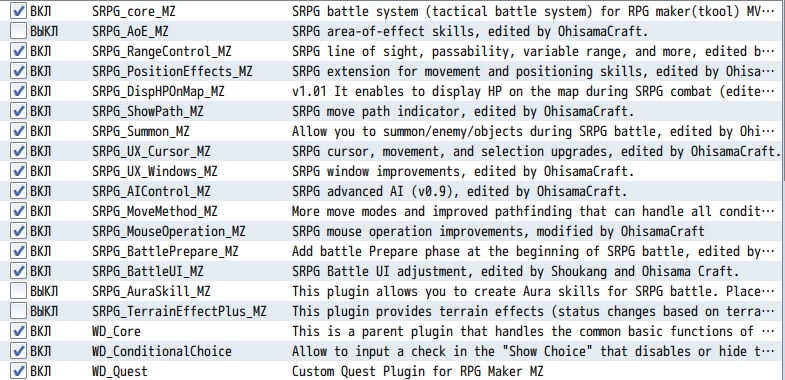
To narrow it down, the issue only happens when SRPG_AoE_MZ plugin is activated, other SRPG plugins seem to work fine with WD_Quest (although there are two other SRPG plugins depending on SRPG_AOE_MZ, which I had to also disable during the test, so they may also cause this issue - SRPG_AuraSkill_MZ and SRPG_TerrainEffectsPlus_MZ). Screenshot below shows which SRPG plugins had to be disabled to "resolve" the problem, so the compatability issue is probably between them and the WD_Quest:


Could you please also look into this issue, if possible? Your Journal system is the most convinient one I've seen, so I would really love to keep using it, however for this project tactical battles are very important and leaving them out is not an option either

Hello WinterDream Games!

Thank you for your work and your plugins!

I have encountered an issue while using a plugin Quest Log - Simple Quest Journal System v 2.4.4 (originally noticed on v 2.4.3). I have created a test project with only 2 plugins activated: WD_Core and WD_Quest, and managed to recreate the issue.

When I create two different quests, both with corresponding detailed logs, if I open logs for the quest 1, and then immediately after open logs for quest 2, the list of logs doesn't update and I see the logs of quest 1 showing for quest 2. Here is an example:

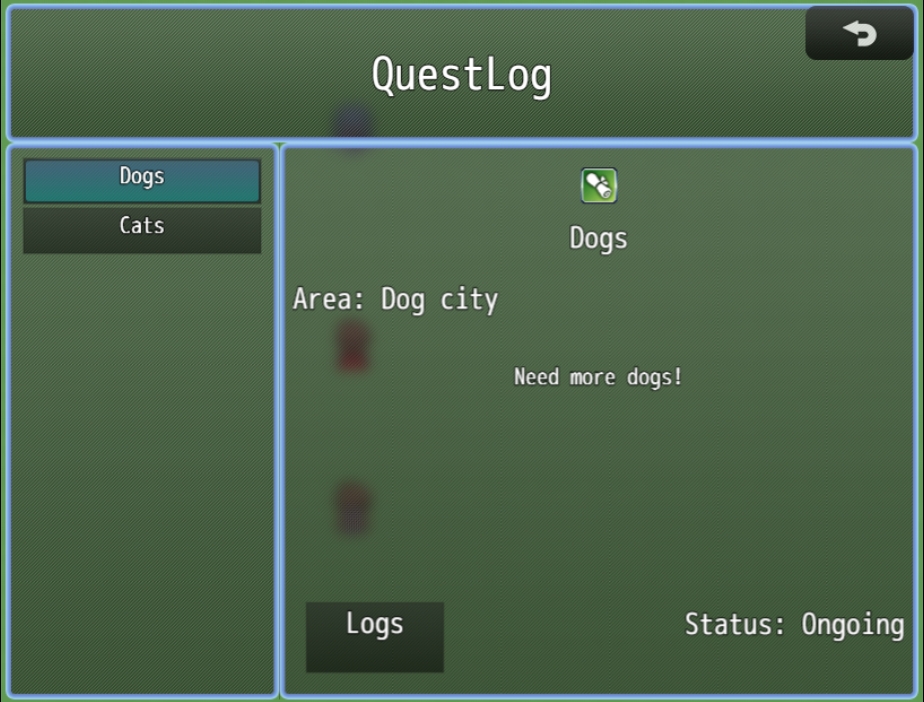
1. I have two different quests:


2. Each quest has different logs:


3. However, if I open logs for quest "Dogs", and then, without closing the quest menu open logs for quest "Cats", I see dog logs in Cat quest:   


Could you please look into it?


