On Sale: GamesAssetsToolsTabletopComics
Indie game storeFree gamesFun gamesHorror games
Game developmentAssetsComics
SalesBundles
Jobs
TagsGame Engines

AA STUDIO

57
Posts
174
Followers
62
Following
A member registered Sep 13, 2023 · View creator page →

Creator of
Recent community posts

Hey Bricks! Sorry I wasn't able to get back to you sooner. I've been  busy lately. To answer your question. There are several ways you can unselect the item/equipment you choose:

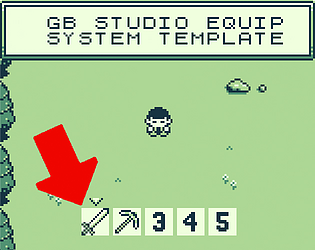
1.) Simply select another item/equipment to unselect the previous one but you will be holding another one

2.) I haven't tested this one out but in principle all you need to do is add a TRUE/FALSE event on the A button. Add a variable that when you select item/equipment 1 then item/equipment 1 is TRUE and if FALSE add the event animation state back to default. So that when you add a TRUE/FALSE event on the A button it will toggle that if player is holding item/equipment 1 it will know if it will go back n forth to whichever animation state. It's quite complex. Which is why this is just a basic system.


3.) Add an item box or equipment box of an icon of a fist meaning he wont be holding anything when you click it. But you have to change animation state to default so let's say Box 1 is a sword, Box 2 is Pickaxe then Box 3 is a fist which means unequip. Not sure if that made sense but yeah.

So far those are the solutions I can think of, you might have to tinker with it more because I cannot do that as of the moment. Will look into it more and maybe I can guide you later on. Sorry about that, it's really just a basic system that I made that isn't super complete because the idea is for everyone to be able to customize their own. But nevertheless thanks for your support!

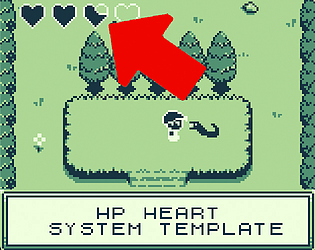
Yes I made the heart sprite. You may use it for whatever purpose. May it be for personal projects or commercial projects. :)

Hello! I'm glad you liked it. The player sprite inside is part of an asset pack that is free. I believe you may use it commercially. But I highly suggest for you to at least change a few pixels so it will be more original.

Thanks man!

Hello again AttilaALM, unfortunately upon reading a bunch of tutorials online, there really is a bug in this kind of script. Will try to make a new one but this is why I placed a disclaimer that this system is buggy. I tried everything I could but it just really glitches a lot. So sorry about that. I did warn everybody in the description though.

(1 edit)

Thanks man! Well, to be honest, I have yet to test it on GB Studio 4. Will get back to you if I see any glitches.

*UPDATE: I just tried it now. No glitches found after testing it on GB Studio 4.1.3

(1 edit)

Not sure if this is all too complex for you but basically you need to set the script of your characters level that corresponds to stats.
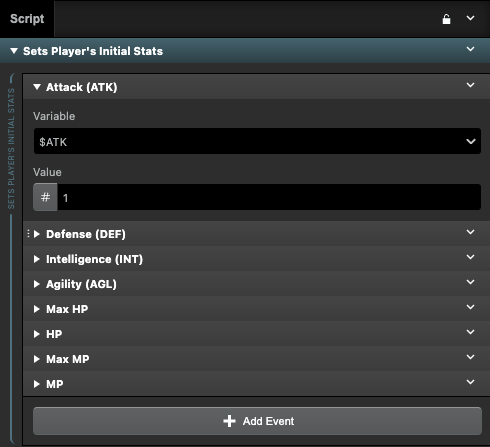
So here you see defense, intelligence, agility, max HP, HP so on and so forth. This is what sets the player's initial stats in the beginning of the game. The variables check out accordingly. Now when player levels up these values will change. But what you need to fix would be the scene your character enters in. So when your character enters a new scene it shouldn't have the event If ($HP <=0) YOU ARE DEAD below:
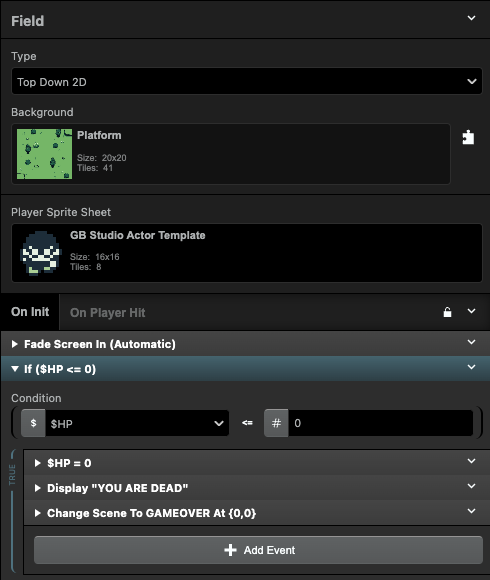
As seen in this image, your next scenes shouldnt have this anymore so your character doesnt die. You just need to have a fresh scene and allow your character to go to that scene without this. 
Did I get it right?

(1 edit)

Wow so sorry I just saw this now. My wife just gave birth to our second son and just been so busy. I actually feel bad I haven't been so active here, I haven't uploaded some of my promised goals as well. I will truly get back to it I just need a breather and I do miss GB Studio! I am glad you are liking the templates. I am planning to update them so that more people will get to use them and learn from them. They are not perfect but my goal is to create more and more for GB Studio community to enjoy it further. These are for GB Studio Game Devs like you! and myself. Thanks for the kind words! Would love to see what you're working on in the future. I have some projects along the way but it's on hold now because of adulting... Anyways! Thanks again for all the support! Ingat!

(1 edit)

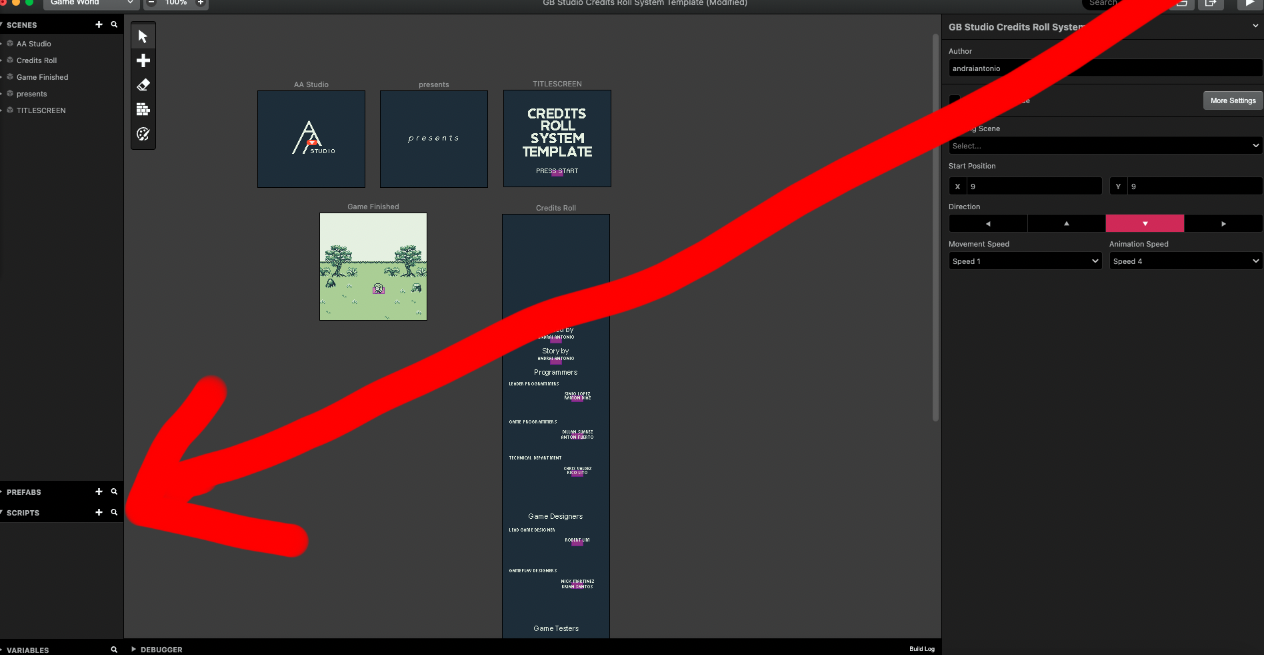
Hello! Sorry for the late response, quite busy lately. Okay so first off. You will need to study on how to create scripts over at your project that affects your entire world that keep track of the stats of your character using variables and such. So that wherever you go around any scene your stats remain the way they are depending on whatever circumstances they face. Let's say in scene 1 your character gets damaged by 1. It should carry over to the script that affects your HP. Therefore if you go to the next scene as long as you have that script in that same scene. It will update the stats of your character. It's quite difficult to explain but there are tutorials online on how to go about that. I hope I made sense. Here's a photo of where you can make scripts.
I believe your character is dying whenever you go to the next scene because your character's life starts at ZERO in the next scene? and therefore the MENU template i created kills your character at zero. Maybe you can remove the "You are dead" scripts that sends it to another scene first. Then later on add that once you have figured everything out. Also, you might need to study on how to create rpg's on gb studio first and the scale of it before creating a project because I personally had to stop my dreams of making an rpg because it is too much for me. haha. I ended up getting stuck in so much obstacles.
Sure thing! I hope it works out for you. I mean I'm transparent with my GB Studio Systems. They're a guide on how to apply it to each and everyone's own projects (Not exactly a copy paste kind of thing). Godspeed!

*UPDATE* I just tested it now. I migrated it to GB Studio 4.1.3 and it worked. But if for some reason it suddenly doesnt work, if your main project is on a higher version. You'll still have to manually copy paste this entire system one by one piece by piece into your new project anyway. All my systems are usually just templates so GB Studio creators like yourself can dissect it and see how the system works and apply it to your new project.

To be completely honest I am not sure. I haven't tested them all yet. But I have migrated previous projects to GB Studio 4 and they work fine. I can get back to you in a bit. I will test if migrating this will come up with any issues.

So sorry for the late reply. My wife just gave birth.

To answer your question, I believe it can work but the problem would be the provided graphics for it. You might have to tweak a lot to achieve what you were asking.

(1 edit)

Hello AttilaALM, this is an old FREE System I made for an older version of GB Studio and it really has a minor glitch. Let me get back to you on this. I will try to convert it to 4.1 version. If all else fails. I might have to re-do the whole thing on GB Studio 4.1

Hi! So sorry I wasn't able to reply. It's the holidays so I went on a hiatus. But if you are not familiar with the controls for Gameboy using your PC keyboard here it is:

  • Up - Up Arrow / W.
  • Down - Down Arrow / S.
  • Left - Left Arrow / A.
  • Right - Right Arrow / D.
  • A - Alt / Z / J.
  • B - Ctrl / K / X.
  • Start - Enter.
  • Select - Shift.

Yes, which is why I usually encourage people to start a project with this one being used first. But of course, if there's already a lot of progress in the game/project, one cannot just restart the whole thing for a currency counter. I'm glad this helped you. It may not be the best but it works and I'm sure people can find ways to tweak it to fit their needs. Glad you were able to make it work :)

Ooooh yeah that would be good! Maybe I'll make an updated version of this. Thanks Max!

Wow your game looks great! Will definitely check it out because I love fishing in every game. May it be Minecraft, Stardew Valley, Pokemon and even the latest games like Sea of Stars, just gotta love fishing! 

Glad my system kickstarted your fishing system!

Wow, checked out your stuff!. I'm so jealous you already have a full blown game! I am currently making my own but super far from anything finished. Thanks for your support. Glad the safe lock assets worked out for you!

OH!!! YES I get it now. Wow. Thank you for this. I totally didnt think of that kind of system. I might just make a new one because that would require a whole lot of tweaking. Might as well start from scratch. My only concern is if you will be able to wait because I am currently in the middle of moving to a new home and we are not yet finished which is why I haven't made a system in a very long time. I'll get back to you on this. It might be included in my GB Studio vol. 3 bundle next time!

Hello! Thank you so much for your support! I am so glad you found my GB Studio System bundles and that you are enjoying them.

As for your request. I am trying to fully grasp the idea. Correct me if I'm wrong.

You want this Equip System to act as a UI for selecting magic spells? And when you select the spells the background will pause? including actors? Is that right? I'm quite confused.

Hello Fizzlymike! Thank you for your feed back! The version you played is actually a birthday greeting for my mom. Which is why I used iPhone avatar references as the cutscenes. I still had to create them in aseprite pixel creator though but good eye! You knew it was iPhone Avatar reference. Anyways, glad you enjoyed the Demo. I might make a more official demo and eventually create the full game for sale next time. But for now, that would be it. And yes, the steps for the haircut is meant to be confusing like a puzzle because in a real haircut there are steps! :) I tried to make it as realistic as possible because my mom is a professional hairdresser. :)

Hey Benjamin! Finally got to check your game out. Didn’t get that far yet since I don’t want to spoil it. But so far so good. Super impressed by everything. The only thing I noticed that I’m not sure if you want to change would be the cursor. I’m sure you like the “mouse” type cursor but have you thought of trying to change it to a cursor that sets to said position?

> Text 1

    Text 2

Then when you press down it goes here:

     Text 1

>  Text 2

Or for example in your saved worlds menu

> World 1

When you press right cursor jumps to

    World 1            > World 2


did that make sense?

Because for the saved worlds menu option it takes awhile to move left and right. Along with the main menu. I dunno. It’s just my observation.  But other than that everything for me is just too good. Good job man!

It won't be as profound as yours. Mine is kinda of stupid hahaha but I think it will be fun. I might be able to release it mid this year! Thank you for your kind words. Again, your game is solid!!! Cheers! Once I get my gameboy fixed I'll buy your cartridge!

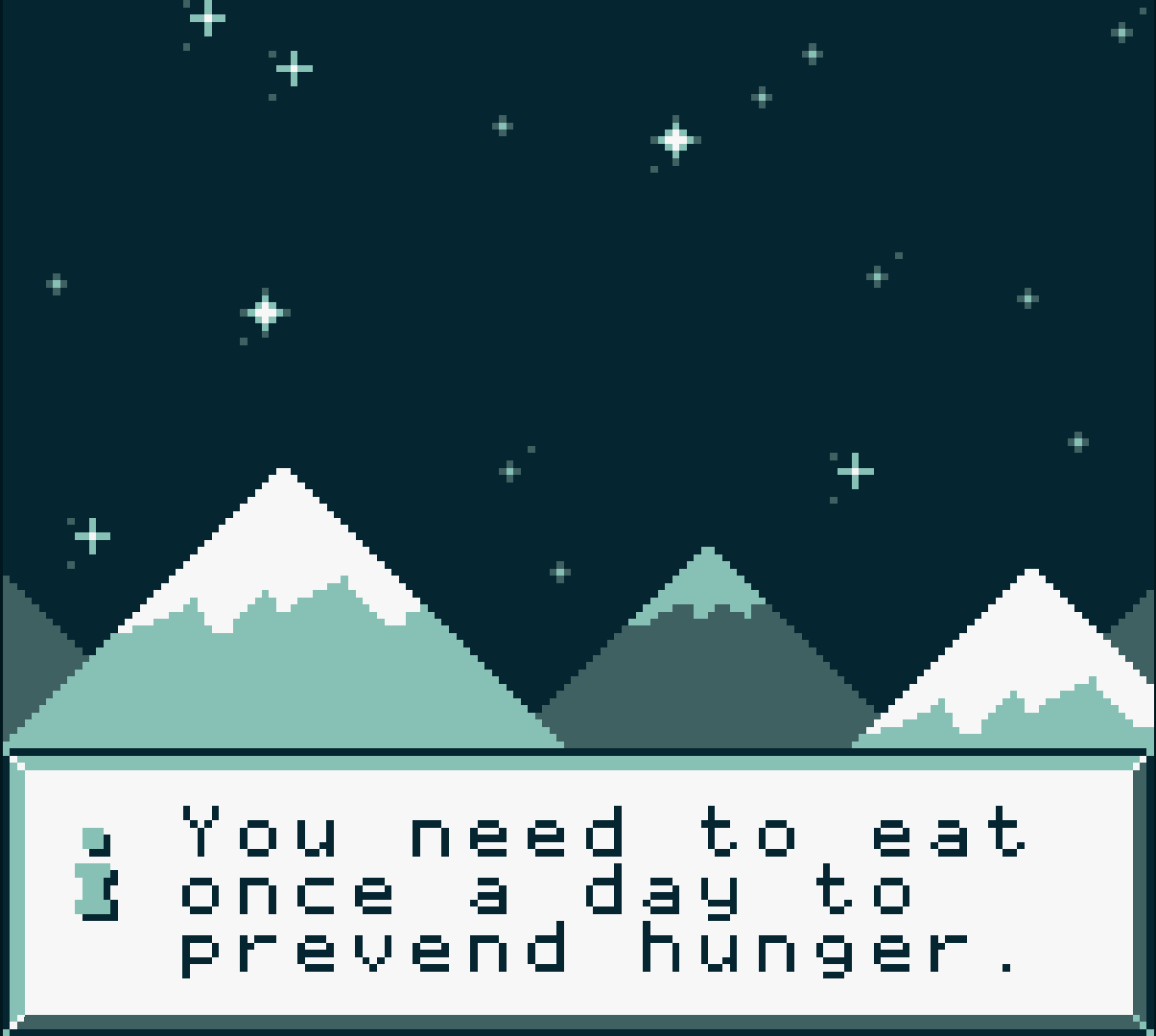
Found a typo! It's supposed to be prevent, not prevend. Just thought you knew! But man, so far your game is really well made! Can't wait to come up with my very own game!

Hello, it's best if you use my GB Studio Digital Clock System as your first project then you work from there. You rename it, you change the scene background, you change the sprites of the characters. Etc. Basically, a template that has the built in system for the clock to work. That's if you do not want to learn the nitty gritty details on how to make systems work. But! if you want to learn. You'll really have to study the template I made as to how it works. I made it fairly simple. I don't really make my systems function on formulas (except currency counter it has a little basic formula).

So yeah, I highly suggest you tinker with GB Studio first and start with basics. Try to imagine one thing you want to accomplish (like Player pushes object) then play around with GB Studio, search the web, ask people on reddit and just dive into it. I started from scratch 6 months ago. You can do it!

Yes they are. You might have to always make your scenes a little bigger than the standard size so your limit goes from 10 actors to 20 at all times. I'm sure you know this. For my RPG game I have decided to split a few scenes/maps into 2 just so I can accommodate this digital clock system and watch out for how many actors I place per scene.

Thank you!

Glad you were able to incorporate it into your existing project at ease! Thank you for your support :)

Thanks for the kind words man! and yes I've seen that github plugin. I tried to understand it but I just couldn't. So I decided to make my own basic version.

(1 edit)

Oh alright! Wow! would love to see the game youre making next time you're done with it. Will check your profile once in awhile if you're going to upload it. :)

(2 edits)

Glad you were able to power through! Creating number counters for any GB Studio Project really takes a lot of time especially when we have to import them into new projects.

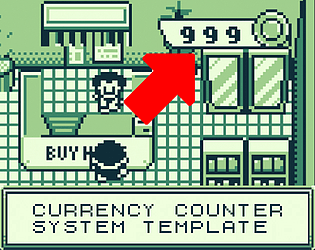
Don't get me started on 3 digit numbers! haha (I had to link sprites/actors manually in an event group for numbers 100-999, and it took me hours to accomplish for my Currency Counter System). I haven't found a formula to make it easier to create yet but hopefully someone in the GB Studio Community can.

btw,  I suppose, you couldn't start creating your game with this project file initially? to avoid re-linking sprites for the numbers?

Glad it worked out!

Thank you so much man!

Hey guys, for those wondering if this is a glitch:
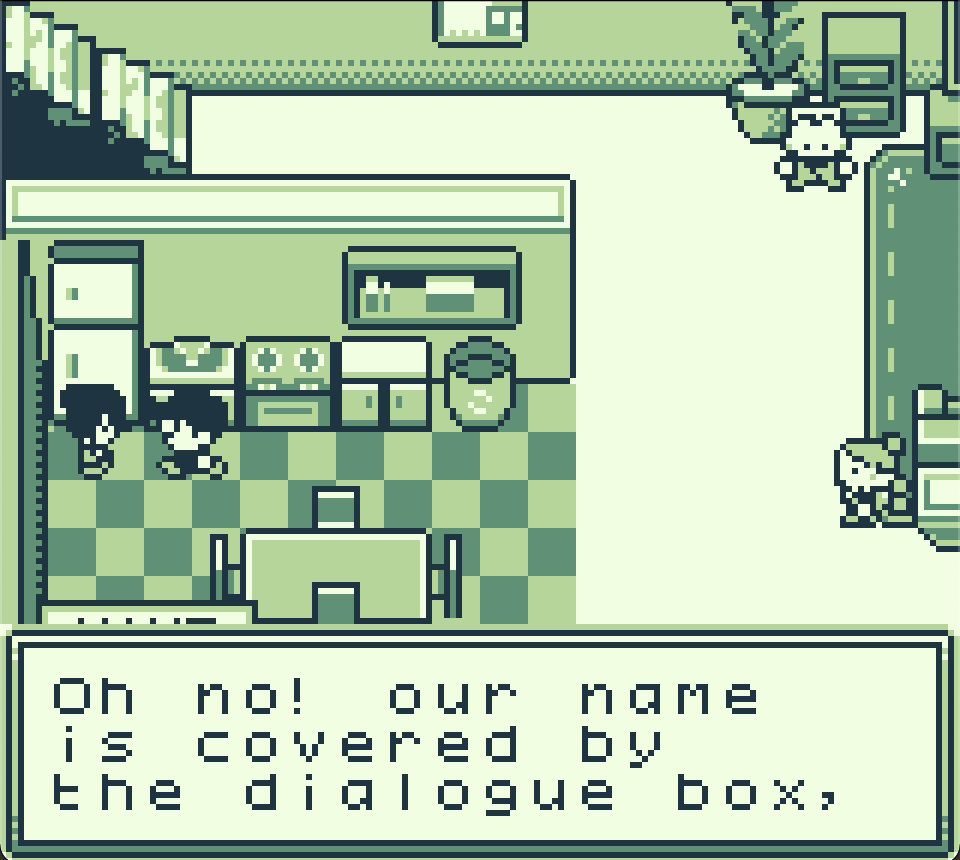

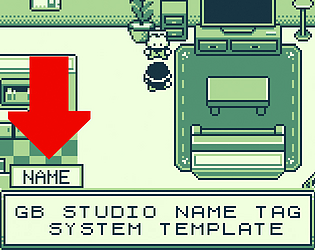
It is not. I purposely allowed the name tag to be covered by the dialogue box to show that if you use a 3 line dialogue box your Y-axis for the name tag should be adjusted to go up by 1. So in the DEMO, if you read the dialogue with this actor next to the fridge. It will fix itself.

Just had to clear this up cause some people on reddit thought it was a glitch.

Thank you!

I would like to say most likely but let me try first then I'll get back to you. Wouldn't want to lie just to make a sale.

Sure thing! Will probably make an updated version in the future if I find time :) Thanks for the support!

Oh okay! thanks for the encouragement man! Will definitely price my stuff right from now on. Thanks again!

This is so fun! I found a typo right after the target shooting game. It said "You cna do better!"

I suppose it's supposed to be "You can do better" :)

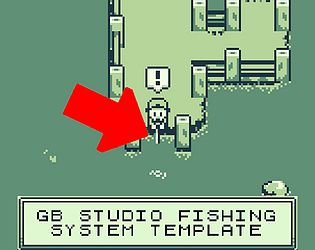
Hi there! I get what you mean! That is very possible. But the system I created is only a template for 1 item. You will need to add another "Math Function" that makes a variable value random for said item. And then another. Then you will just correspond it with the actor sprite that will pop up above player once received. It's quite a tedious process to include other items. But I will see if I can make a different fishing system version.

Here's a guide for you maybe you can do it:

If $CatchFish Value 3,10 (this is what I did, the catch function ranges from 3-10 which is connected to a 3-10 second timer)

therefore you will catch a fish within those seconds.

What you can do is

Retain the random formula but change what comes out if the value becomes ___

So that being said, you can make it if value is 1 = it will change the actor to a boot. 
If value is 2 it will change actor to bread. If value is 3 = a fish. So on and so forth. 

But be reminded that there are limits to the actors okay? You may opt to do the animation frames though if actor limits are an issue.