Indie game storeFree gamesFun gamesHorror games
Game developmentAssetsComics
SalesBundles
Jobs
TagsGame Engines

121542650

29
Posts
1
Topics
10
Followers
264
Following
A member registered Jun 07, 2024

Recent community posts

Sorry, I didn't know it was that complicated. Is there another way to show "packaging in progress"?

Remember to add a progress bar during creation.

My online name is "121542650".

Add a percentage progress bar when creating an APK                                                                    

Can I add a custom output path for the APK file?

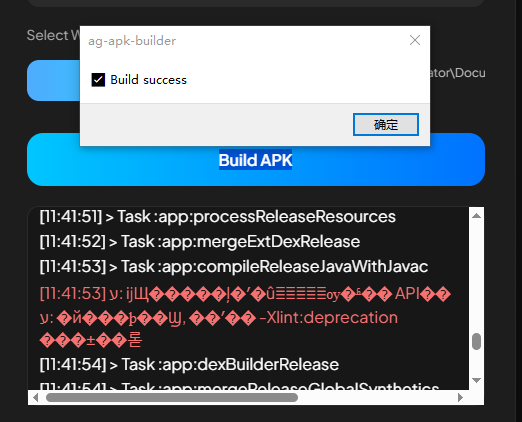
The latest offline version can be successfully packaged, but there's a red code as shown in the image. What does it mean? The game runs normally after packaging, but the problem is with non-standard resolutions. It only displays in the center of the screen, for example, 960x720. Could you add a game icon selection option?
redmi k60       

Android 13       rpg maker mz 1.91

The APK was successfully packaged, but on the problematic phone, after installation, the game keeps spinning and cannot be launched. Inspection revealed missing assets, which are not present in the game. Using other APK packaging tools, the game can be installed and launched normally.

[11:26:26] 100%

[11:26:32] To honour the JVM settings for this build a single-use Daemon process will be forked. For more on this, please refer to https://docs.gradle.org/8.2.1/userguide/gradle_daemon.html#sec:disabling_the_dae... in the Gradle documentation.

[11:26:33] Daemon will be stopped at the end of the build

[11:26:36] FAILURE: Build failed with an exception.

[11:26:36] * Where: Build file 'E:\RM��������\AG-APK-OFFLINE-VERSION\AG-APK-Builder-win32-x64\resources\base_module\app\build.gradle' line: 2 * What went wrong: An exception occurred applying plugin request [id: 'com.android.application'] > Failed to apply plugin 'com.android.internal.application'. >

[11:26:36] Your project path contains non-ASCII characters. This will most likely cause the build to fail on Windows. Please move your project to a different directory. See http://b.android.com/95744 for details. This warning can be disabled by adding the line 'android.overridePathCheck=true' to gradle.properties file in the project directory.

[11:26:36] * Try: > Run with --stacktrace option to get the stack trace. > Run with

[11:26:36] --info or --debug option to get more log output. > Run with --scan to get full insights. > Get more help at

[11:26:36] https://help.gradle.org. BUILD FAILED in 10s

[11:26:37] Error invoking remote method 'build-apk': Error: CMD FAILED 1

[11:26:44] Signing method: Auto Signed

By Anaryx Plugin

An error occurred while packaging the APK using AG-APK-OFFLINE-VERSION; the option "Step 4 – Open AG APK Builder" was missing.

Can this be used to package an APK? Will it affect the game?

I have internet access, but I still can't download anything. Is it possible to integrate everything together without needing to download it separately?

It can be used directly without a network.

Build APK

Log

[08:36:57] Creating local.properties...

[08:36:57] Injecting www...

[08:36:58] Updating strings.xml...

[08:36:58] Patching manifest...

[08:36:58] Injecting icons...

[08:36:58] Updating Gradle...

[08:36:58] Building APK...

[08:36:59] Downloading https://services.gradle.org/distributions/gradle-8.2.1-all.zip

[08:37:10] Exception in thread "main" java.io.IOException: Downloading from https://services.gradle.org/distributions/gradle-8.2.1-all.zip failed: timeout (10000ms)

[08:37:10] at org.gradle.wrapper.Install.forceFetch(SourceFile:4) at org.gradle.wrapper.Install$1.call(SourceFile:8) at org.gradle.wrapper.GradleWrapperMain.main(SourceFile:67) Caused by: java.net.SocketTimeoutException: Connect timed out at java.base/sun.nio.ch.NioSocketImpl.timedFinishConnect(NioSocketImpl.java:551) at java.base/sun.nio.ch.NioSocketImpl.connect(NioSocketImpl.java:602) at java.base/java.net.SocksSocketImpl.connect(SocksSocketImpl.java:327) at java.base/java.net.Socket.connect(Socket.java:639) at java.base/sun.security.ssl.SSLSocketImpl.connect(SSLSocketImpl.java:304) at java.base/sun.net.NetworkClient.doConnect(NetworkClient.java:178) at java.base/sun.net.www.http.HttpClient.openServer(HttpClient.java:533) at java.base/sun.net.www.http.HttpClient.openServer(HttpClient.java:638) at java.base/sun.net.www.protocol.https.HttpsClient.<init>(HttpsClient.java:266) at java.base/sun.net.www.protocol.https.HttpsClient.New(HttpsClient.java:380) at java.base/sun.net.www.protocol.https.AbstractDelegateHttpsURLConnection.getNewHttpClient(AbstractDelegateHttpsURLConnection.java:193) at java.base/sun.net.www.protocol.http.HttpURLConnection.plainConnect0(HttpURLConnection.java:1265) at java.base/sun.net.www.protocol.http.HttpURLConnection.plainConnect(HttpURLConnection.java:1151) at java.base/sun.net.www.protocol.https.AbstractDelegateHttpsURLConnection.connect(AbstractDelegateHttpsURLConnection.java:179)</init>

[08:37:10] at java.base/sun.net.www.protocol.http.HttpURLConnection.followRedirect0(HttpURLConnection.java:2987) at java.base/sun.net.www.protocol.http.HttpURLConnection.followRedirect(HttpURLConnection.java:2896) at java.base/sun.net.www.protocol.http.HttpURLConnection.getInputStream0(HttpURLConnection.java:1992) at java.base/sun.net.www.protocol.http.HttpURLConnection.getInputStream(HttpURLConnection.java:1644) at java.base/sun.net.www.protocol.https.HttpsURLConnectionImpl.getInputStream(HttpsURLConnectionImpl.java:224) at org.gradle.wrapper.Install.forceFetch(SourceFile:2) ... 2 more

[08:37:10] Error invoking remote method 'build-apk': Error: APK not generated

[08:37:16] Signing method: Auto Signed

Desktop win10 pro

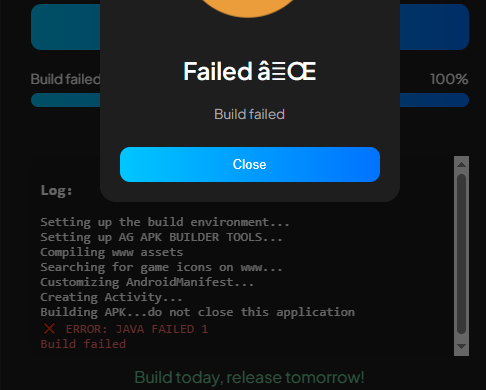
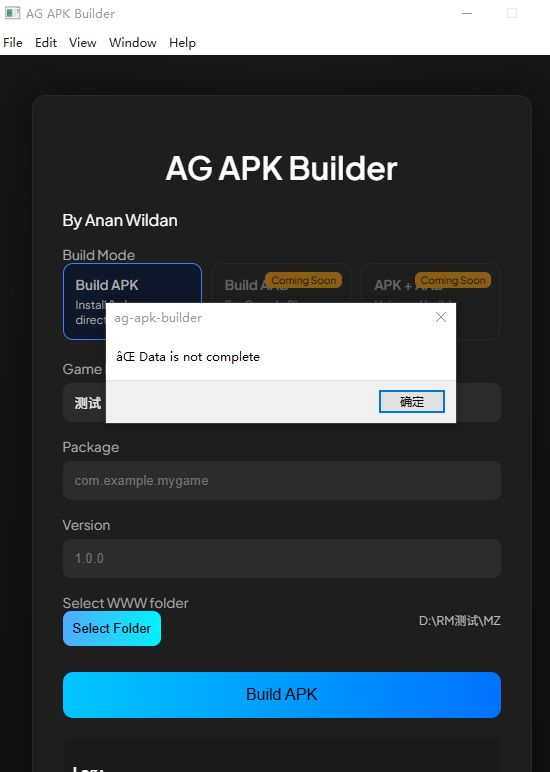
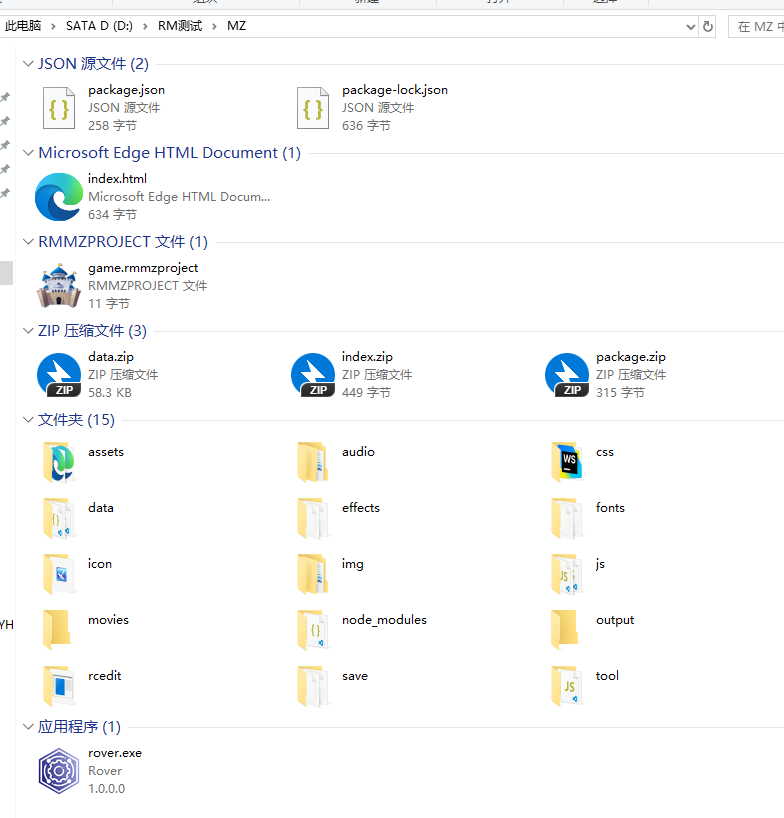
All information has been entered, but a packaging error occurred。JAVA FAILED 1   Build failed

I copied Rover.exe to the game directory, and then ran RPG Maker MZ. The game screen is black upon launch. Is this due to incorrect operation?

Could you provide a detailed explanation?

How do I use it? Is there a tutorial? I'm getting errors when I try to use it.

where to download?

Where can I download the file if there's no download file?

OK   

Ready to download
where to download
where to download

where to download

Where is the video?

I don't understand the meaning of this plugin, can you give a video explanation?

I don't understand the meaning of this plugin, can you give a video explanation?

Yes, it's uncompressed, double-clicking doesn't respond.

Double-click Dragonhouse. RMCookToolDeluxe. GUI.exe No interface pops up, no response

icon

icon

嘻哈歌手

arrow

20/5000

icon

icon


After the data is encrypted, the physical attack damage of both enemies and friends in battle is 0.

Can you add enemy summons, enemy summon coordinates, and enemy summon quantity?