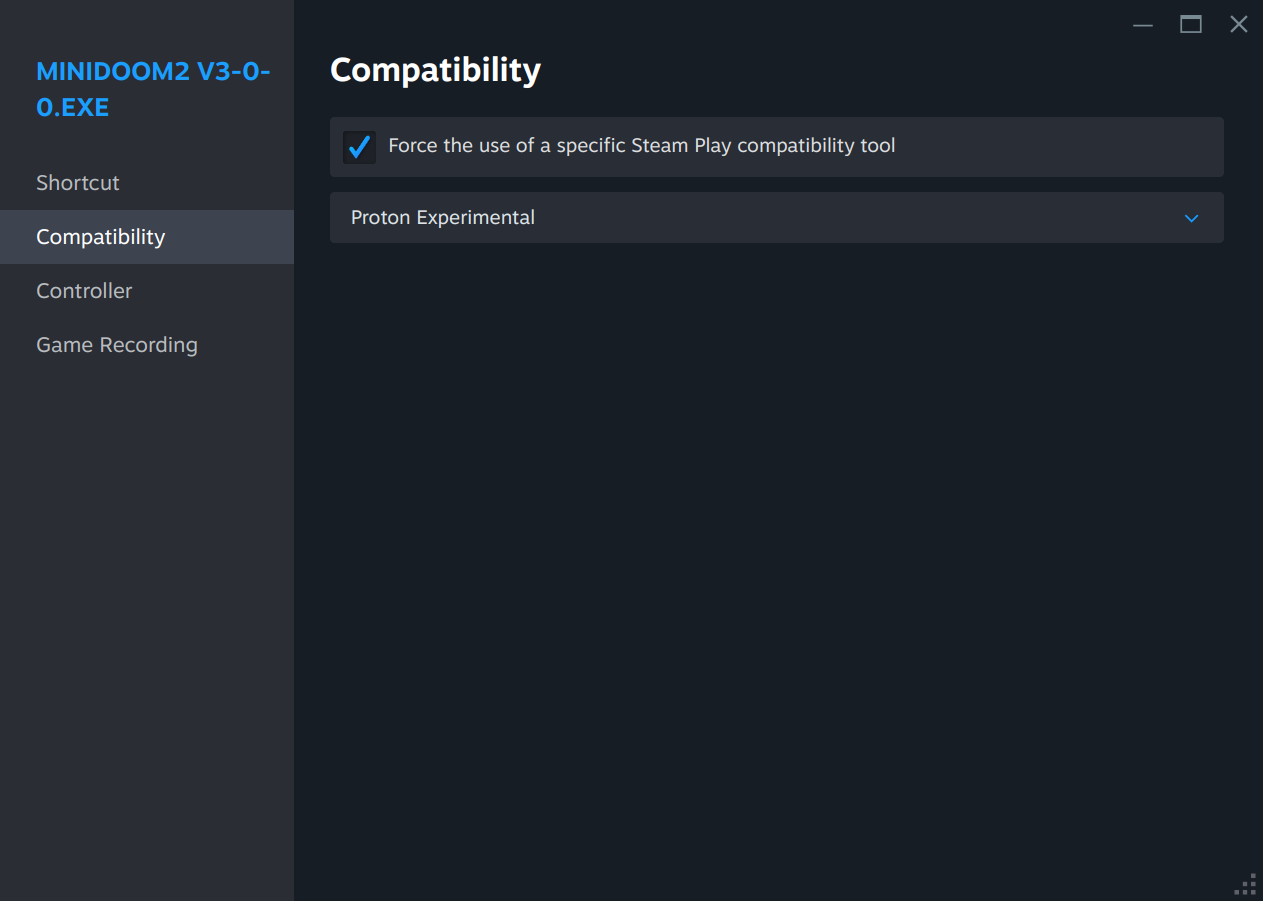
I've managed to install the game onto my Steam Deck and get it running through Proton.
My only issue is getting the game to recognize the built-in controls. If anyone can help me figure it out I'd really appreciate it.
Hello, that's amazing! How can we help you with that? The game normally only recognizes xBox gamepads.
Also someone did this and shared it on a Doom group on facebook, maybe he can also help you.
I'll post the link here, don't know where else to find him, hope the link works.
https://www.facebook.com/photo?fbid=10229859467540463&set=pcb.1142470203062398
Sorry here is the link to the post:
https://www.facebook.com/groups/180107965965298/permalink/1142470203062398/
And link to the group:
https://www.facebook.com/groups/180107965965298
None of us have much knowledge in Linux, but If you have an account I'm sure you can contact the person who posted this.
How did you get it installed exactly? I download it and extract it, try to run the exe through Bottles but it doesn't seem to do anything.
Never mind, I'm dumb. Literally just had to unzip the game and put all the files in one location. Then open up Steam, click "Add a Game" in the bottom left and navigate to the miniDOOM 2 EXE file. After that right click the miniDOOM 2 listing in Steam and select the Properties option. Click on the Compatibility row shown in my screenshot, and enable "Force the use of a specific Steam Play tool", then select your preferred version of Proton from the drop down below. Huzzah!