Indie game storeFree gamesFun gamesHorror games
Game developmentAssetsComics
SalesBundles
Jobs
TagsGame Engines

HONK: VTuber Lipsync Suite

All-in-one suite for mic-only lip-syncing characters! · By DreamToaster

Bug Submission Sticky

A topic by DreamToaster created Aug 31, 2021 Views: 12,503 Replies: 139
Viewing posts 61 to 87 of 87 · Previous page · First page

I think that the ‘look tall oval’ and ‘look wide oval’ lables are swapped. As in, the tall one seems to be wide, and the wide one seems to be tall.

(+1)

Hi!


I'm having an issue where honk will animate when there is zero sound going through the microphone at all. This happens even when my microphone is unplugged from my audio interface, or when microphone is muted in windows. 


Seems like when I play any games on pc and using honk, honk does not work. The program runs incredibly slow and gets hung up on random mouth animations/freezes. Once I exit the game im playing honk works fine. Is this just me?

The "Make New Character" batch file won't load/add a new character folder to my character list, so I'm not able to add in my own avatar files. I've tried running the windows batch file as an administrator, refreshing the app, trying the 2.0 version of the app and adding the folder into the character save area manually but with no success.

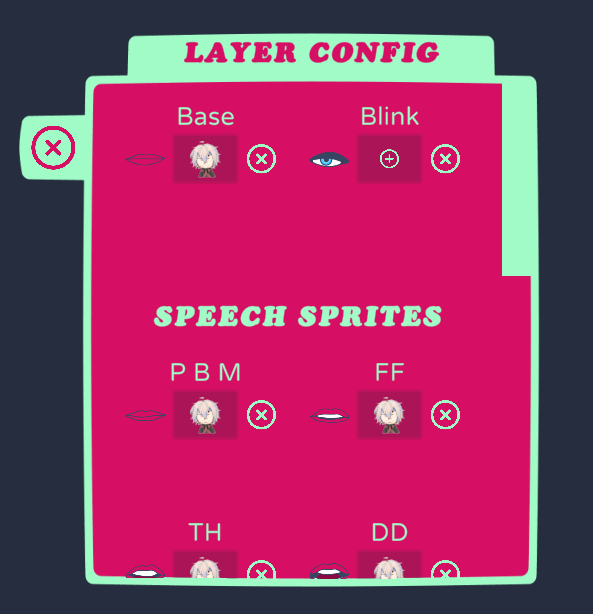
I followed the video tutorial and attached all the different mouth drawing to the base layer, but when I talk none of them appear. I have checked my mic setting and it is all correct. The blinking animation works, but the voice recognition doesn't.

(2 edits) (+2)

HONK! 3a is having what we like to call Phantom Talking™ going on. The mouth just kind of, going off on it's own.
Example, I use Hexels (art program), or any program, the mouth just starts going off, despite no audio input, even with mic muted.

Update 1: I think it it may have to do with multiple monitors, somehow. I noted when I move said program to any other monitor then my main one, the bug isn't going on, or rather, so minimal it's not really note worthy if it is.
If I make my primary monitor another one, it doesn't seem to happen anymore. I'll be fiddling more with this to see if I can't find a work around until an official fix is done.

Edit1: Reworded bug
Edit2: Update 1

(+2)

a year ago and still no word from the devs on this, but your solution defos helped thank you

Hi

So I use Honk as a TTS Pet for streaming and have the mic set to a vitual cable. Besides the TTS there is no audio that should be playing on that line but the Character seems to mutter/ talk with no audio being input.

I am also using Honk 3a
Hopefully this can get fixed soon

check the commentary behind yours! it has the solution

Where?

Seems like a problem with the "priority" of the screens.

When I play fullscreen games, the avatar keep talking, but when i alt tab, it comes back to normal...

The commentary behing yours talk about changing monitors, that helped me a little bit in that case

(2 edits)

The voice tracking is significantly worse on 3 than in 2, theyre both slow on the actual pickup though

2 on left, 3 on right

3 is better cause it keeps the window size and character size after closing whereas 2 doesnt, I also noticed 3 shows 2 of the same mics but neither makes it better

2

Hi there!! I'm experiencing an issue where my mic input isn't responding to voice activity and the model seems to be reacting to a frequency/moving sporadically. The input source is functional as tested through OBS, but despite being selected in HONK it's unresponsive to my voice. Any ideas or fixes? Thank you!!

I followed a video tutorial on youtube to make one of these PNG dudes using this program but every time I try to add the mouth states and eye states it just eats them and doesnt save them no matter what I try

tried doing it on layer zero like the video said

layer 1 with the eyes

its own layer

nothing works at all

I'm using Honk on my Mac using Whisky. I can use it in my OBS set up, modify my character, it's all good! Except...

Even though the mic shows that my speech is being registered, the Grombit neither bounces nor opens its mouth. He only blinks. 

Whisky has permission to use my microphone, and my voice is registering. I've restarted my computer. Has this happened for anyone else?

Hi! Just purchased Honk and it seems it freaks out if you have an animated gif in the character images folder. All the drop downs show as Layer 0,1,etc and no characters load. Though relatively static, my character is squiggle-vision kind of like Home Movies / Beavis & Butthead / Dr. Katz. Is there an update when .gif or .apng will be available?

Saw this was a pretty common request in the forum. Reached out via Twitter/X. Still a WIP but with no ETA. I'm super excited to be able to use HONK properly once implemented!

Hey there! The lips are moving in a timed interval even when my mic is muted. It seems to be every minute or so, there's one movement. Do you know what might be causing this or how to resolve it? Thank you!

Whenever I make new character in version 3 and add the images inside. It fully stops working, launching app and selecting characters displays as "Layers X" with numbers below instead of default names in the existing folder and it crashes once I load any avatar. Have no issues with version 2.

Can we expect a future update fixing these?

(1 edit)

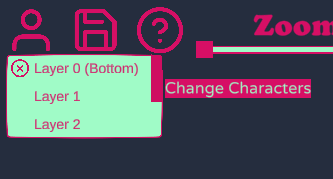
So the stable version works mostly fine but asks me to download the newest when i launch it. but, every time i try to use newest  version the change character button has a list of layers instead of character, i can click on the "layers" to get a character to start to load, however, it just sits on loading forever


(+1)

I actually figured it out but I'll leave my comment incase someone else has this problem: It's cuz i had a .gif file in one of my character folders.
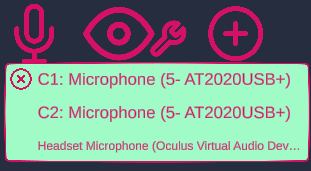
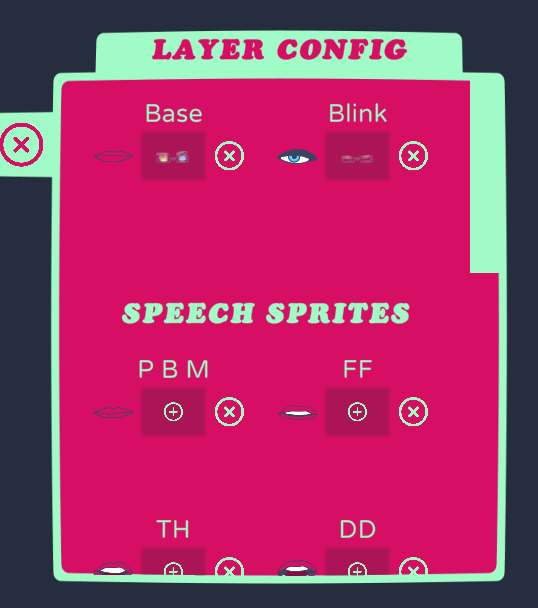
Hey i just got this software. im using a mic thats kind of quiet but its still showing up if i turn the gain all the way up. None of the mouths change when i talk or anything.

Hi,
I've turned on the option for follow the cursor for multiple parts to make the rotation animation. Problem is,  that on 1:1 perfext pixel scale or bigger there is this "wobble" that happens to all the parts . When I'm zooming out the character, the follow the cursor option runs smoothly but even the slightest zoom out causes the white outlines to appear on all of the parts

Honk has been working perfectly for a week and I've just opened it today to find that none of the models are loading not even Grombit.
I've tried uninstalling, restarting my computer, but Grombit not only isn't there but when I try to load any of the other models it just freezes.

Never mind I accidentally moved a Krita file into my character folder.

BIG RAM USAGE the program is using 11 gb of ram...

The new version doesn't let me select a character. It has the Layers under the character selection menu, and when I try to load one, nothing ever happens.

So i bpught this pogram 2 years ago, but i cant find it in my mailbox.... so what do i do?

When i select folllow cursor, the eyes will only follow the cursor when i have look box selected, look circle and look oval make the eyes disapear completly, i tested this on both versions

hey the app doesnt start at all anymore

yeah, I just bought it and itrs bricked, doesnt seem like there's any support either, any way to refund?

I think I may have discovered a strange bug while I have been streaming. When games (tested with Minecraft Bedrock and BeamNG.drive) are run in fullscreen (on Windows 11), the mouth of the model (and jiggle if enabled) will activate via both the game audio and microphone. This occurs only when games are in fullscreen, and not in windowed mode.  For the time being I can run things windowed, but wanted to bring attention to it in case anyone else is experiencing this! :)

Viewing posts 61 to 87 of 87 · Previous page · First page