Indie game storeFree gamesFun gamesHorror games
Game developmentAssetsComics
SalesBundles
Jobs
TagsGame Engines

HONK: VTuber Lipsync Suite

All-in-one suite for mic-only lip-syncing characters! · By DreamToaster

Bug Submission Sticky

A topic by DreamToaster created Aug 31, 2021 Views: 12,474 Replies: 139
Viewing posts 41 to 87 of 87 · Previous page · First page

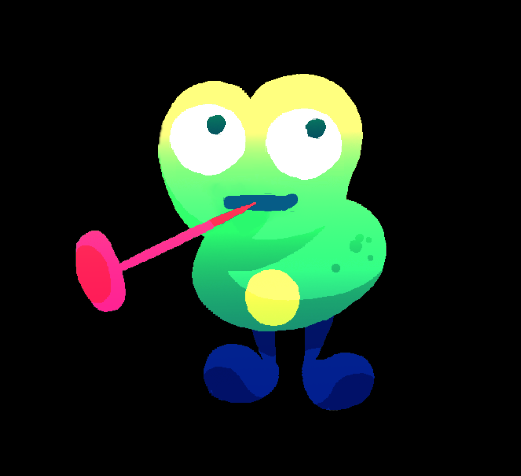
Got a really strange and specific one for you. I haven't seen this with any other game yet but if I do I'll list it here. Seems like Honk is taking audio from Apex Legends and acting as if its me speaking. Here is a clip below of the character reacting to the music and character voice lines while I say nothing.
I have this bug also with vrchat? does apex use EAC it could have something to do with that

It does yes

(+1)

Stable & 3.0 Versions have a fun problem with the character menu jittering when your mouse cursor is in the margin. The 'cartoon expand' effect from mouse-over will loop, making navigating the menu by clicking and dragging the bar impossible. Other brief UI critiques include the transient nature of most of the menus when you are clicking on character/asset items on screen, which can layer over/under the default menu options in certain display situations. The UI is cute but at times borderline non-functional when these conflicts crop up, which for me is quite frustrating.

A traditional fixed menu option would be optimal to add as a feature sometime, as it would assist people with interface difficulties in navigating the software and avoid UI conflicts. Thanks!

hey cant get the mic in to work correctly, It seems to capture the right mic but the input lags and also freezes for some frames.

(1 edit)

3a didn' register my microphone. Like, it did register in the bar, but not in the characters.

However, changing back to v2 worked well, with that little bit of lag, about 0.34s, probably less.

It doesn't seem to be a problem with my mic, since OBS detects it without the lag

for some reason, I can't make a new character following documentation, and neither can I save? it's really confusing me! I try to create a new character, and a window pops up briefly before disappearing and not making any folder. 

then when I just copied over a folder to create a character myself, it won't save at all! thankfully I didn't have a lot of work, but this is quite vexing. 

So I've run into an issue with the options for hotkeys when it comes to emotes.

I personally use the "ghost keys" F13-F24 when doing hotkeys for things, but trying to assign anything past F15 just doesn't register as being a valid hotkey. I've tried several methods of getting it recognized from using different programs to see if the method I was using was the problem, but it seems to be a lack of recognition of those keys entirely.

(+1)

Howdy! No idea what's going on with my program recently. I have been using honk in streams fine for a long time now but as of the last 24 hours my program has become super unstable.
Presently, I can only load in the default character files.  If I try to load in any other character file, the program will simply go nonresponsive until it eats up all my RAM (I have 16gb) and crashes everything. 

I have a pretty extensive set of PNG files so I thought that might be the issue, but it occurs even when loading something that has only 1 photo in its folder.

In short: I can't switch between character files because if I do the program crashes and takes my display drivers with it.

I am encountering this issue in both versions and I've even reinstalled and replaced all the files and it didn't help.
I found a temporary work around of just deleting every character file I have except the main one I'd like to use;  But then I'm locked in to only using that sprite.

(2 edits)

Hello @DreamToaster,
I'm facing a bug with moving mouths.
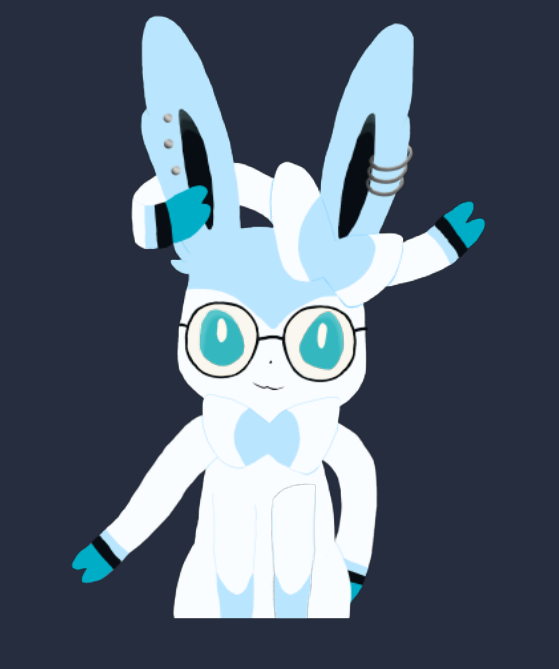
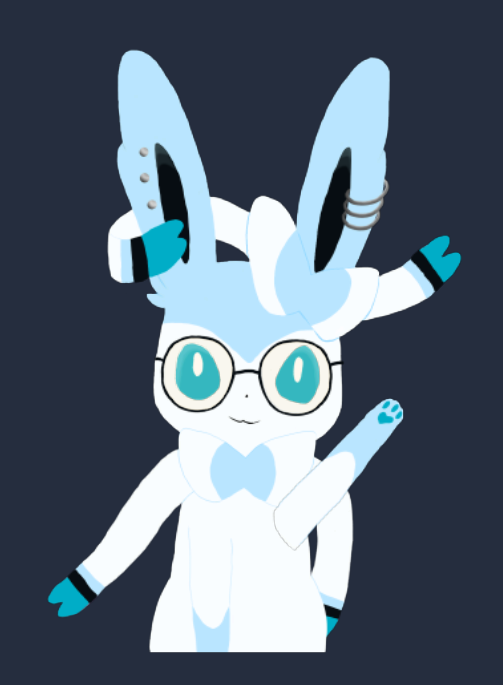
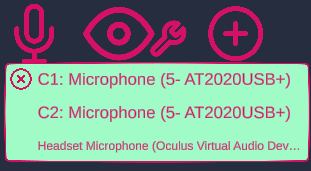
My microphone is well recognized as you can see on the first picture, yet no mouth of any character move.
The eyes tracking works (you can see the eyes looking at the right top corner on the second picture), but not the mouth.

Do you have any solution ?

Waiting for your answer.
Toruk

Edit : Sometimes, when I change the mic selection and then go back on my main mic, it works for a few moments before it stops working again.
(Please excuse my english, it's not my first language ><)

After researching furthur in my settings, it appears that I had many devices identified as microphones.
After disabling them to keep only my main mic, it works everytime for the moment !
I'll come back there if I face another problem like that.

(3 edits)

EDIT: Further testing it looks like some sound images don't load in. When saying U instead of pulling in the image it instead just hides the layer.


Hi there! Noticing an issue with latest release. All the images for the mouth are filled for when speaking but if I hum the mouth will just dissappear entirely for a second or so.

Hiya!! Big fan of Honk and have not had any major/breaking bugs since starting to use it--this is my first one, and I figured it'd be helpful to note.

I have seen other folks bring up delayed mouth sync before in older posts, but I only just recently got hit with it. I'm on 3.0, and have been using it since August; I've only had this issue occur a few days ago. I haven't done anything different to my model or Honk itself, although my pc has been having extraneous issues with high cpu/ram lately (it's a older pc and using obs/honk/other programs on stream just makes it strain every now and again). I don't think this would be the reason for the delay? But figured it'd be helpful to note.

Any tips for fixing the delay on a temp/short term fix? Any info on this being a bug in the 3.0 version?

Have the model you want as the only model to load. Swapping models does not free up memory. I noticed my RAM usage was increasing after every swap and only closing HONK would free up memory. Hope this helps in some way.

I play Minecraft: Bedrock and avatar eye tracking stops working when I look around in-game; it does however work when I enter a menu and gain control of my mouse pointer.

(3 edits)

Hi! I’ve been testing HONK in Wine. I know this would be an unsupported scenario, BUT I originally thought that HONK randomly deciding to NOT move the mouth of my character was WINE specific. Nope! Decided to hop onto my PC, and the issue is very easily reproducible. Every time I launch honk, it works for a random amount of time and then the character stops moving their mouth (sometimes even blinking breaks!) Worst part, HONK shows the mic activity - and it doesn’t do anything about it. HONK even notices it’s being put into and out of foreground properly. I don’t even know what to do at this point, no error popups appeared so I don’t know what to provide. EDIT: This happens with the stock characters too it seems.

(1 edit)

There is a Bug in honk when you place an object say in this case, a hat on a character and when you go test the Character the hat will shift where it was previous before moving it.
Does anyone have a solution to this fix? 

(1 edit)

There's also a bug in trying to update Honk as I had to roll back a version, The Character in the dropdown list are all named Layer1 Layer 2 instead of the characters names and the characters aren't even loading.
Anyone know a workaround?

So I have an issue with version 3: I'll be able to use it for about 3-5 minutes when recording in OBS, then my model will just freeze. Like no input makes it work at all. I have to shut down the program completely and reopen it.

I've disabled all other microphone inputs on my computer so it's only my microphone (microphone is a Samson C01U USB studio condenser) and it still happens.

I can still use version 2, I just still get the lag/desync issues it has which I can reset by changing the mic input. I want to use v3 but the freezing sadly is worse than the lag.

(1 edit)

Hi, I downloaded the latest version of Honk and the mouth on my character will NOT move no matter what. I've scrubbed through the thread to look for solutions and tried to update DirectX but it still does not work. Another program I've been using for vtubing works just fine w/ recognizing mic input, but with Honk for whatever reason when I talk into the mic the feedback appears way at the bottom and the character does not move at all. I would LOVE to use this software but this is making it impossible.

I don't know if this solves your issue but it only responds to input when the window isn't focused. Click on your computer taskbar and then see if it responds. This tripped me up a bit so just wanted to chime in in case this was the issue but if not and it still isn't responding then I dunno what the issue is.

-- why did this work HGFDJK THANK YOU SO MUCH I WAS SO SAD IT DIDNT SEEM LIKE IT WAS WORKING 😭😭😭

I don't know if this is a problem that's already been reported but I was experimenting with both 3a and 2.0 and both have the issue of not showing the right mouth forms for what I'm saying. It could be because I have an Australian accent or because it's picking up my laptop or environment sounds but I thought I'd report it cause it's a little disturbing. Sometimes it works right but others it doesn't. It seems to especially have issues when I'm holding a sound where it'll jitter between mouth shapes. Is there a way to config how the avatar hears you so that the mouth correctly represents what you're saying for people with accents?

Anything above 1:1 causes some images layered ontop of each other to get weird grey/black pixel borders between everything. 


I think that the ‘look tall oval’ and ‘look wide oval’ lables are swapped. As in, the tall one seems to be wide, and the wide one seems to be tall.

(+1)

Hi!


I'm having an issue where honk will animate when there is zero sound going through the microphone at all. This happens even when my microphone is unplugged from my audio interface, or when microphone is muted in windows. 


Seems like when I play any games on pc and using honk, honk does not work. The program runs incredibly slow and gets hung up on random mouth animations/freezes. Once I exit the game im playing honk works fine. Is this just me?

The "Make New Character" batch file won't load/add a new character folder to my character list, so I'm not able to add in my own avatar files. I've tried running the windows batch file as an administrator, refreshing the app, trying the 2.0 version of the app and adding the folder into the character save area manually but with no success.

I followed the video tutorial and attached all the different mouth drawing to the base layer, but when I talk none of them appear. I have checked my mic setting and it is all correct. The blinking animation works, but the voice recognition doesn't.

(2 edits) (+2)

HONK! 3a is having what we like to call Phantom Talking™ going on. The mouth just kind of, going off on it's own.
Example, I use Hexels (art program), or any program, the mouth just starts going off, despite no audio input, even with mic muted.

Update 1: I think it it may have to do with multiple monitors, somehow. I noted when I move said program to any other monitor then my main one, the bug isn't going on, or rather, so minimal it's not really note worthy if it is.
If I make my primary monitor another one, it doesn't seem to happen anymore. I'll be fiddling more with this to see if I can't find a work around until an official fix is done.

Edit1: Reworded bug
Edit2: Update 1

(+2)

a year ago and still no word from the devs on this, but your solution defos helped thank you

Hi

So I use Honk as a TTS Pet for streaming and have the mic set to a vitual cable. Besides the TTS there is no audio that should be playing on that line but the Character seems to mutter/ talk with no audio being input.

I am also using Honk 3a
Hopefully this can get fixed soon

check the commentary behind yours! it has the solution

Where?

Seems like a problem with the "priority" of the screens.

When I play fullscreen games, the avatar keep talking, but when i alt tab, it comes back to normal...

The commentary behing yours talk about changing monitors, that helped me a little bit in that case

(2 edits)

The voice tracking is significantly worse on 3 than in 2, theyre both slow on the actual pickup though

2 on left, 3 on right

3 is better cause it keeps the window size and character size after closing whereas 2 doesnt, I also noticed 3 shows 2 of the same mics but neither makes it better

2

Hi there!! I'm experiencing an issue where my mic input isn't responding to voice activity and the model seems to be reacting to a frequency/moving sporadically. The input source is functional as tested through OBS, but despite being selected in HONK it's unresponsive to my voice. Any ideas or fixes? Thank you!!

I followed a video tutorial on youtube to make one of these PNG dudes using this program but every time I try to add the mouth states and eye states it just eats them and doesnt save them no matter what I try

tried doing it on layer zero like the video said

layer 1 with the eyes

its own layer

nothing works at all

I'm using Honk on my Mac using Whisky. I can use it in my OBS set up, modify my character, it's all good! Except...

Even though the mic shows that my speech is being registered, the Grombit neither bounces nor opens its mouth. He only blinks. 

Whisky has permission to use my microphone, and my voice is registering. I've restarted my computer. Has this happened for anyone else?

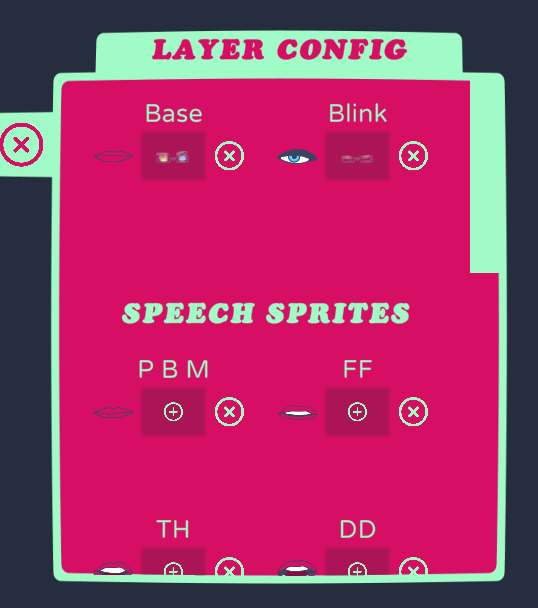
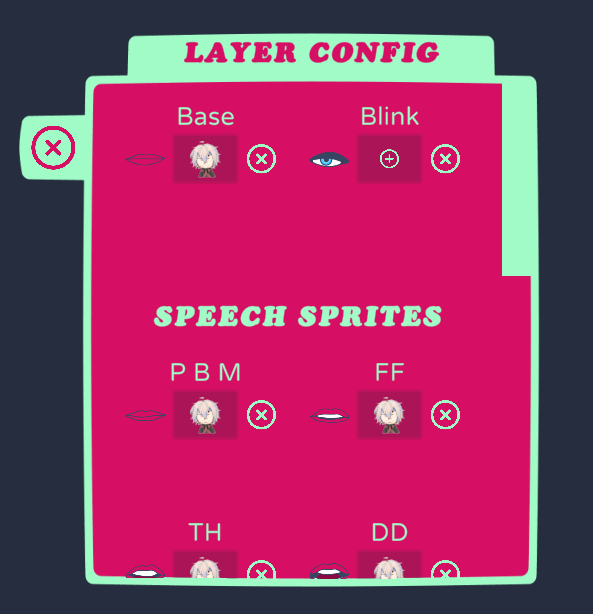
Hi! Just purchased Honk and it seems it freaks out if you have an animated gif in the character images folder. All the drop downs show as Layer 0,1,etc and no characters load. Though relatively static, my character is squiggle-vision kind of like Home Movies / Beavis & Butthead / Dr. Katz. Is there an update when .gif or .apng will be available?

Saw this was a pretty common request in the forum. Reached out via Twitter/X. Still a WIP but with no ETA. I'm super excited to be able to use HONK properly once implemented!

Hey there! The lips are moving in a timed interval even when my mic is muted. It seems to be every minute or so, there's one movement. Do you know what might be causing this or how to resolve it? Thank you!

Whenever I make new character in version 3 and add the images inside. It fully stops working, launching app and selecting characters displays as "Layers X" with numbers below instead of default names in the existing folder and it crashes once I load any avatar. Have no issues with version 2.

Can we expect a future update fixing these?

(1 edit)

So the stable version works mostly fine but asks me to download the newest when i launch it. but, every time i try to use newest  version the change character button has a list of layers instead of character, i can click on the "layers" to get a character to start to load, however, it just sits on loading forever


(+1)

I actually figured it out but I'll leave my comment incase someone else has this problem: It's cuz i had a .gif file in one of my character folders.

Hey i just got this software. im using a mic thats kind of quiet but its still showing up if i turn the gain all the way up. None of the mouths change when i talk or anything.

Hi,
I've turned on the option for follow the cursor for multiple parts to make the rotation animation. Problem is,  that on 1:1 perfext pixel scale or bigger there is this "wobble" that happens to all the parts . When I'm zooming out the character, the follow the cursor option runs smoothly but even the slightest zoom out causes the white outlines to appear on all of the parts

Honk has been working perfectly for a week and I've just opened it today to find that none of the models are loading not even Grombit.
I've tried uninstalling, restarting my computer, but Grombit not only isn't there but when I try to load any of the other models it just freezes.

Never mind I accidentally moved a Krita file into my character folder.

BIG RAM USAGE the program is using 11 gb of ram...

The new version doesn't let me select a character. It has the Layers under the character selection menu, and when I try to load one, nothing ever happens.

So i bpught this pogram 2 years ago, but i cant find it in my mailbox.... so what do i do?

When i select folllow cursor, the eyes will only follow the cursor when i have look box selected, look circle and look oval make the eyes disapear completly, i tested this on both versions

hey the app doesnt start at all anymore

yeah, I just bought it and itrs bricked, doesnt seem like there's any support either, any way to refund?

I think I may have discovered a strange bug while I have been streaming. When games (tested with Minecraft Bedrock and BeamNG.drive) are run in fullscreen (on Windows 11), the mouth of the model (and jiggle if enabled) will activate via both the game audio and microphone. This occurs only when games are in fullscreen, and not in windowed mode.  For the time being I can run things windowed, but wanted to bring attention to it in case anyone else is experiencing this! :)

Viewing posts 41 to 87 of 87 · Previous page · First page