

I kinda wrapped that system for PowerQuest to be easier to use, if you want you could try using my wrapper for it. It's not documented, since I just quickly added it for switch/console stuff I was doing, but this is the process.
- Create a new Material in your project and set its Shader to Sprites/PowerSprite
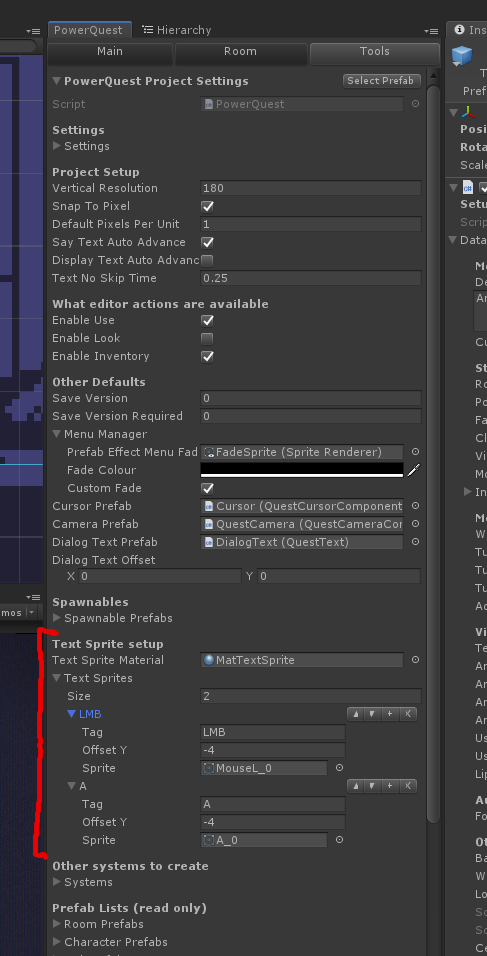
- Find the Text Sprites section in PowerQuest Project Settings (see below)
- Drag the new material into the "Text Sprite Material" field
- Add an item for each sprite you want to use in text. Give it a short name (Tag), and drag in the sprite you want to use.
- To insert the image into text, use the tag, surrounded by square brackets. eg: "Press [B_Button] to start" where B_Button is the name you gave the tag.
- Adjust the Y offset until it looks right in-game. (it's quite fiddly from my experience using those text mesh icons, they're aligned weirdly).
Let me know if that doesn't do what you're after, I think it makes it a lot easier, but I'd be curious if you use those icons in a different way than I imagined. I can also give you a patch so that it stops PowerText overriding the material if you need it.