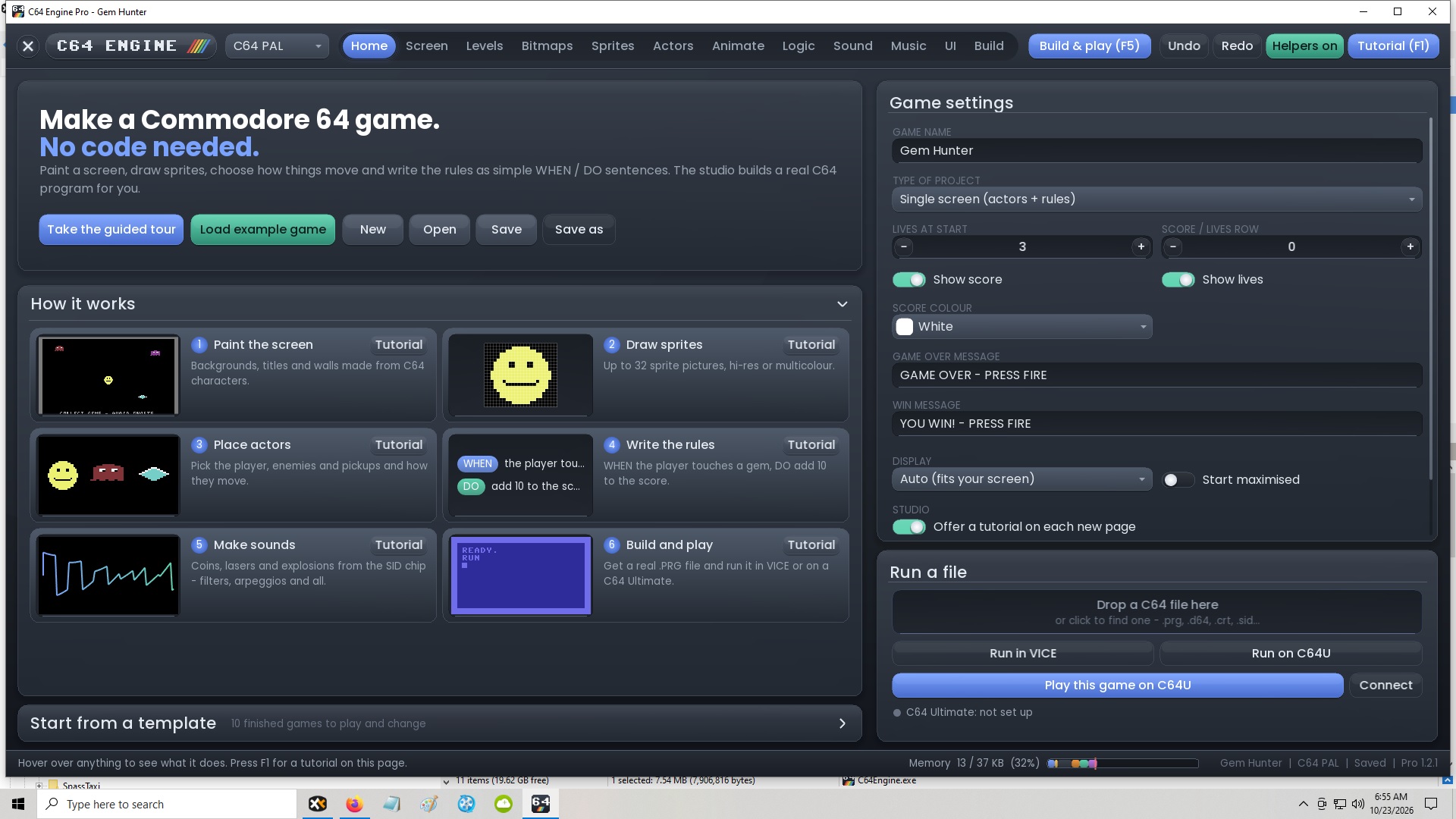
I re-downloaded the newest version just now and installed it. I also changed from Auto to 100% and still no template option between home and screen on the top menu and no pictures in the How it works tabs. I'm on Windows 10, my resolution is 1920 x 1080. I never tried your free version, I just went straight to the paid version, but don't see why it would look and not have the same screen layout as yours.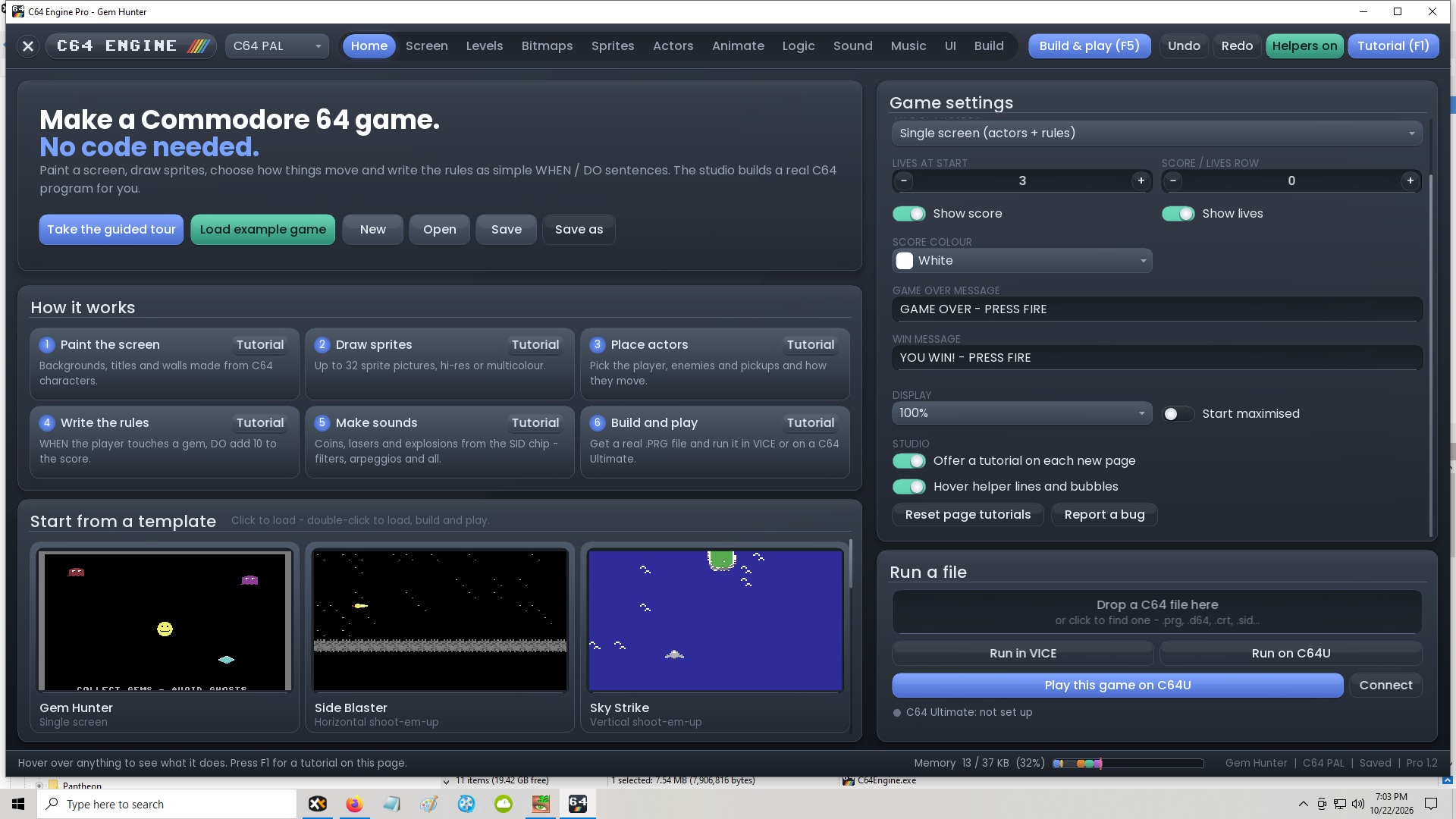
Okay, spent some more time on it this morning, was late last night when I attempted to fix it, sorry about that.. 1.2.1 has the proper fix in place, now its 2 header tabs you click to expand.
I tested on my little mac book and older 1080p laptop and looks correct now.
Thanks again for the testing and reporting. Please keep them coming, I have not had enough time to properly test everything and will make everything perfect in each new update.
I already fixed some issues with the games but found some more, so expect another update on this next week.
Thanks so much!