

Hello, Brittle Lizard
Okay, so basically this technique is the simplest one to make a lighting system in GameMaker, which essentially involves cutting the alpha channel of the surface based on what you draw. But Crystal needs to use a more complex blending process to work with shadows correctly. This approach of clipping the surface doesn't work correctly in Crystal because the alpha channel of the light texture is already being used for the shadows. Also, if I do it the way you suggested, the lights wouldn't work during the day, only if you have some ambient lighting.
However...
What can be done is to simulate this blending in a different way, but with the same result, in the combine pass shader itself.
I tried to do what you suggested, but it adds some edge cases that will take time to figure out, so I can't add it as a built-in feature for now, but you can use the code below as a workaround.
Open the shader: "__cle_shDeferredRender" (CTRL+T) and add this after the blending code in "Blend Lights" (or just replace it):
float lightMask = clamp(max(lightsCol.r, max(lightsCol.g, lightsCol.b)), 0.0, 1.0);
if (u_ambientColorIsOverlay > 0.5) {
    colFinal = mix(u_ambientColor, albedoTex.rgb * lightsCol.rgb, lightMask);
} else {
    vec3 lighting = u_ambientColor * (1.0 - lightMask) + lightsCol.rgb;
    colFinal = albedoTex.rgb * lighting;
}
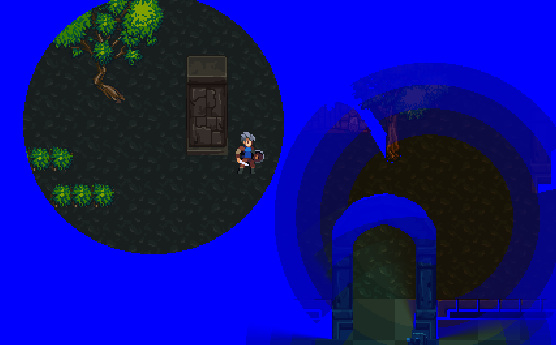
This will cause the lights to act as a mask, like you want. The edge cases are precisely the LUT as ambient light; HDR lights may not work properly...
In any case, I hope this helps :)