Phenomenal work!
Could you help me with a question? I’d like to know if there’s a way to edit the combat grid, for example, by reducing the number of spaces and changing its appearance.
Yes, you can do both!
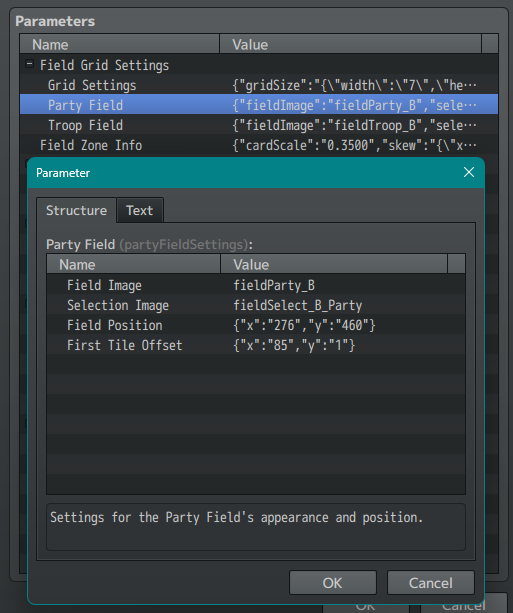
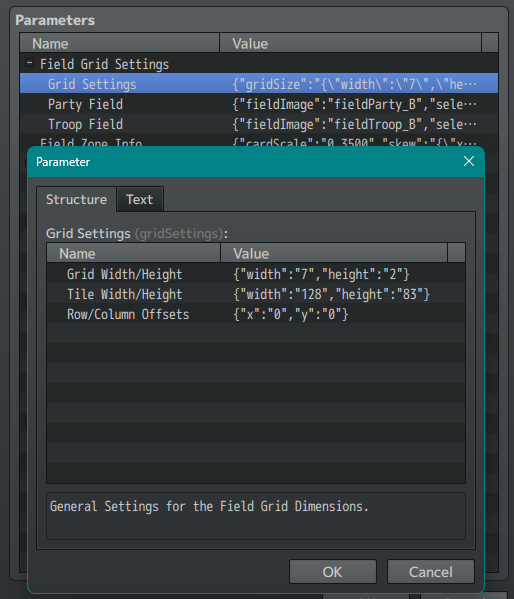
You can customize the dimensions of the Grid in the Grid Settings plugin parameter. This is used to determine what the screen positions of the Tokens will be when added to the Field. For example, if you wanted a more vertical grid you could use Width: 2 and Height: 7.
And you can change what the Grid Image is in the Party Field and Troop Field parameters. This image will be drawn under the Tokens and can be set to any point on the screen (allowing you to have buffers as needed if you are doing something fancy with the grid artwork). The images for these are pulled from the img/CGC/summons folder of your project directory.