






Indie game storeFree gamesFun gamesHorror games
Game developmentAssetsComics
SalesBundles
Jobs
TagsGame Engines

MythAtelier

440
Posts
11
Topics
938
Followers
85
Following
A member registered Jul 27, 2017 · View creator page →

Creator of

Recent community posts

Hello Streletz, thanks for your questions. Here are some answers.

  •  Was the steam version updated? 

It will be soon! We don't control the Steam page, that is handled by GGG who are the current RPG Maker license holders. Due to some additional requirements from their end and some scheduling issues, this process has taken a lot longer than expected. As many users have had confusion with versions on different platforms we will do simultaneous releases starting with v1.6.5 so everyone is on the same page.

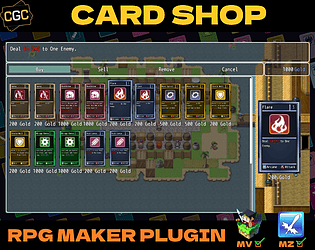
  • Are the plugins Card shop and Deck editor included into this one? Or do i have to buy the separatly? Are they disponible on steam? 

On itch, we have the CGC expansions on separate Store Pages so that users can pick and choose what modules they think they need for their project. The Steam version by contrast packages all the expansions together because you can't do DLC of DLC on that platform. This bundle is the equivalent of the product on Steam: https://itch.io/s/155264/card-game-combat-plugin-bundle. Both versions receive free updates with bug fixes and new content whenever we put a major or minor version out. If you have purchased CGC products on Steam, we can provide the equivalent itch keys for it so you don't have to buy it again for a new platform.

Let us know if you have any further questions. We would be happy to answer them :)

Should be in our next update which will go out with CGC v1.6.5! We have it selectable in the plugin parameters which of the Scenes you want to use :)

Thanks for giving us those details. That gives us enough to work off from to replicate the issue. We'll let you know once we have a patch for you ready to test.

Interesting. Not familiar with this error. Couple follow up questions:

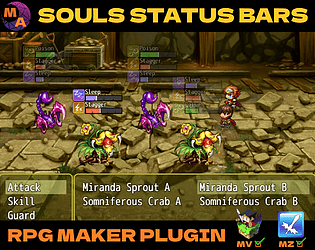
- Is this error occurring when you run the Souls Status Bars MZ Demo Project or when you place the plugin into a blank MZ project?

-What are the Plugin Parameters you have set up before running the project? (please share a screenshot if able).

- What version of RPG Maker MZ are you running? Is it a standalone install of the program or one linked to Steam?

Any and all information you can provide will help. Once we are able to replicate the issue we can provide steps for how to fix it.

What sort of TypeError are you running into? Could you maybe post a screenshot of the error log?

Thanks for the question! For the current version (v1.0.0) it does change how ALL states behave to be buildup. Future versions of the plugin may allow for delineation between states that function base RM way and others that work like how the plugin is setup.

For now you will need to directly edit the plugin  or override its functions for those changes. We have some visual parameter options to customize the Booster Pack window coming in the next update to this plugin.

Ok, we'll prioritize that then :)

(1 edit)

Apologies for the delay, we were hoping to roll out this bug fix along with the next wave of features for the Version 1.1.0 of this plugin but that's taking a longer than expected given our current resources. If you need us to expedite the patch for this specific issue, we can make it available to you by this coming weekend as a minor update.

It is coming to Steam too! Just taking a minute due to the translation process and getting approved by GGG (the RM license holder) who we have to work through to make updates to Steam.

Thanks for reporting these in. We’ll make sure to address these by the next major update which should hopefully be out later this month.

The Taunt bug is likely due to the update to Card Summons v1.0.4 which was needed to make it compatible with Card Game Combat v1.6.4 but ended up changing how forced actions resolve which causes this issue. Reverting to the previous version of Card Summons (v1.0.3) should fix the issue. Please send an email to myth.atelier@gmail.com and we can provide it for you.

Updated plugin files have already been handed off to GGG. They will be updating the Steam versions sometime later this month.

Thanks for reporting back! Glad to see the old errors were resolved. You are running into a far higher amount of errors than any of our other users on setup so there might be some step missed during the setup process (perhaps when the expansion plugins were put in) that is causing these errors. We are having some issues on our end replicating this latest set of issues so we are going to suggest a different solution.

We are going to recommend sending in a copy of your demo project to our email (myth.atelier@gmail.com). Save your copy of the demo project to a compressed folder, upload it to a service like GDrive/Dropbox/MEGA and send the share link via the email. Please include your username(wingieboi) in the subject line so we know its your support ticket. We will take a look at what is going on in the project. send a fixed copy back and let you know what caused the issues so you can avoid those in the future.

(3 edits)

Thanks for posting those error logs. As you suspected, they all stem from similar errors. A JSON parse error usually means that Plugin Parameters have not properly been initialized. Let's resolve these one by one.

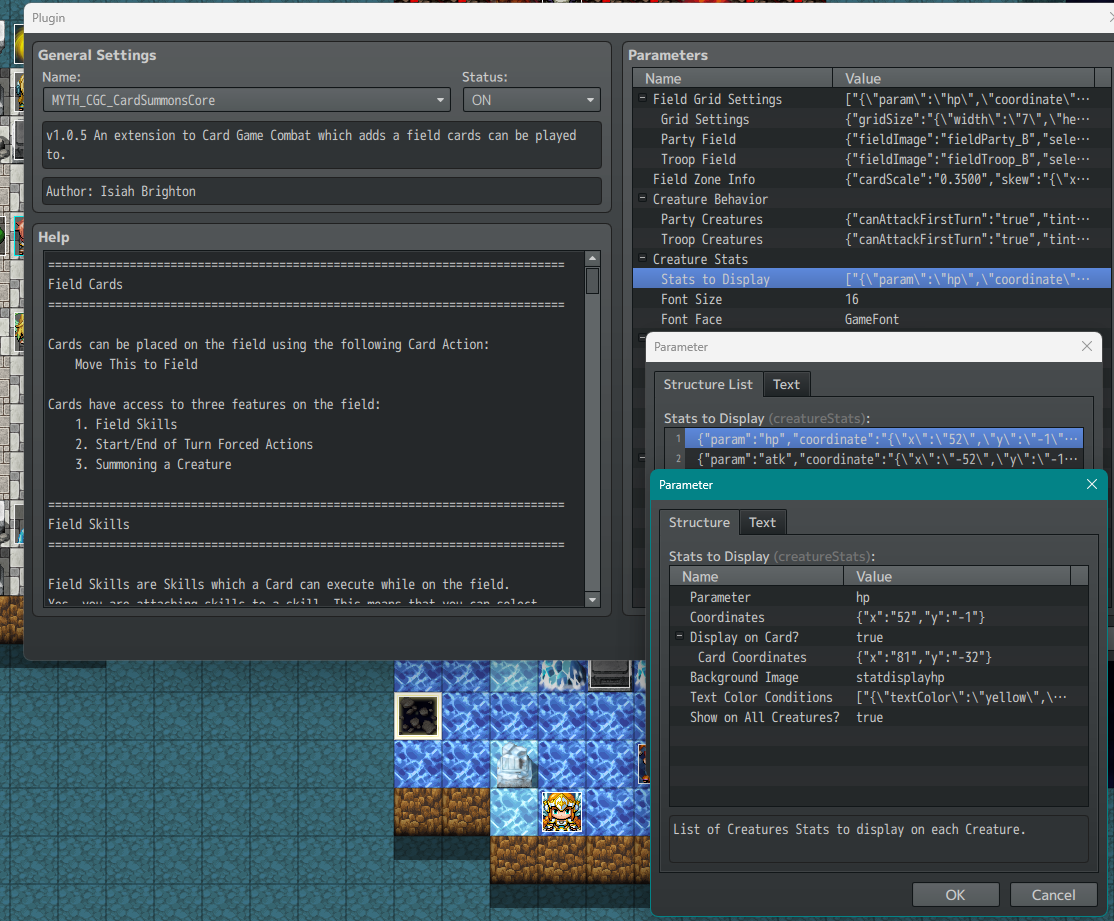
First error is in the Card Summons plugin parameters. The Stats to Display struct parameter value needs to be refreshed. Refreshing the plugin parameter which is a simple matter of double clicking on the parameter, making sure there is a value in place and then hitting Ok and applying the changes.

If you do not wish to use this parameter, then make sure the struct is at least empty. When its empty, it looks like this (pair of square brackets)


Also, will recommend the following Plugin Order change (putting Card Summons Core on the bottom):

  • MYTH_UTIL_WindowResizer
  • MYTH_CGC_CoreEngine
  • MYTH_CGC_CardTypes
  • MYTH_CGC_EquipCards
  • MYTH_CGC_PartyUI_TypeA
  • MYTH_CGC_HelpBoxControl
  • MYTH_CGC_BlockGenerate
  • MYTH_CGC_ActionPack1
  • MYTH_CGC_CardCollection
  • MYTH_CGC_TextFormatPlus
  • MYTH_CGC_DeckEditorCore
  • MYTH_CGC_CardShopCore
  • MYTH_CGC_CardSummonsCore

That might clarify what is happening with the Deck Editor and Card Shop interactions as these three plugins generally don't talk to each other.

Let us know once you have made the changes and run the game. If this error has been resolved, it should no longer appear in the console log. Check the console once again and see what errors are there after this change and post the error logs on your next reply. We'll continue troubleshooting from there.

Sure, you can post those errors in this thread or in the dedicated thread here. We would ask for screencaps of the following to troubleshoot your issues:

- Plugin Manager List

- Console Log when the Error happens (press F8 and click on the Console tab on the top of the window, errors will be in red)

We have setup the Demo Projects to work out of the box as much as possible, however, given that users may have different system configurations on their end the chance of running into errors is still present. We are happy to work with you on fixing these issues until all those errors can be resolved :)

Thanks,

MythAtelier Team

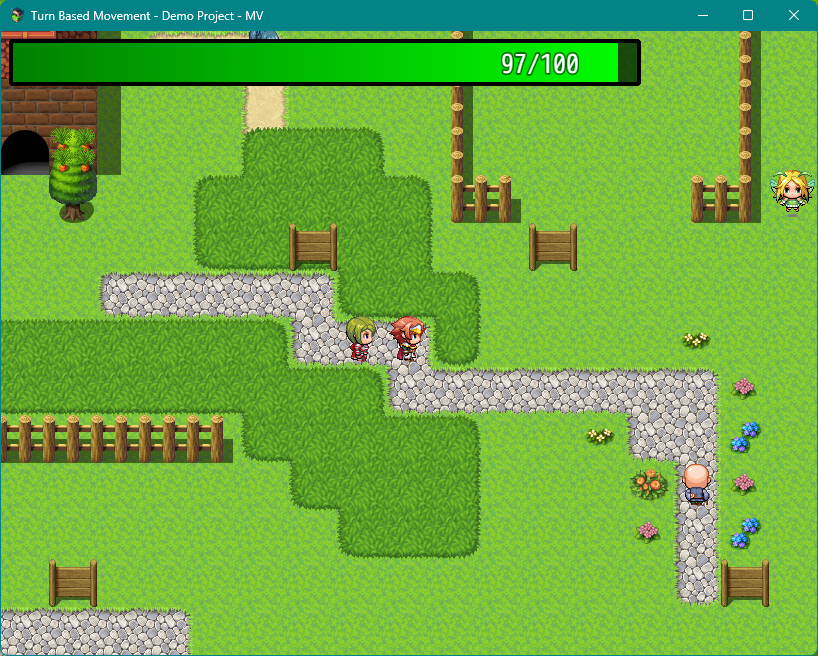
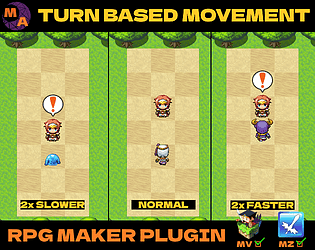
No idiocy detected. We used two other plugins along with Turn Based Movement for the demo in that example. Here they are:

- MV3D: https://cutievirus.itch.io/mv3d

- Silver’s Advanced Minimap: https://forums.rpgmakerweb.com/index.php?threads/silvers-advanced-minimap-now-with-fog-of-war.51307/

Both of these can be combined with TBM to effectively make the setup for a First-Person Dungeon RPG with enemies on field moving after you do based on their move route. Hope that helps :)

It might come down to plugin order as both plugins override the encounterSteps function. Let us know if there is any incompatibility and we can make a patch for the plugin to allow using YEP Rebel and Lure's features along with it :)

Not sure! We can test that for you and report back :)

(1 edit)

Sure, could you share screencaps your full Plugin Manager list and Souls Status Bars parameters page so we can replicate the issue on our end?

Couple more questions:

- When you say Block do you mean taking the Guard action?

- When it crashes on a fresh new project what is the error log? 


Any information you can give will be helpful in troubleshooting the issue.

Thanks,

MythAtelier Team

Good news! Latest patch (v1.0.6) has added support for Table names with spaces and Plugin Commands for changing In-Game Message Modes. Please give it a try and let us know if those new features are working for you :)

(1 edit)

- Discord link on the Store Page appears to still be working. If not, you can try it here: https://discord.gg/eshquedrqU

- Block Generate is working in both the v1.6.4 Blank Template and Demo Projects so there may be an issue with plugin parameter setup on your end. If you can provide further details, we can troubleshoot the issue.

- You can post in the existing pinned threads for asking these questions:

https://itch.io/t/2159254/how-would-i-do-this-qa-thread

https://itch.io/t/2159243/bug-report

Hope that helps,

MythAtelier Team

Hey Terrofacial, this Notetag should be able to implement what you are looking for:

<Card Summons Scope>
If target.fieldCount() > 0
Creature
If target.fieldCount() == 0
Battler
</Card Summons Scope>

If you are running both Field Spells and Field Creatures, then you'll want to filter by Type:

<Card Summons Scope> 
If target.fieldCount("ally", "Creature") > 0 
Creature 
If target.fieldCount("ally", "Creature") == 0 
Battler 
</Card Summons Scope>

This will let you attack the Player/Battler when there are no more Cards of Type "Creature" on the opponent's Field. You'll need to give those cards the "Creature" Type by adding it to the Type List in the Card Types plugin and giving them the <Card Type: Creature> Notetag.

Hope that helps,

MythAtelier Team

Hey Andy, check to see if maybe you have invisible followers in your Starting Party in the System settings in the database. It could be that the event is colliding with them.

Hey Naughty Underworld,

We are working towards a major update by the end of this year that will include Enemy Cards and Zones. Party UI Type C will be shipping with that update as a support plugin. It should help with the Single Deck for Whole Party that is piloted by a "commander" figure. If you have any specific requests for what you need from this support plugin, please let us know and we can try to accommodate as development goes on.

Thanks,

MythAtelier Team

It does not! Just for Battler Sprites and Backgrounds for now. We'll see if we can add that feature for a future update :)

(2 edits)

Itch.io is being attacked by payment processors right now and it has resulted in the delisting and takedown of a number of games.

Want to do something about it? Here's who to contact with your complaints and get the ball rolling.

This is directly from a thread on the itch.io Reddit posted by u/daicon with a few edits. Full credit to them for making available these resources.

We should tell them quite bluntly that if they continue this stupidity of infringing on people's law-abiding activities and speech by with these thuggish tactics of financially barring platforms, you will make it a permanent part of your political identity to seek to have them broken up as monopolies. Tell them you believe their actions are illegal, and that you will actively seek out and press the idea to as many opportunistic law firms as you can and try to kick off a class-action suit against them. Tell them you'll support forever support any regulations against them. Below I'll post some direct contact details and forms. Visa allows all members of their board (including Chairman) be contacted.

Visa Inc. 

https://investor.visa.com/corporate-governance/contact-the-board/default.aspx#emailForm
Phone: 1-800-847-2911 OR +1-303-967-1096 (international)
Mail: c/o the Chairman, CEO, General Counsel or Corporate Secretary, P.O. Box 8999, San Francisco, CA 94128
businessconduct@visa.com
globalmedia@visa.com

Mastercard Inc. 

https://b2b.mastercard.com/contact-us/
Corporate Office: 914-249-2000
Operations Center in Missouri: 636-722-6100
investor.relations@mastercard.com

PayPal Holdings, Inc.

AskPayPal on X
Phone: 1-888-221-1161
Mail: PayPal Headquarters, 2211 North First Street, San Jose, California 95131
EEOMALegalSpecialist@paypal.com <---HERE!!
executiveescalations@paypal.com

Most importantly, those in the USA should consider contacting their Congressmen (phone or email) and tell them you want to support these bills:

https://www.congress.gov/bill/119th-congress/senate-bill/401
https://www.congress.gov/bill/119th-congress/house-bill/987

I would urge them to support it, and even urge them to strengthen the wording of it to put more restrictions on credit card companies, not just banks. ( Find Your Congressmen )

Then, I think those in the USA should contact the Consumer Financial Protection Bureau and file a complaint. Doing this next is good, as its the most consumer focused of the organizations:

Submit a complaint about a financial product or service
Phone: 1-855-411-2372
Mail: Consumer Financial Protection Bureau, 1700 G Street NW, Washington, DC 20552

Lastly, you submit a complaint detailing the issues to the DOJ’s Antitrust Division or FTC:

Department of Justice – Antitrust Division

https://www.consumerfinance.gov/complaint/
Phone: 1-855-411-2372
Mail: Consumer Financial Protection Bureau, 1700 G Street NW, Washington, DC 20552

Federal Trade Commission

https://reportfraud.ftc.gov/
Phone: 1-877-382-4357
Mail: Federal Trade Commission, Consumer Response Center, 600 Pennsylvania Avenue NW, Washington, DC 20580

If you are not in the USA, you can still e-mail or contact payment processors and let them know your intent to engage against them in your countries both legally and politically.

Landscape orientation is already possible by changing the Rows and Columns of the Grid and moving the Party and Troop Fields to the appropriate positions on the screen. Further customization of the Tiles and Grids is coming in future updates.

It is not. VisuStella's plugins are obfuscated preventing us from being able to extend compatibility. Should they change their policy in the future we will be able to do so.

Thanks for reporting it in! Could you give us some more details to replicate the error:

- Which Creature defeated which other one?

- Which Battle on the Summons Island was it in?

- By Demo Template do you mean Blank Template or Demo Project?

Yes, the default behavior for CGC Core Engine is the StS format you have outlined if you turn off Deck Editor. If you would like to keep Deck Editor but restrict the number of Decks, you can do so by removing the Command Options Equip, New, Copy and Delete. That way you can still use the Editor interface but disallow players from making more than one Deck. We will have an option to skip the Deck Selector scene and go directly to the Deck Edit Scene in a future update of Deck Editor.

Is there a way to hide the deck editor in the pause menu

You can using another plugin that lets you change the contents of the Menu Window like YEP Main Menu Core to make this change. Otherwise you will need to edit the plugin to prevent the Command from being added to the Menu Window.

block isn't  working, like it shows on the character but the enemies attacks seem to ignore the block

Have you checked the Damage Types associated with each Block State? Some Attacks will have Damage Types that will be mitigated by the Block State while others will go through. In the Demo Project, Attacks that deal Physical Damage are mitigated by Block (State 11) while Attacks that deal Magical Damage are mitigated by Ward (State 28).

Yes, it is possible to edit each card. This is done via Skill Notetags which can be used to specify the card's Visuals (Base and Art), Passives and Actions.

 You can find a full list of the Skill Notetags on our Plugin Wiki: https://card-game-combat-help.alwaysdata.net/doku.php?id=start

You can learn more about how to set them up in our Tutorial Video Series: https://youtube.com/playlist?list=PLrWrrMilo4zpEMix57yw7qxViPTPaGK1r&si=bXSlzy4O...

We also recommend you ask these questions in the appropriate stickied thread instead of creating entirely new ones:
https://itch.io/t/2159254/how-would-i-do-this-qa-thread

Thanks,

MythAtelier Team

No, it is not part of any of the Reward Tier. You need to purchase a copy of the plugin from one of the storefronts (itch, Patreon or Steam). You do get access to the Expansion Plugins and Patreon Exclusive Plugins. Here is what is currently available at each Reward Tier:


Updating the plugins just involves downloading the files and replacing the old ones in your project's js/plugins folder. We encourage everyone to make a backup before this process as during the update you may need to refresh or tweak parameters to get everything working properly.

If you bought the bundle on itch, you can access the individual Store Pages of the items you've purchased and download the Plugin Files. Then go through the process we have outlined above. The files attached to this Dev Log should be linked to the most recent versions of the Main Plugin Suite. We have also hyperlinked out to the pages for the other Expansion Plugins on their titles in the change log.

If you bought the bundle on Steam, we are still going through the process of updating that build with a redone localization. Should be out later this month. If you need these version changes sooner, you can send your Steam proof of purchase to our email (myth.atelier@gmail.com) and we can give you claim codes for the equivalent products on itch.

We need more context to troubleshoot. Can you please share screenshots of the following from your project?

- Plugin Manager List

- Core Engine Parameters Page

- Console Log at the time of the Error (press F8 when the Error Happens and then click on the Console tab at the top of the Window)

Once we have these we will better be able to diagnose your issue.

Thanks,

MythAtelier Team

You can find our Terms of Use here on our Plugin Wiki: https://card-game-combat-help.alwaysdata.net/doku.php?id=terms-of-use

There are no content restrictions in terms of what you wish to do with our plugin, but team members reserve the right to decline assistance to any plugin user who is using the tool in a project they find objectionable (e.g., promoting discrimination or harmful practices).

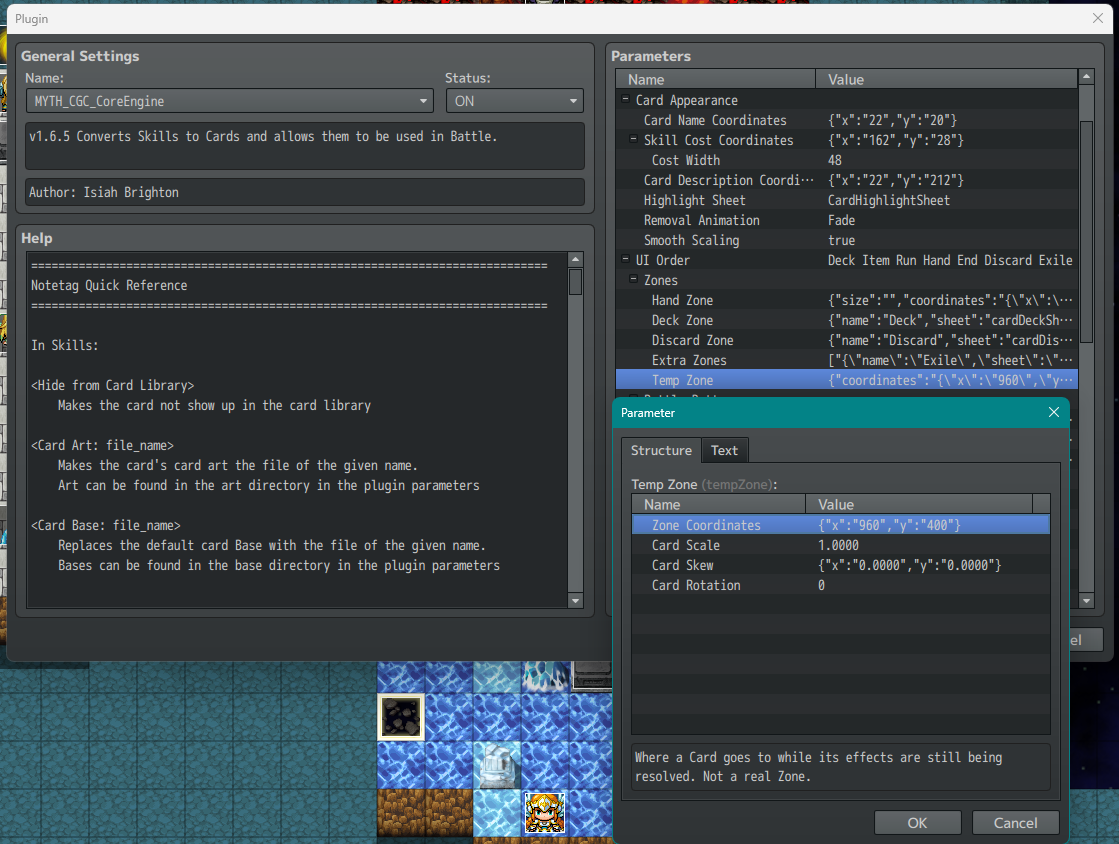
If you are updating from v1.6.3, you may run into an error 'Cannot read property 'x' of undefined'. Please follow these steps to resolve:

1) Open Core Engine parameters in the Plugin Manager list.

2) Open the Hand Zone parameter, find the parameter called Targeting Card Card Offset.

3) Double click on Targeting Card Card Offset to open the parameter. And then hit OK and exit out to the game. It will have refreshed.

That's it. That's all you have to do to. Very annoying that RPG Maker insists on setting new structs to undefined when updating between plugin versions.


Glad to hear you got it working!

Yes, it is absolutely possible to turn off the Grid Overlay. You can use the Plugin Commands: EnableCardField to turn ON the Card Grid and DisableCardField to turn OFF the Card Grid. These must be called in Events before Battle Processing starts so that the plugin knows whether the next battle will be a regular CGC battle or a Card Summons one.

Thanks for reporting this in! This error is from an incorrect configuration of the plugin parameters. Please make sure of the following:

1) Make sure Card Summons is below CGC Core Engine and CGC Party UI Type A in the Plugin Manager list.

2) Copy over the img/CGC/summons folder to your new project so it can reference those image files. Make sure the plugin parameters are referencing the names of the image files in that folder.

3) When Card Summons is placed into a CGC v1.6.3 Demo Project, it should automatically grab the plugin parameters from before it was removed. If this is not the case, please follow the images provided to replicate the settings manually.

If after going through these steps, the error happens again, press F8 to open the Developer Tools window and click on the Console tab near the top. It should have some errors in red text, please post a screenshot of that in your reply and we should be able to troubleshoot further.

No,  it does not. VisuStella needs to deobfuscate their plugin code for other plugin developers to be able to extend compatibility to them. We have made multiple attempts to get in contact with their team on this matter to which they have responded negatively. You can read their rationale for why they have chosen to do so here: http://www.yanfly.moe/wiki/VisuStella_MZ_One_Year_Retrospective

If this compatibility is important to you, please bring this matter to the attention of their team. Should they change their policy in the future we would be happy to extend compatibility and have our two plugin suites work together.