

ZAR Alpha v0.4.74.5 is now available!
Hello everyone!
Alpha v0.4.74.5 is now available for ZAR.
Our goal is to release a new update at least once every two weeks. However, larger updates like this one may occasionally take a little longer, especially when they involve major changes to core gameplay systems.
At the same time, we are also working in parallel on preparing ZAR's Steam store page. Because of this, some development periods may be slightly longer than usual, but we will continue sharing new builds and improvements as regularly as possible.
This update brings several major gameplay systems to the game, including character selection, active & passive skills, a redesigned augment system, run saving, the first Mystery Event, and the new Collection system.
We also added new UI screens, augment icons, improved tooltips, control customization, and several technical improvements.
Thank you for continuing to play and share your feedback with us! 🎲
New Character & Skill System
Characters are now officially part of ZAR!
- Added Character Selection
- Different characters now have their own starting setups and playstyles
- Added Passive & Active Skills
- Passive skills activate automatically when their conditions are met
- Active skills can be triggered manually during a run
These systems will allow us to create much more varied builds and playstyles in future updates.
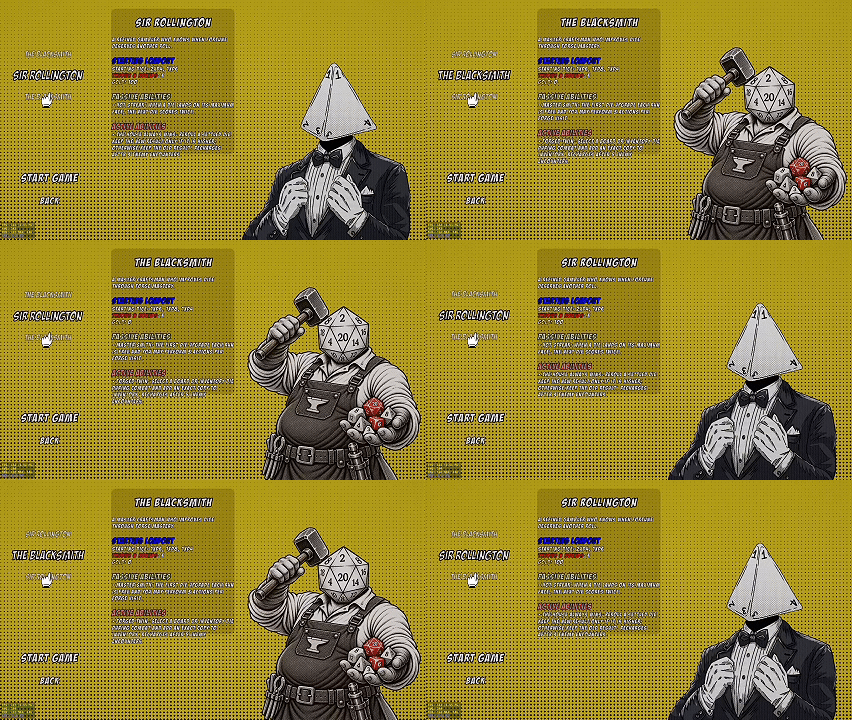
Meet the Characters
Two playable characters are currently available in ZAR, each with different starting dice, passive abilities, and active skills.
SIR ROLLINGTON
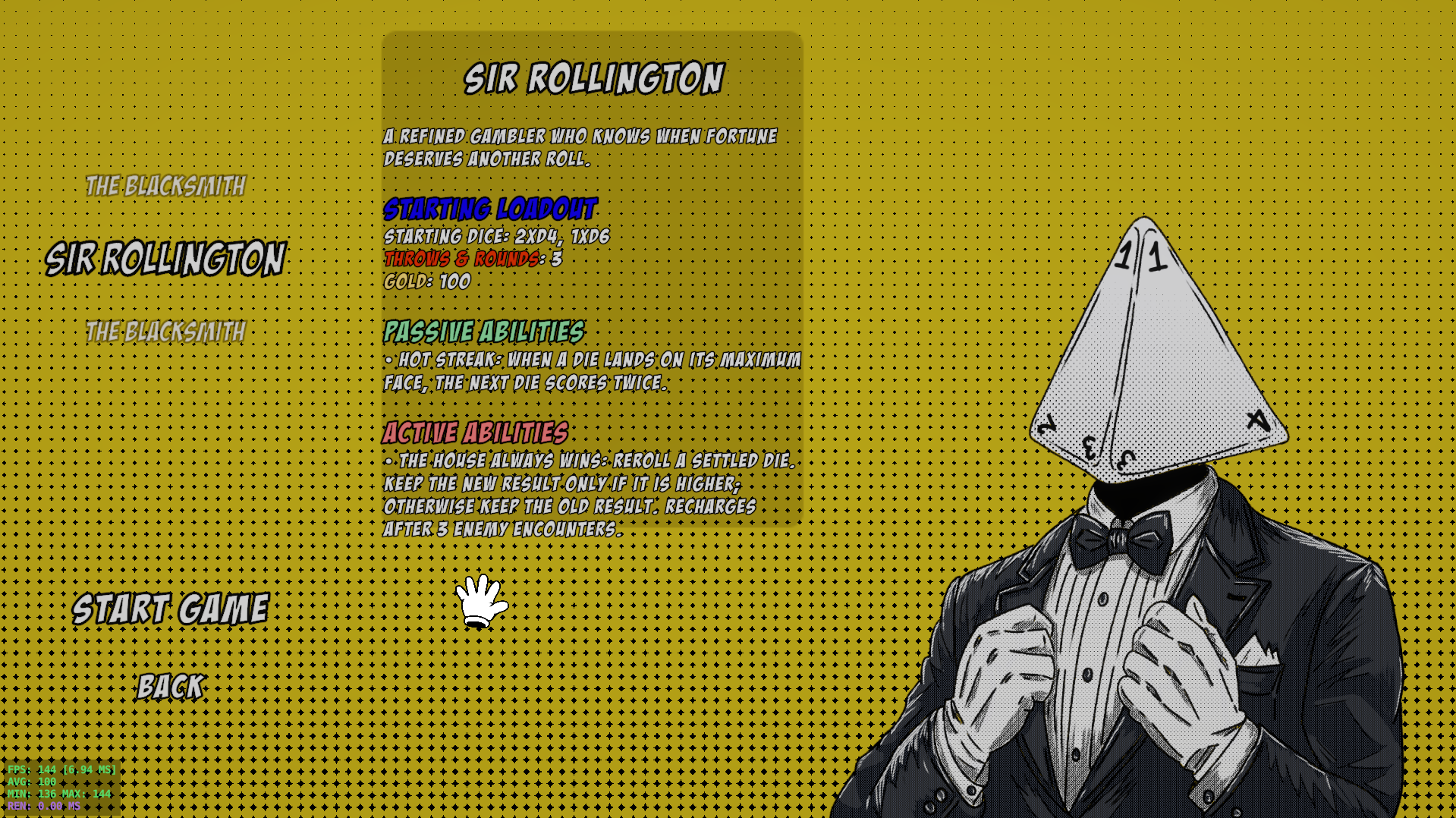
Sir Rollington starts with:
- 2× D4
- 1× D6
- 100 Gold
Passive — Hot Streak
If a die rolls its maximum face, the next die scores twice.
Active — The House Always Wins
After activating the skill, select one die and reroll it without consuming a throw.
- If the new result is lower, the previous result is kept
- If the new result is higher, the new result is used
This gives Sir Rollington a safer way to push for better rolls without risking a good result.
THE BLACKSMITH
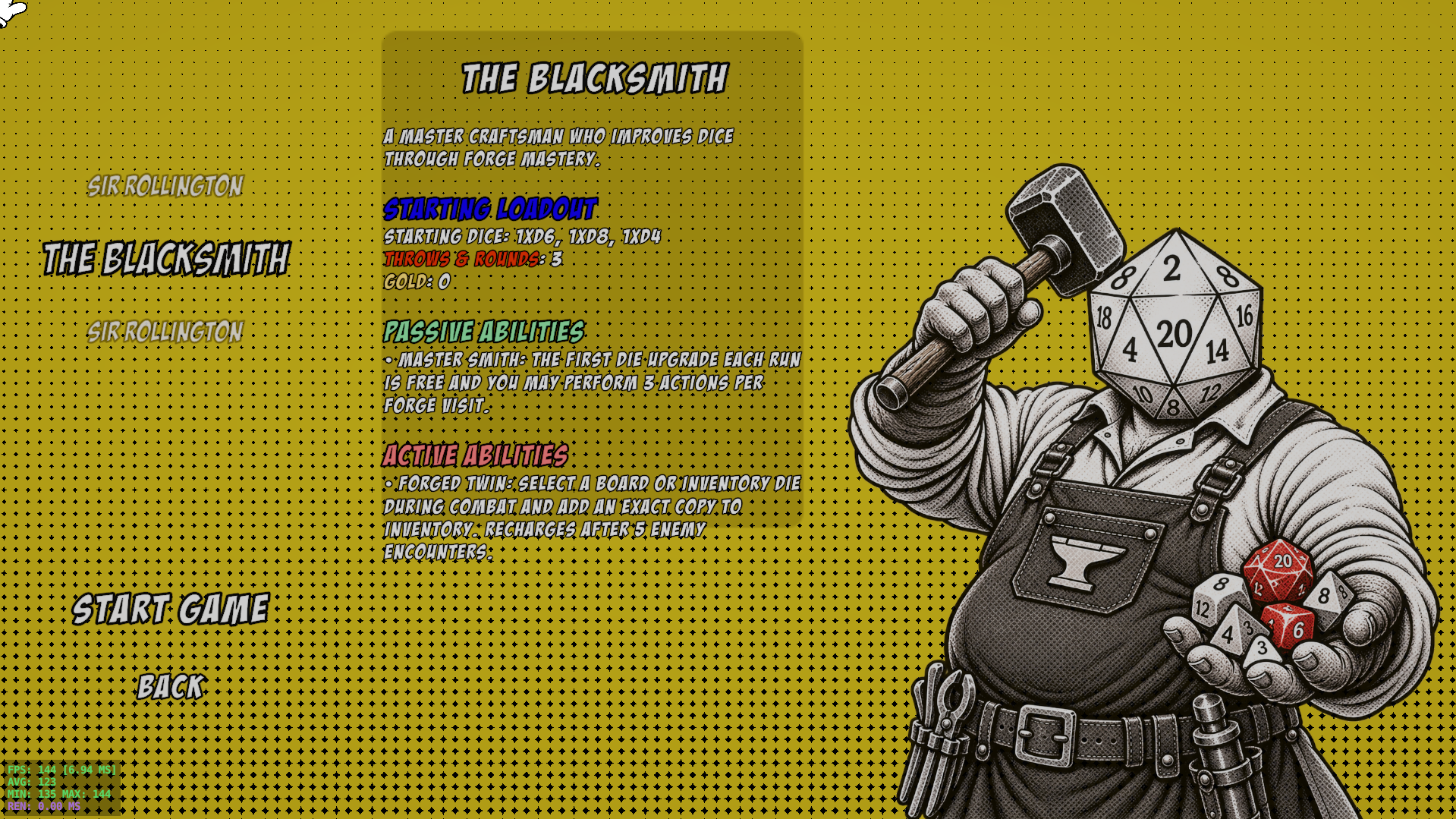
Note: The current Blacksmith artwork is AI-generated and is being used temporarily as concept art. We were unable to replace it in time for this update.
The Blacksmith starts with:
- 1× D4
- 1× D6
- 1× D8
- 0 Gold
Passive — Master Smith
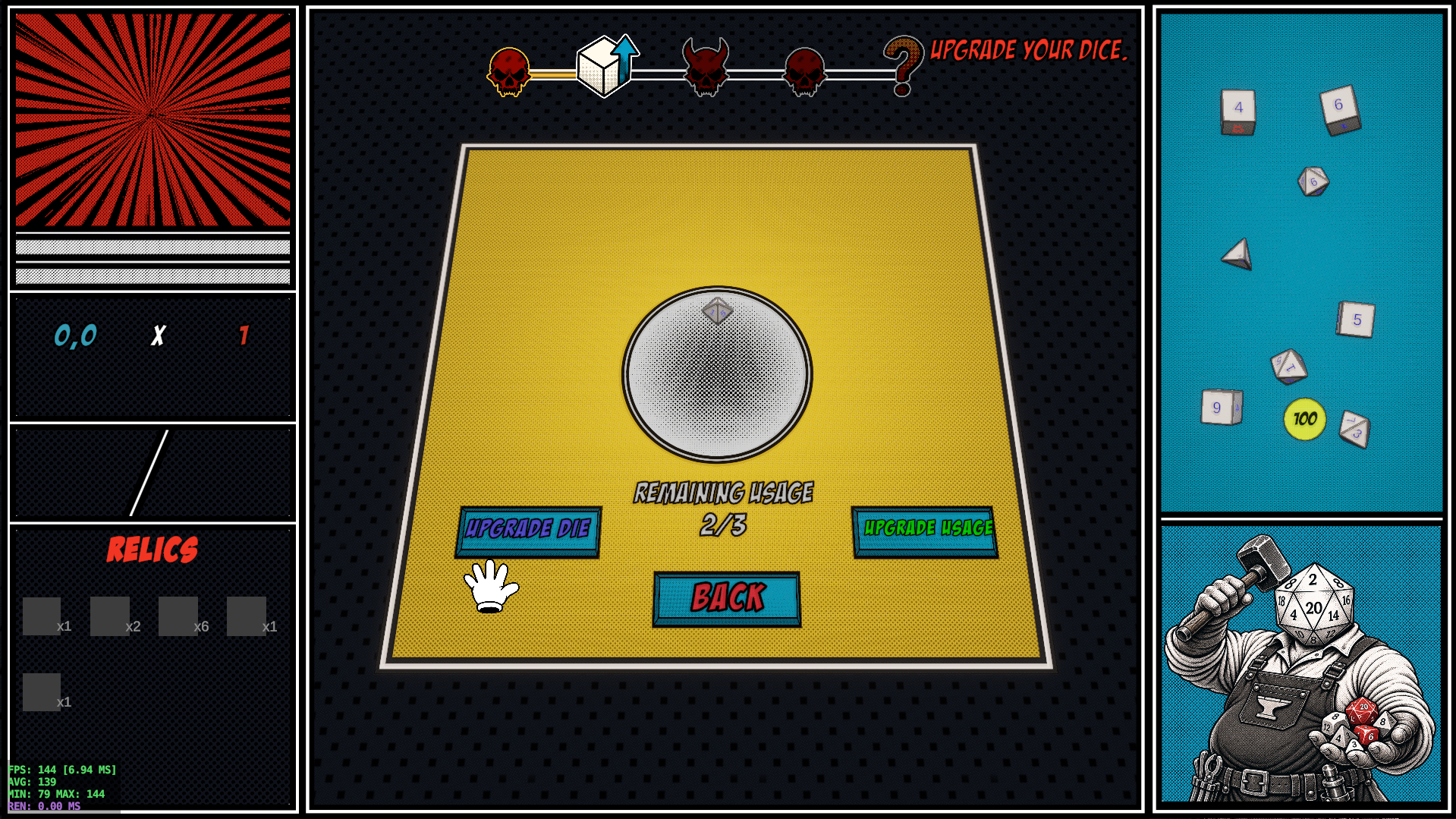
While other characters normally have 1 upgrade available in the Dice Upgrade area, The Blacksmith gets 3 upgrades.
Active — Forge Twin
During combat, select one of your dice to create an identical copy, including all of its current properties and augments.
The Blacksmith is designed around upgrading powerful dice and duplicating them when the right opportunity appears.
New Augment System
The augment system has been redesigned.
Dice can now have:
- 1 Base Augment
- Multiple additional augment effects
The Base Augment defines the main identity of the die and can be used as the foundation of a build.
During a run, players can change Base Augments or add additional effects through shops and rewards.
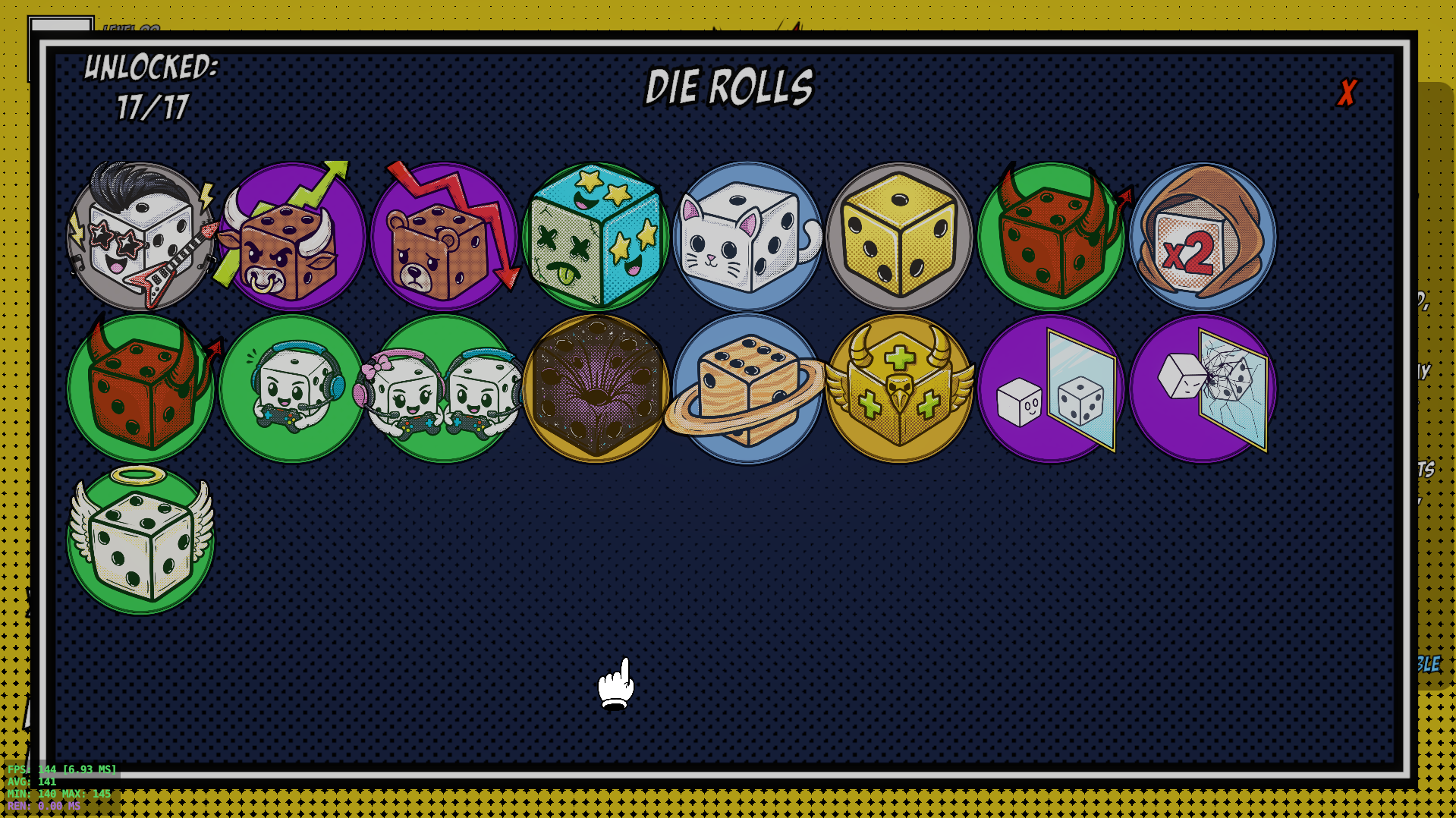
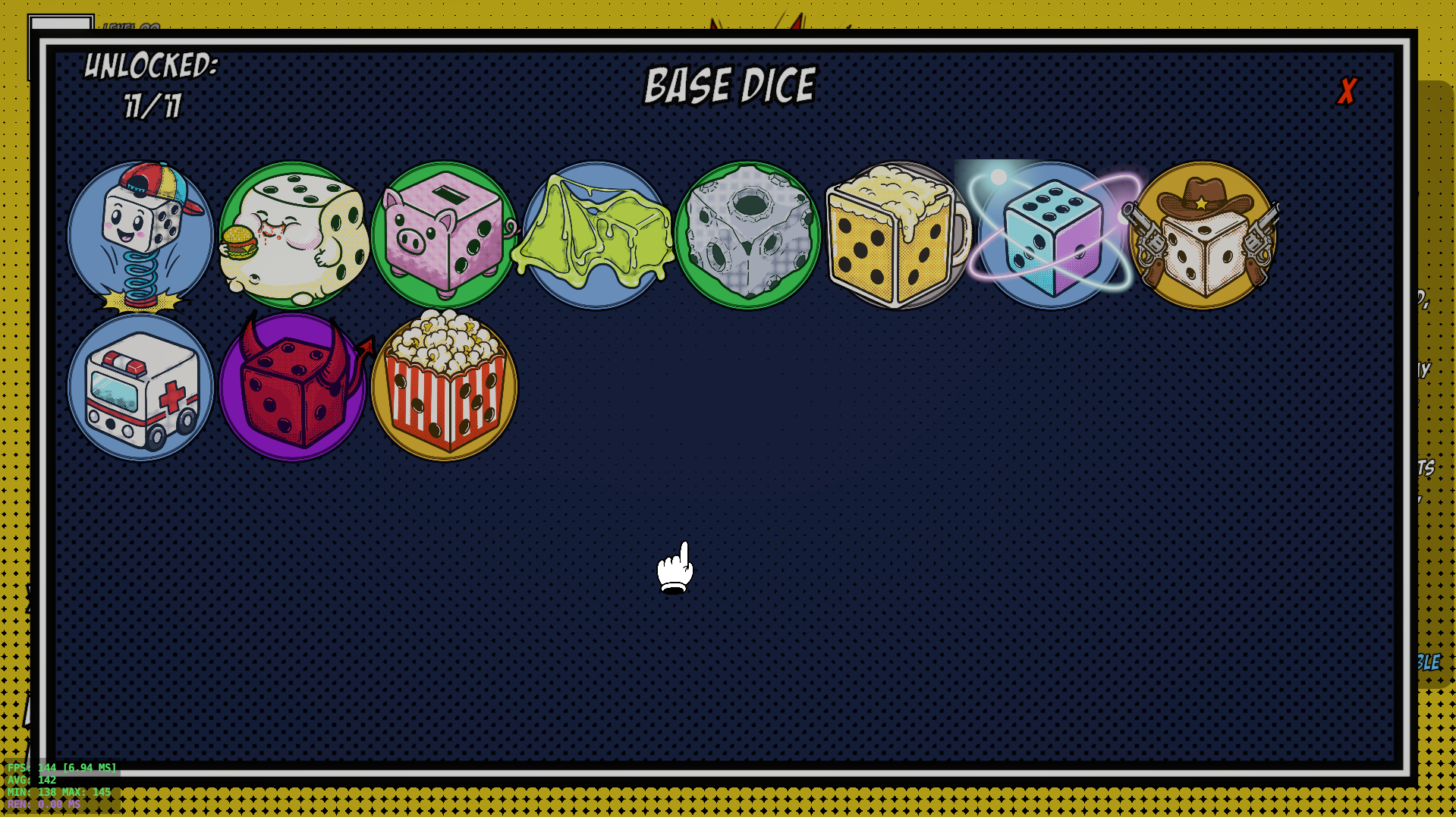
We also added 26 new augment icons to make different effects easier to recognize.
Augment Inspect
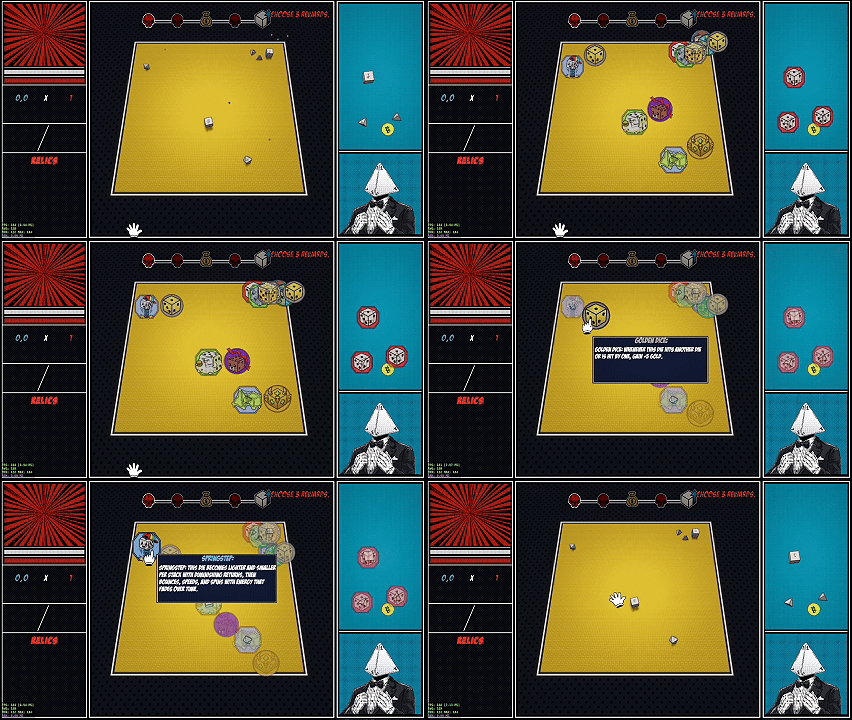
You can now quickly inspect your dice during a run.
Hold [Left Alt] to display the augments attached to each die directly with icons.
This makes it much easier to understand your build without opening additional menus.
Mystery Events
The first Mystery Room has been added!
Mystery encounters will appear during runs and introduce special events, choices, and surprises.
For now, there is one Mystery Event available, but many more randomized events are planned for future updates.
Don't forget to find it! 👀
Profile, Collection & Run Saving
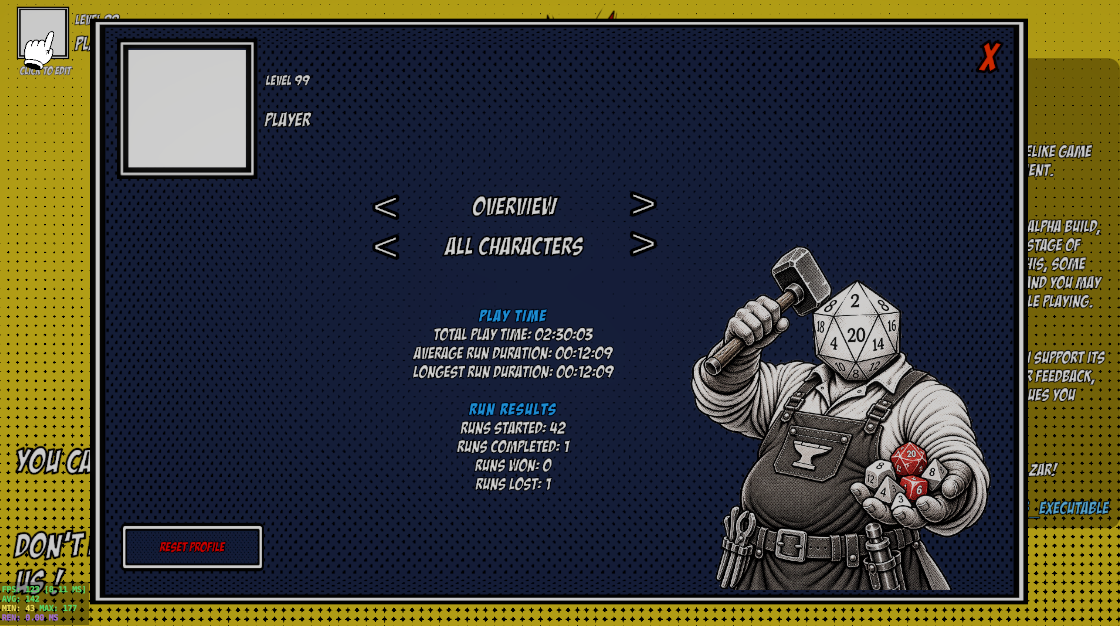
A basic Profile System has been added.
Players can now view their game progress and profile information.
For the current Alpha version, everyone uses a temporary "Player" profile with Level 99 so all available content remains unlocked.
Steam profile integration is planned for the future.
A new Collection UI has also been added.
From the Collection screen, players can now view and inspect the Relics, Augments, and other content they have unlocked.
This system will continue expanding as more unlockable content is added to the game.
Runs can also now be saved automatically.
Unless you manually abandon a run, you can leave the game and continue from where you stopped later.
New Gameplay UI
Several new UI screens and gameplay elements have been added.
- Added Continue Run UI
- Added Character Selection UI
- Added Profile Details UI
- Added Collection UI
- Player character is now visible during runs
- Character area now contains skill interactions and the Accept Rolls action
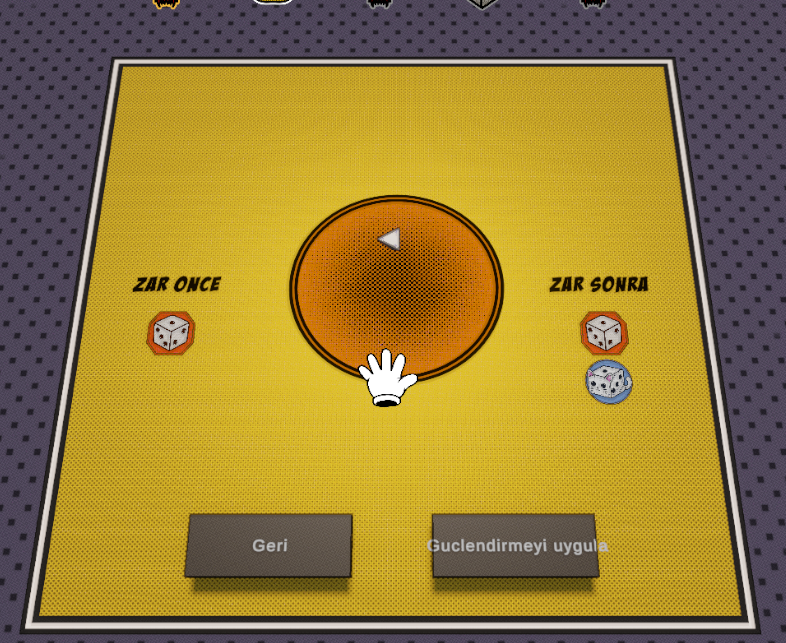
- Updated Dice Upgrade and Augment Add areas
- Updated the Pause Menu
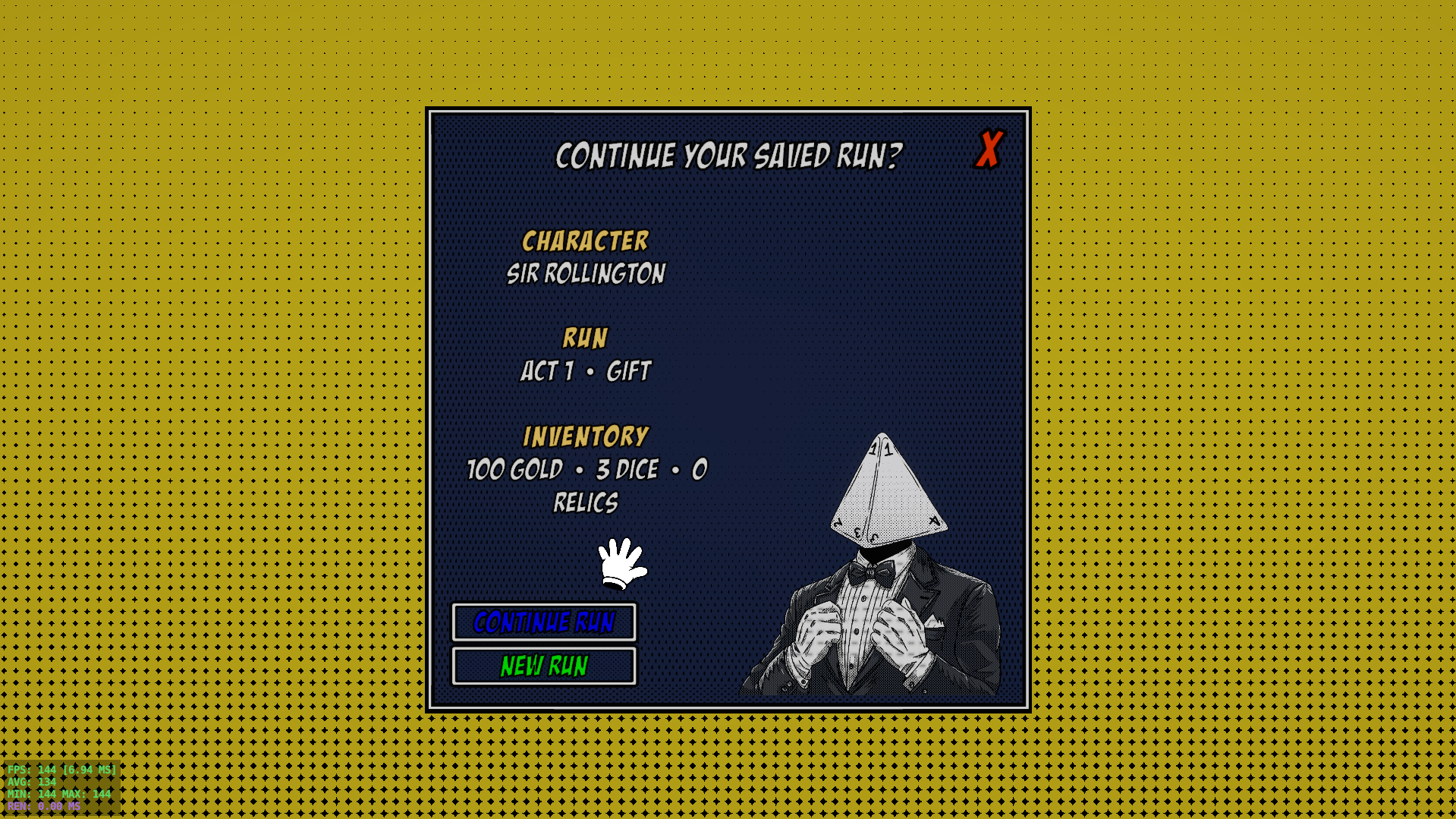
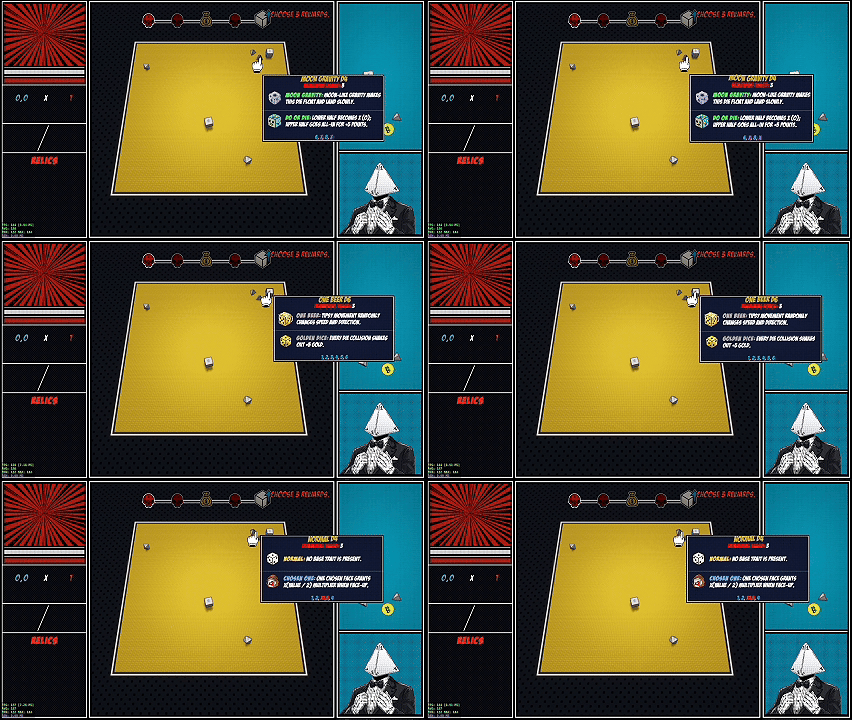
The tooltip system has also been improved.
- Tooltips can now automatically resize based on their text content
- Dice tooltips can now display attached augments directly with icons
- Improved readability and consistency across different tooltip types
The Dice Upgrade and Augment interfaces are still work in progress and will receive more changes later.
Area Information System
A new Area Info System has been added.
Short contextual messages can now appear directly inside gameplay areas to guide players and explain interactions when necessary.
This system will also help us improve tutorials and gameplay clarity in future updates.
Dice Physics & Performance Improvements
Dice physics received another major adjustment.
Previously, dice could take too long to settle or remain slightly airborne after the settling process.
- Improved dice settling behaviour
- Reduced unnecessary waiting after throws
- Improved overall responsiveness
We also changed how the Timeout speed-up system works.
Instead of increasing the entire game's Time Scale, the game now accelerates relevant physics calculations directly, resulting in better performance and more consistent behaviour.
Controls & Settings
Control customization has been added to the Settings Menu.
Players can now change the default gameplay key bindings from the new Control Settings section.
We also fixed an issue where the FPS Counter could appear behind parts of the Settings Menu.
Bug Fixes & General Improvements
- Improved overall game stability
- Fixed several UI and gameplay issues
- Improved dice physics behaviour
- Improved gameplay performance
- Added smaller quality-of-life improvements across different systems
This update introduces several systems that will become important foundations for future ZAR builds.
Character abilities, augments, Mystery Events, profiles, and the Collection system will continue expanding as development progresses.
Thank you for playing and supporting ZAR! 🎲
