

Hey there. First of all, I want to thank you for this post-process effect. It's exactly what I was looking for. All of the other retro effects for UE4 just add pixelation or go way too far with the retro effect.
I'm just having trouble trying to get the effect to work for the UI and HUD. Looking at some online documentation and tutorials, they say to use the material in a Retainer Box container, but I'm having trouble trying to use your material in it. If you happen to know how to make this kit work with UI/HUD, please let me know.
Edit: I was able to get an approximation of the CRT scanline effect on the UI elements, but it's not perfect, and is missing the other effects like chromatic aberration.
Hello, what does your setup look like?
Here is how i went about it.
- Create a Material Instance of MUI_ScalelineBase (its in “Materials/PostProcess/”)
- Tweak the values to you liking. These value should be set to match the post process’s values (except where ever you want to tone something down or up or whatever)
- Set the Retainer Box’s “Effect Material” to the material instance you made and tweaked above
- Set the Retainer Box’s “Texture Parameter” value to “RenderTarget” This should give you a matching effect on the UI. If you cant get this to work can you go into more detail about your setup and/or post some pictures?
I’ll post some screenshots of my setup here
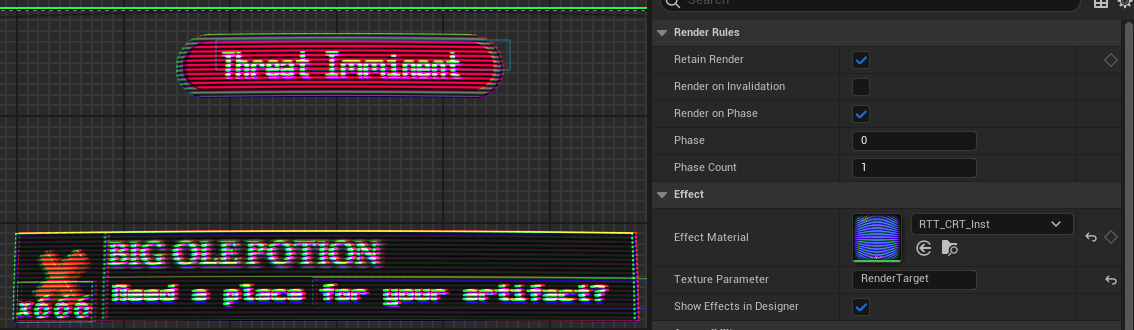
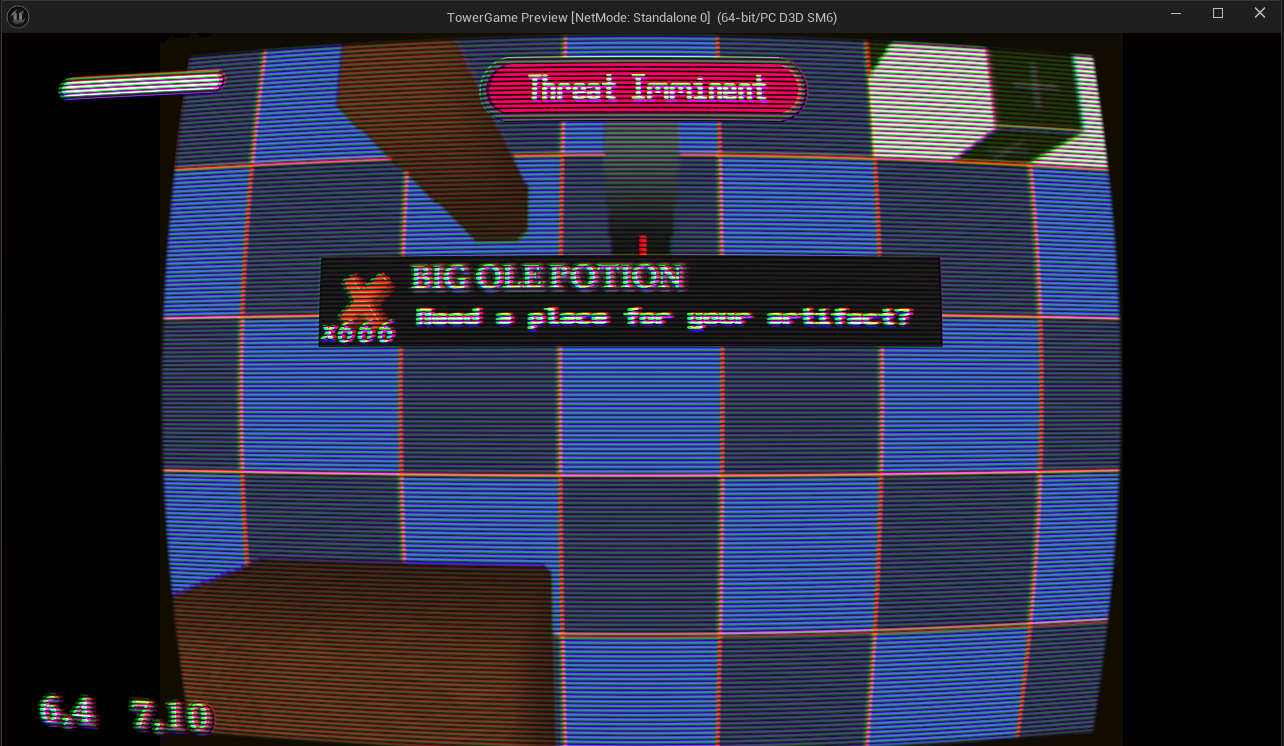
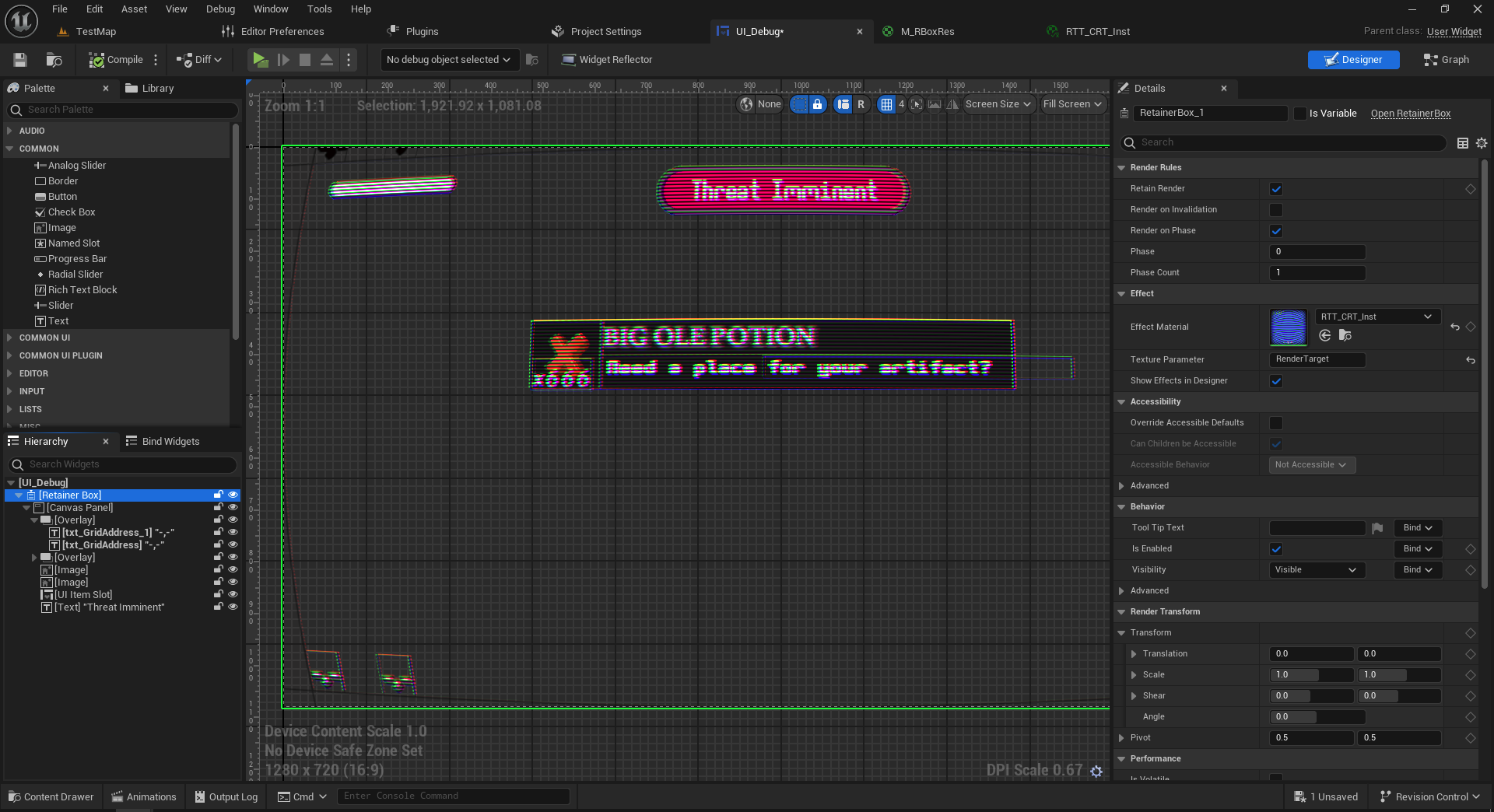
Also in the last screenshot you can see my widget layout. Its one single retainer box covering the entire UI Let me know if this helps