
Indie game storeFree gamesFun gamesHorror games
Game developmentAssetsComics
SalesBundles
Jobs
TagsGame Engines

The error message seems like it's missing the path to Garry's mod unless you cut it out, if not make sure you set the path to the game. Othewise make sure there isn't issues with permissions or so preventing the app from creating the directory
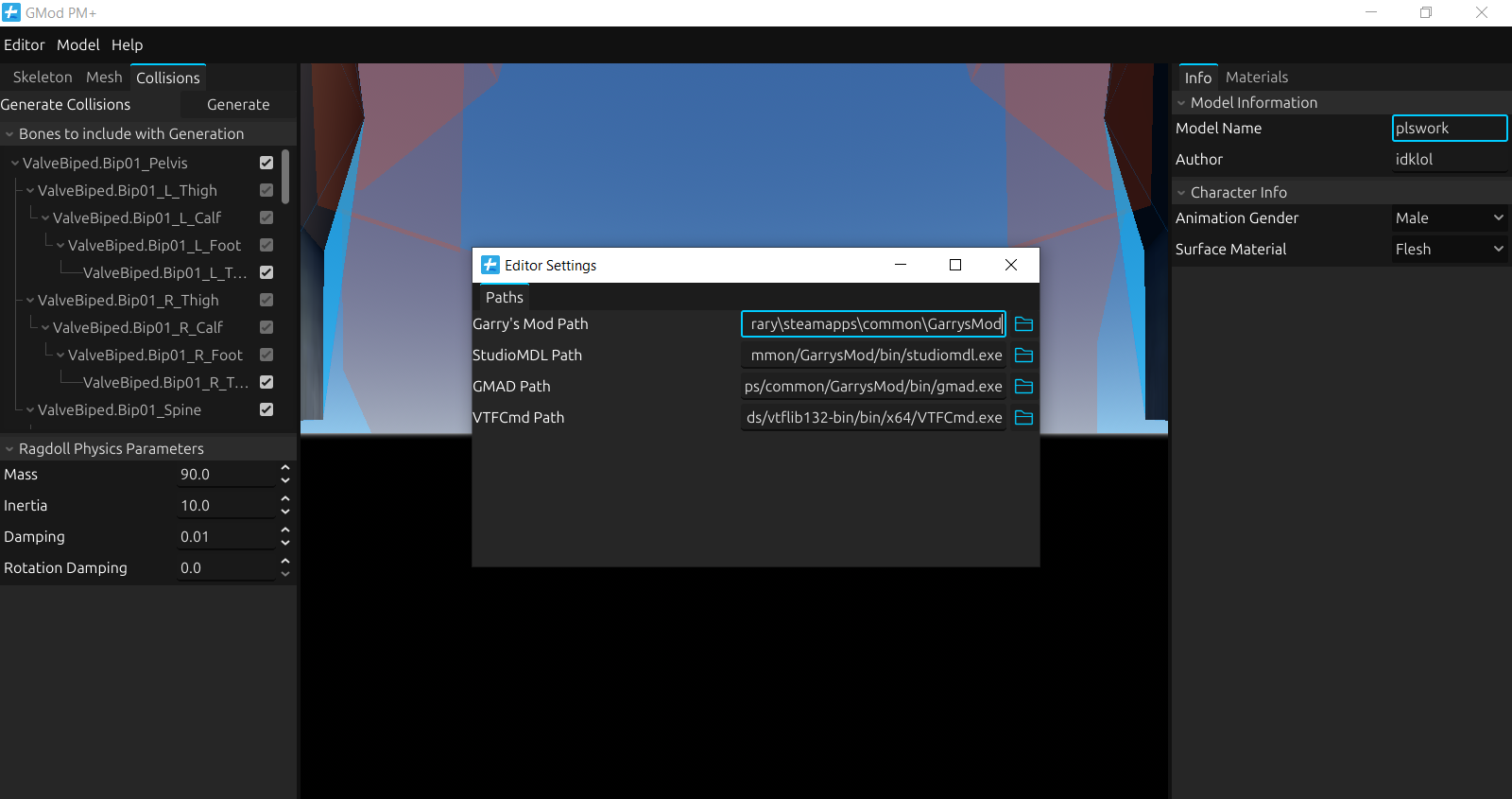
I first added the path to Garry's mod (i pasted the file directory, but not the .exe file, because the .exe wasn't showing up in the file/folder selector) 


Nothing changed, even if i added the gmod.exe in the directory.

I also ran the application as administrator, and that didn't work out as well.

You're not supposed to add in the .exe to the garry's mod path, just the directory to the game, you can show a screenshot of the directories you put in the settings

(1 edit)

It still doesn't work, even after just adding the file path without the gmod.exe

the slashes for the directory seem to be different than the other pathes (like how  VTFCmd is using "/" while the Gmod directory is using "\" instead), try changing the slashes to be consistent with the rest of the file paths and see if it works

I made the gmod directory match the rest (that didn't work out) and the other directories match the gmod directory. (that also didn't work out)

Nothing seems to work, regardless of the orientation of the dashes

This kind of issue is pretty difficult to test since the details I could find on the error code internally lacks any reason as to what is happening and it's not happening on my machine, the best guess I can make is that there might be some permission issues in that specific directory, although the temporary directories that had to be created for the compilation to work were probably created given the path I saw. Although this is a pretty weird error and I'm not sure if it's a problem with your system or not, try to see if there's something causing issues with apps not being able to create directories in that path

(1 edit)

I'm not sure if that's the case, because I opened the program as administrator, and the error message still poped up.


Is there something I was supposed to do with the other .exe files?


I'm asking because I didn't touch those, even the VTFCmd.exe

I only added the directory to the settings.


What's the full path you provided for the GMod directory if there's nothing private in the directory name? I'm not sure if spaces in directory names causes it to fail or not or something else but you can try to see

Hello, i fixed the probelm by installing 


https://www.microsoft.com/en-US/download/details.aspx?id=6041


and 


https://www.microsoft.com/en-us/download/details.aspx?id=26347


Thanks for trying to help me :)