Indie game storeFree gamesFun gamesHorror games
Game developmentAssetsComics
SalesBundles
Jobs
TagsGame Engines

12onetwo12

7
Posts
1
Topics
A member registered 14 days ago

Recent community posts

Hello, i fixed the probelm by installing 


https://www.microsoft.com/en-US/download/details.aspx?id=6041


and 


https://www.microsoft.com/en-us/download/details.aspx?id=26347


Thanks for trying to help me :)

(1 edit)

I'm not sure if that's the case, because I opened the program as administrator, and the error message still poped up.


Is there something I was supposed to do with the other .exe files?


I'm asking because I didn't touch those, even the VTFCmd.exe

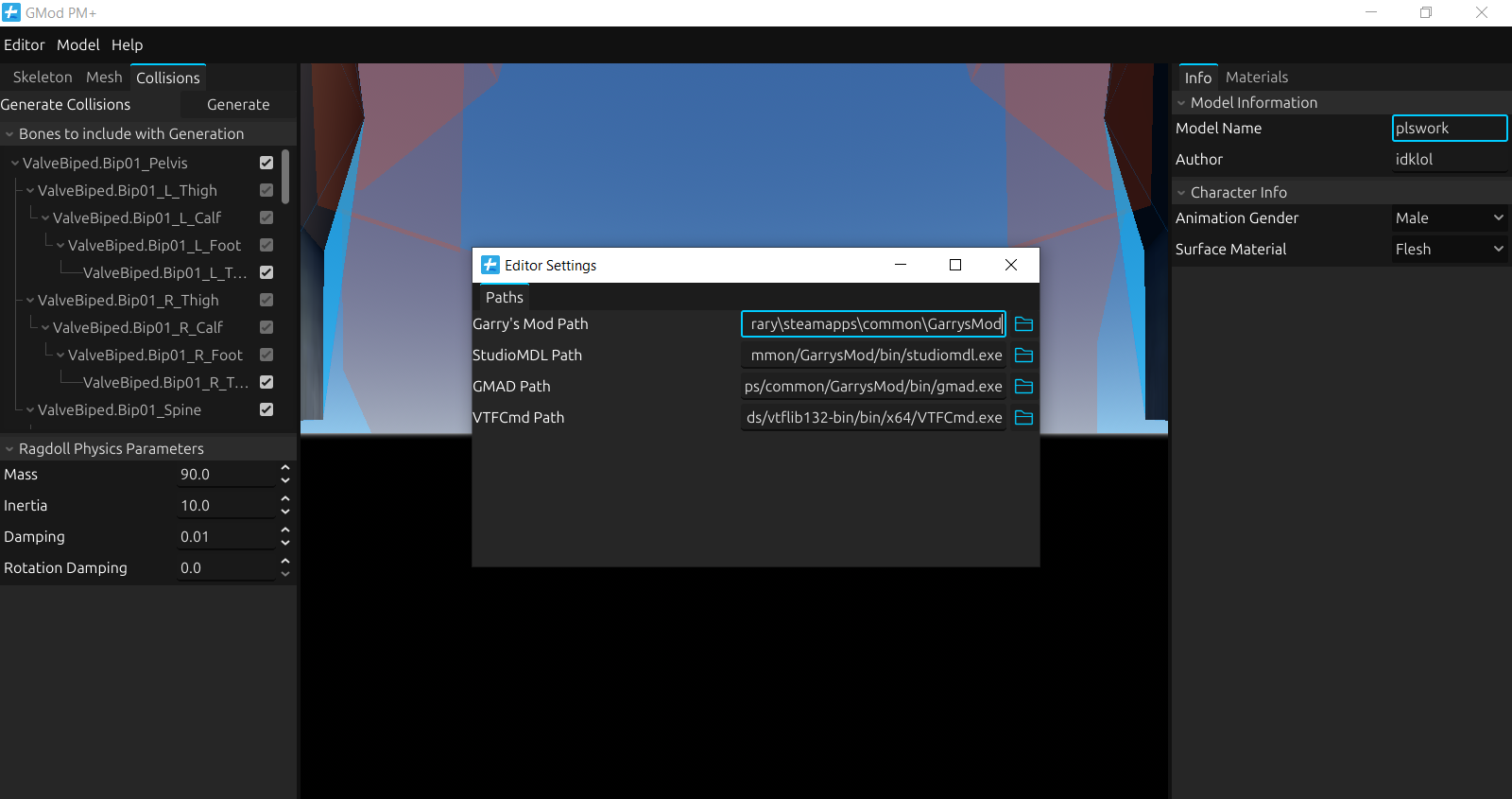
I only added the directory to the settings.


I made the gmod directory match the rest (that didn't work out) and the other directories match the gmod directory. (that also didn't work out)

Nothing seems to work, regardless of the orientation of the dashes

(1 edit)

It still doesn't work, even after just adding the file path without the gmod.exe

I first added the path to Garry's mod (i pasted the file directory, but not the .exe file, because the .exe wasn't showing up in the file/folder selector) 


Nothing changed, even if i added the gmod.exe in the directory.

I also ran the application as administrator, and that didn't work out as well.

yes, it does exist

I tried to compile the model, but I get this error message:

"Error: Couldn't create the directory

/garrysmod/addons/plswork: Can't create"

Both Linux and Windows have this issue, unfortunately.

All of the other features seem to work just fine, so I'm not sure what's wrong.