Indie game storeFree gamesFun gamesHorror games
Game developmentAssetsComics
SalesBundles
Jobs
TagsGame Engines
(+1)

You should consider a small playable demo in the browser. I downloaded your new version.
-press enter after input name should go next.
-need text to explain what the difficulty buttons mean and change..
-you should add some music
-confirm button after changing your walker should take you to the ready screen.


When I loaded into my run with the mage character. I could not move or do anything. bugged. The timer was still going up. i was able to press esc to quit the game...

P.S. if you have a spare moment would you consider testing my game(it is project slime on my itch profile) and letting me know what you think? it would mean a lot to me. happy to come back and try if this bug gets fixed! I couldn't even play the game..
(+1)

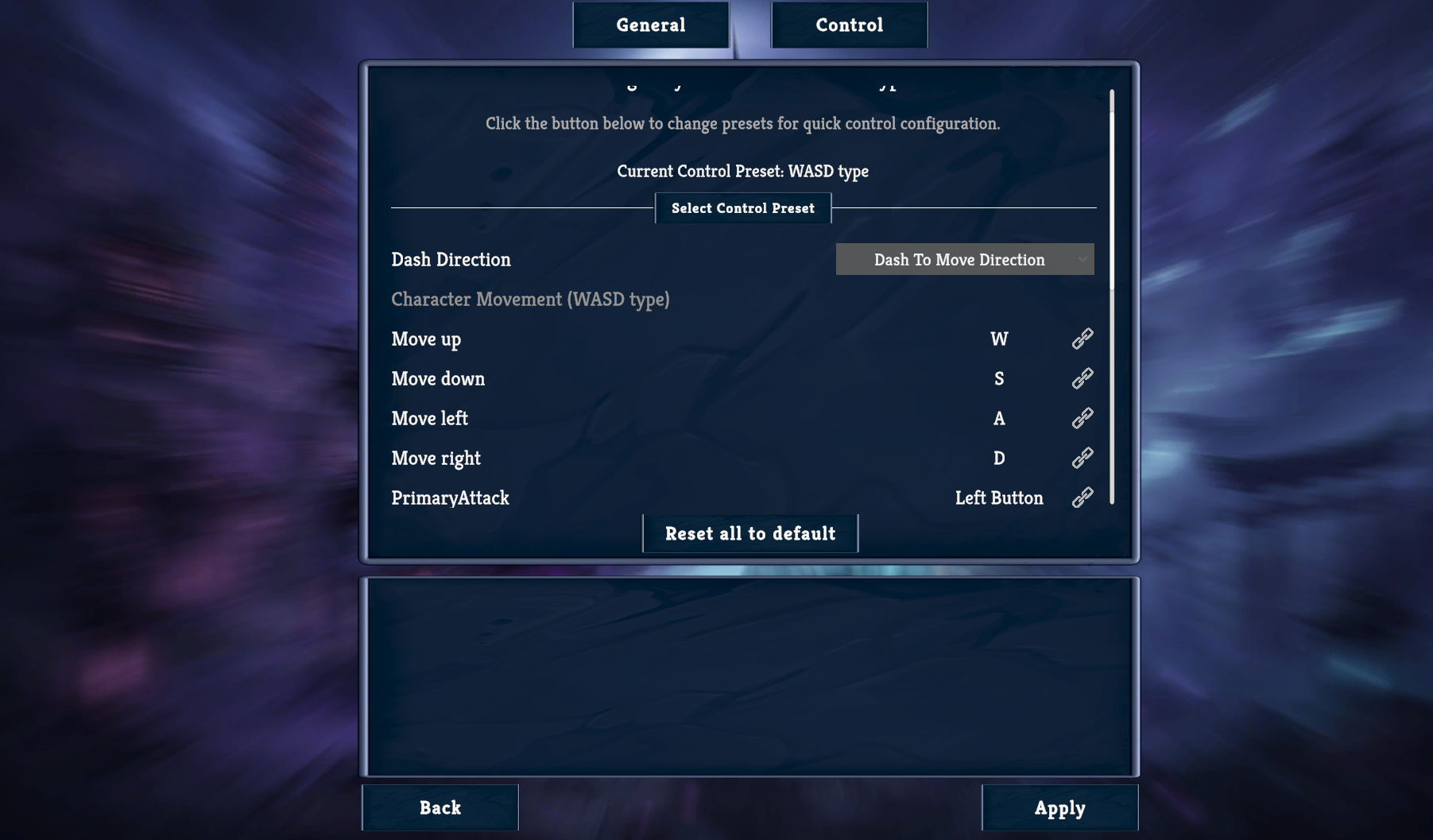
Can you tell me the Control preset mode in the Settings screen of my game is in what mode please?

Thank you for trying my slime game, I agree the art needs to be changed a lot. that is my biggest challenge. Here is my settings menu, it also appears as some text is cut off at the top and nothing appears in the bottom panel.

(1 edit)

So when you enter the run, you press WASD and your character cannot move, right?

(+1)

yeah and clicking and keyboard input only esc did anything.

(1 edit)

Can you reinstall my game? I know it sounds a little bit stupid because this error is quite weird and I cannot replicate the error :((

Or can you do the following step: When you enter the run, press esc then press esc again. I don't know this might help but one of my friend told me that bug

is it same build I reinstall? I can restart computer and try gamepad. maybe it i just problem unique to me

I don't think you need to restart the computer and may be don't need to reinstall. Just enter the run and try press esc and press esc again to close the popup. Can u try that

(+1)

I load in and for some reason it just worked this time.
-I did a new run with mage and sometimes the left click attack will not shoot in the right spot. I don't know if this is because the character rotation or something to do with the mouse position? I was having a hard time replicating it consistently.
-would be nice if the left click for mage did a little more damage
-sometimes mage left click would go through an enemy if they are really close to the character.
-the text panel in the shop is still out of my window..-red and purple pillar things show me no text and wont do anything when I try to interact with them.
-I would like to press m or tab to see the map screen from when I am in level not only at the portal
-I made it to the boss level 1.6 Moonlit Forest and there was no boss :(

(+1)

Thanks for your time trying my game. I've just found those bugs you've just mentioned. Might take a 2 - 3 days to fix them. Can you try my game at that moment please?

Oh I forgot. What is your screen resolution? The shop windows which I test on my screen is fully displayed so I think it might be your screen resolution is different from mine.

(+1)

Oh and I've played your Project Slime demo. I feel it quite fun. What I don't like is the current art. It's has too much color on my screen which makes my eyes feels a little bit tired. I think you should try make your art more simple.