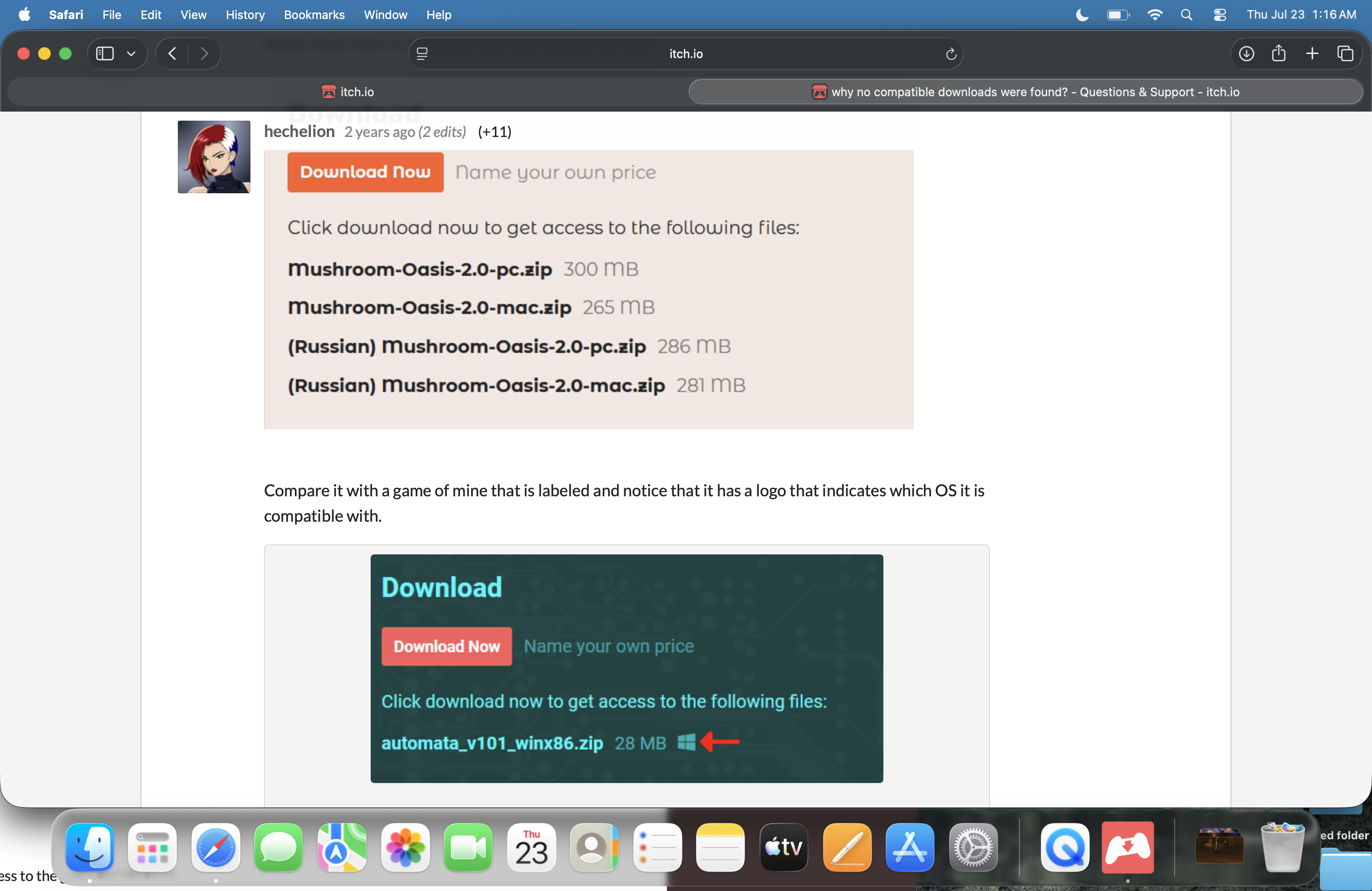
I may have found the solution. I just realized that your previous downloads had a symbol of Windows and Mac logos on each download. This is what I read from a post from the same situation I'm having: I don't know how to play download games so i downloaded the itch.io app and i tried to download a game but when i pressed install it says no compatible downloads were found. I tried to pick a different location but the ones i chose didn't do anything. the install box does not open to anything when i click it. I just don't know how to play download games because i don't understand how file games work and how to open them
It seems that the game is not labeled correctly
Notice that there is no logo on the right side of the files:
It is best to notify the developer directly and tell them to read the Itch documentation to verify that their game can be launched from the Itch application.
Why is this happening?
When you upload a game to Itch, it is not mandatory that it be compatible with the Itch application, since you can upload games for platforms such as Android, iOS, etc.
The developer is responsible for adding and checking that their game is compatible, if the developer does not follow those steps, then the application does not know how to run the game.