

Yes that's the right place for the OR, but you need to set the correct conditions, like this: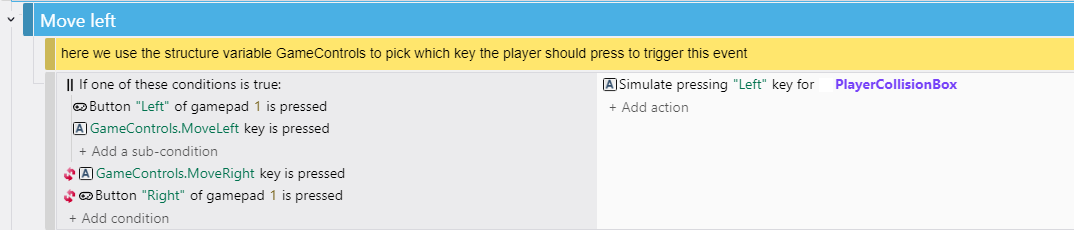
So, IF gamepad left button OR keyboard left key is pressed, AND the right keyboard key and right gamepad button is not pressed, Then move Left.
Note: The Inverted conditions are NOT inside the OR condition.
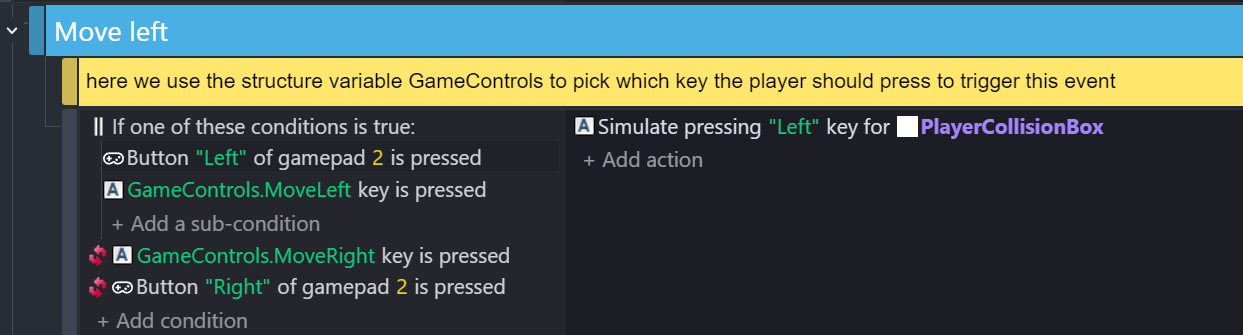
Oh thats weird, can you create a complete new empty project and see if your gamepad is working in that project ?
For me its working perfectly (gamepad buttons not the analog stick one though, analog stick need other conditions), when i press the left button on my gamepad the character moves to left perfectly, the gamepad identifier for me is 1.
If its still not working, close gdevelop and disconnect → reconnect your gamepad then open gdevelop and open the game and see if it works.
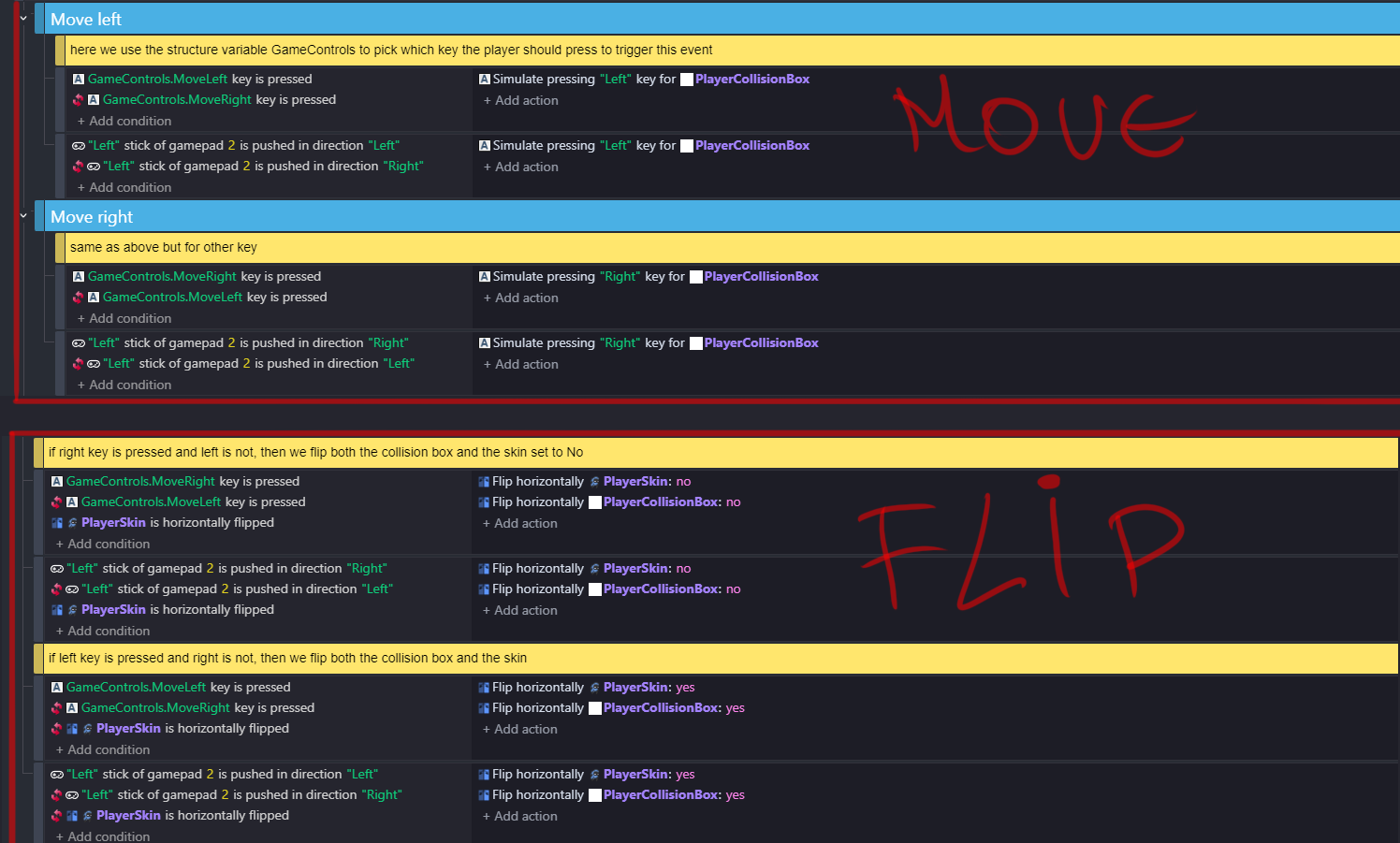 I was only able to make it work like this, (for me identifier is 2)