

Hi, thanks for the extension but unfortunately I can't get it to work correctly. When trying to use cubemaps it doesn't render anything (and gives errors in console), while Equirectangular Maps do render BUT they look rotated by 90 degrees so its broken in another way. Would be awesome if you can do something about it or suggest what's the issue. Tested on GDevelop 5.6.269
One thing for sure this extension is working. If you have another similar custom extensions or custom javascripts there could be a conflict between them. So my guess is it might be a project related issue rather than the extension issue.
Equirectangular Map is rotated because threejs is Y+ up renderer, But Gdevelop is Z+ up engine. And Gdevelop uses old threejs version that doesn't have environment map rotation functions.
Look, I don't want to insist if you say it works, but before reporting the issue I have tried it on 3 different GDevelop starter projects that, as you know, are barebones so I really don't know what's happening here. And I didn't add any custom extension or JS.
Here is a screen from a few moments ago. I've started a new project with 3D shooter as base this time, I've only removed completely the skybox layer effect and added the env map extension, put default sky images just to check if it shows something but it still gives errors and the sky is black just like the other 4 times/projects. Switched to JPG images and nothing changed. Updated GD to latest version and still not working. (just as a note, I have already tried multiple times switching on/off all options, checked if at least environment maps on models works, using different cubemaps even processed on the web tool you suggested. Nothing makes a difference.)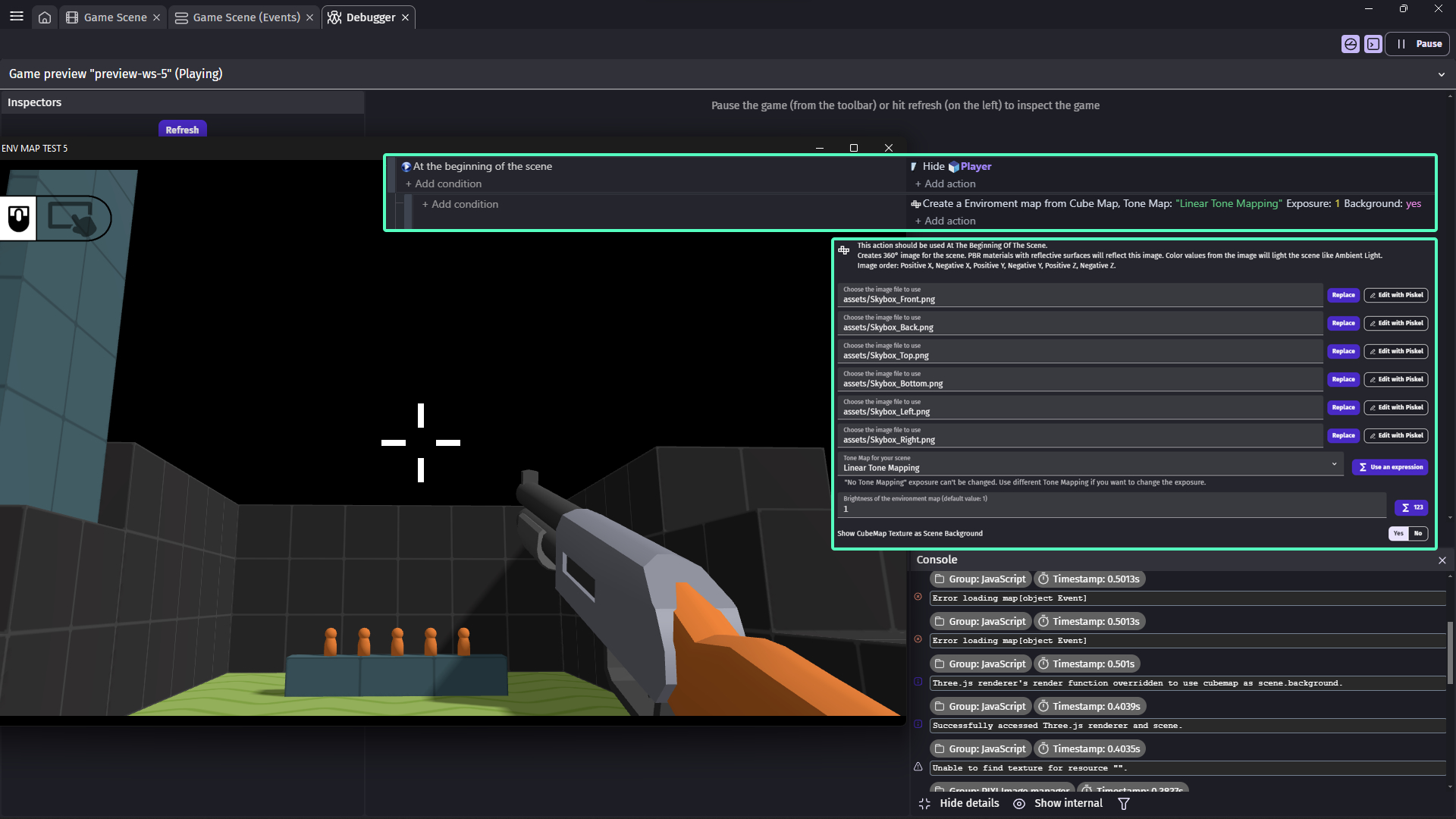
Alright I see the issue. Which is images are added as path instead of just a file name. The extension will correctly load the cubemap if the images are in the root folder of the project which happens on default if you add image by choosing "File(s) from your device".
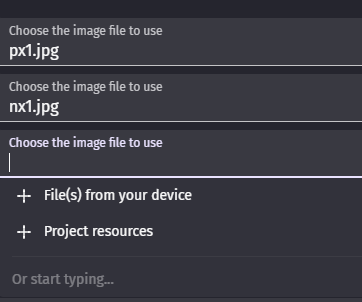
But as a user you can't know that, also Gdevelop grows so fast and it has this kind of strange quirks which wasn't like this when this extension created.
I worked on the extension code and I fixed that issue. Now it doesn't matter if the image is added as a path or just shown as image file.
I also noticed another issue related to having multiple 3D layers in scene (such as having a Gun in another 3D layer) So I added a Layer selection property to the action. It should be leave on "Base layer" in many cases. But now targeting the spessific layer fixes the overlapping environment maps for each 3D layer.
Expect to have the updated version of the extension dropped in 5-10 minutes.
Also Gdevelop built-in skybox uses non standard orientation for its cubemap. Please for this extension use the Z+ up orientation (middle option) from that web tool. which is a standard orientation and this extension follows that standard.
43 days ago(+1)
Oh, so it was the path. I admit I wouldn't have tought of that but I'm glad it is finally solved!
Thanks for looking into the issue and updating the extension, I'm going to try the fixed version right now.