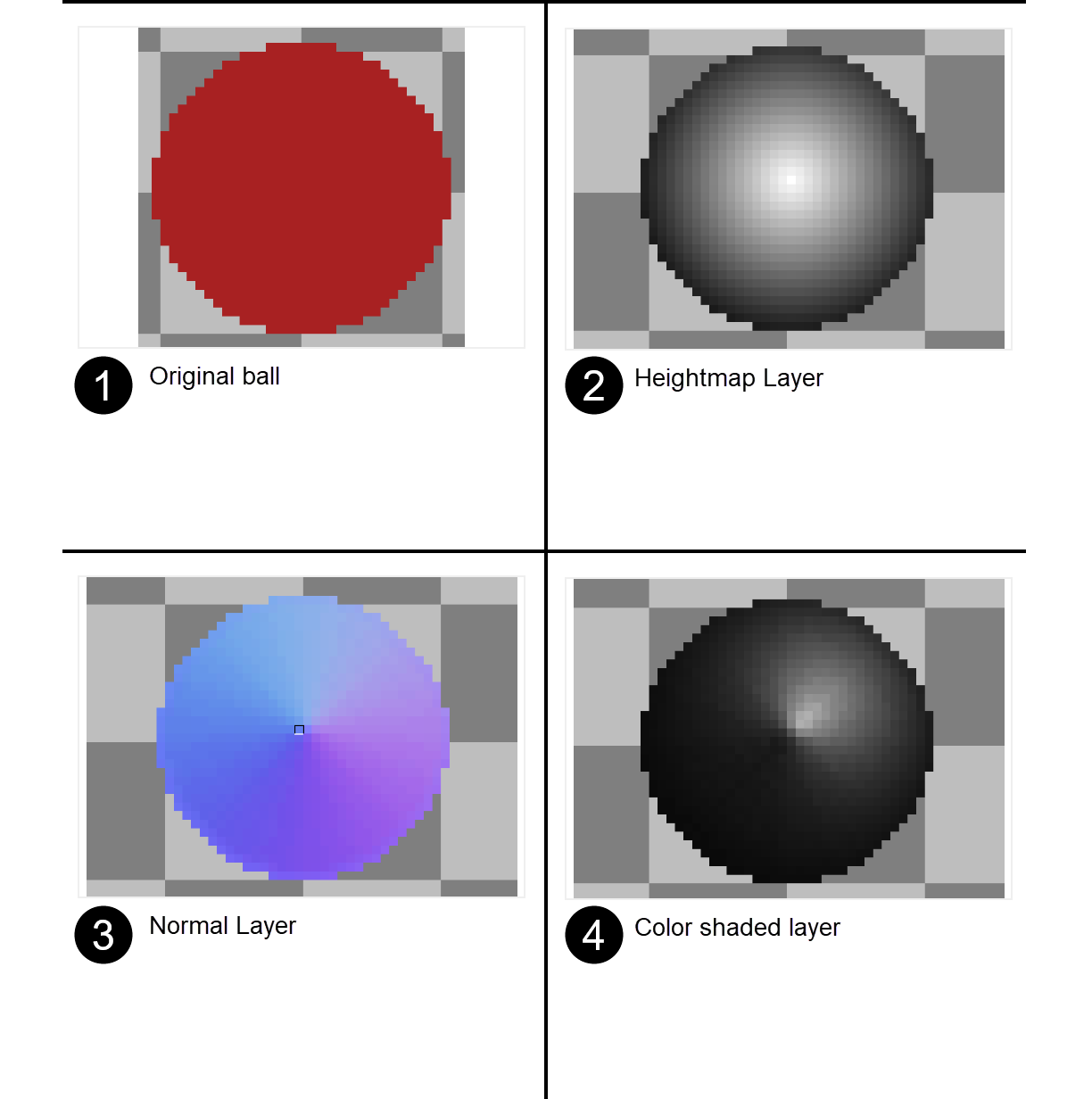
Hi, I am not great at shading, so I bought your normal generator and normal shading tools. I'm having some problems figuring out how to get the tools to work together. For instance, I wanted to just shade a simple ball. I created a simple 64x64 sprite with a red circle filling in the frame. I duplicated that to a heightmap layer, and used the gradient tool in Aseprite to do a light to dark gray gradient from the middle of the circle outward. The middle squares being white the outer pixels being black. The heightmap looked like a perfect sphere. (See images attached)
When I used the normal map tool, I tried dozens of settings but it always came out looking like a cone shaped object with the color(s) removed. When I used your shader tool on the Normal file, it again looked like a colored cone shaped object. Note: It was impressively shaded. So I am excited to figure it out
Would you be up to doing a quick video or tutorial showing how to do a ball utilizing both tools so I can get a better grasp of how to use the tools together? Thanks so much!