
Indie game storeFree gamesFun gamesHorror games
Game developmentAssetsComics
SalesBundles
Jobs
TagsGame Engines
(4 edits)

Hello, I'm running into a bug where the current_track variable/get_current_song() function returns None when I use the screen:

            if selectBonus == "music":
                use music_room(bonus_mr)
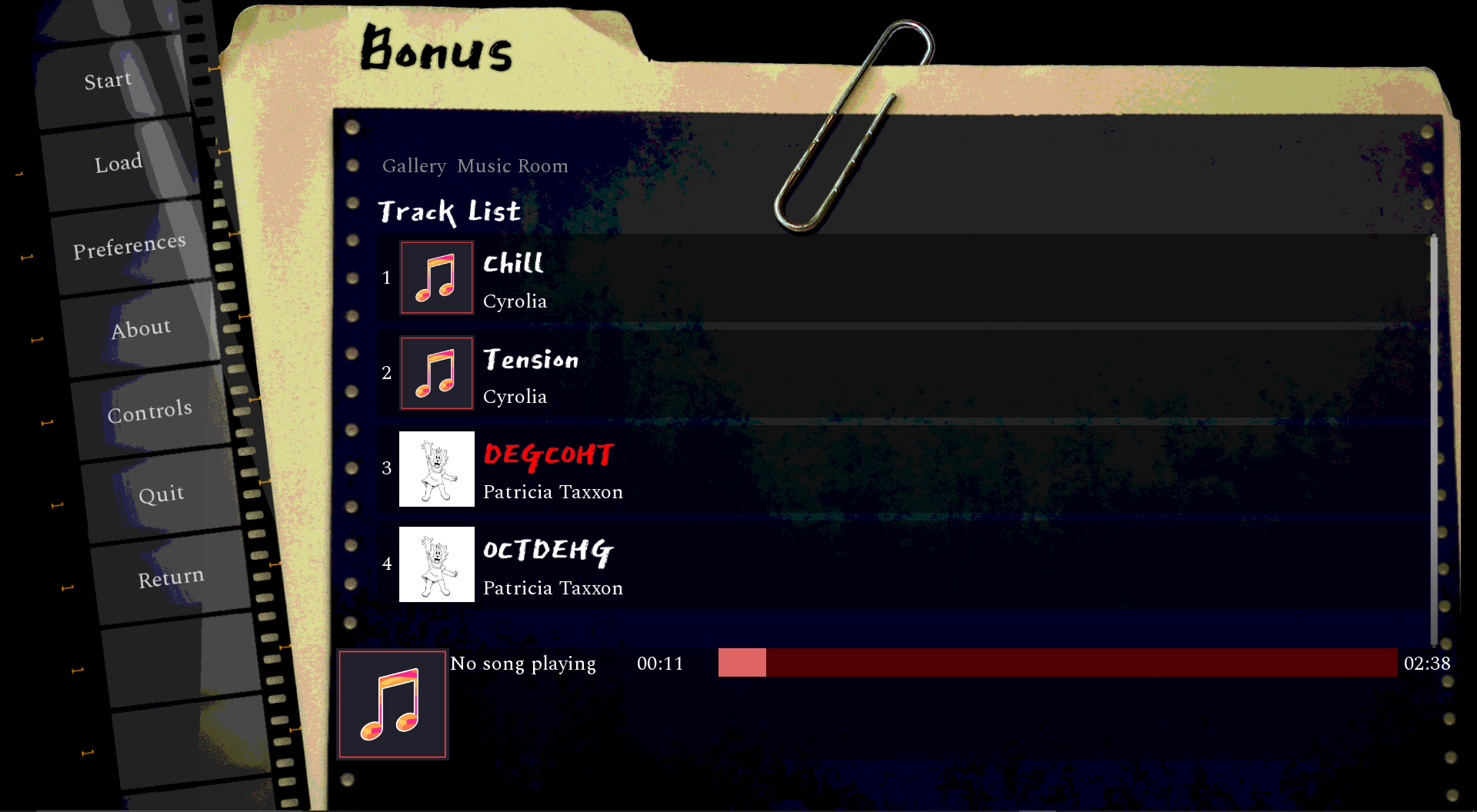

Music does successfully play, correctly move on to the next track, and the music bar, get_position(), & get_duration() all function near-perfectly (except for the very first track, which displays the correct position but populates the duration based on the last track played), but the album art and song name/song artist fields refuse to populate. Some testing showed that the current_track variable is returning "None" even when a track is playing.  

Following the readme's instructions and using ShowMenu() to call the screen fixes the problem, but circumvents my bonus screen setup & completely fucks the UI I was working on.

hotspot (1577, 524, 273, 119) action ShowMenu("music_room", mr=bonus_mr)
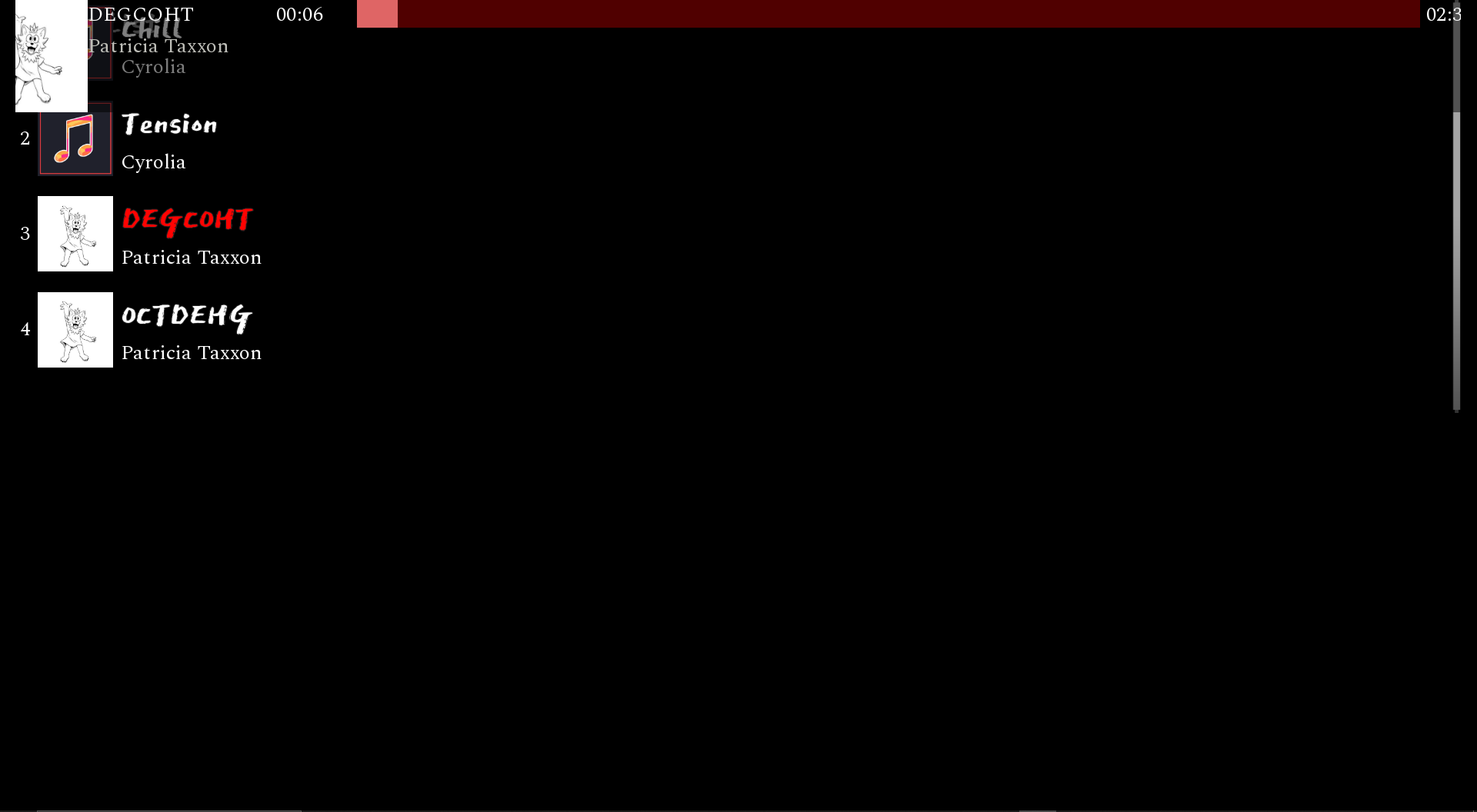
The UI is messed up, but you can tell that the album art and name/artist fields are now populated. The very first track still has trouble with getting the correct duration.

the same thing happens when I test use vs ShowMenu with the preset screens provided
I'm really not sure what mr=bonus_mr is doing that passing bonus_mr as an argument through music_room() isn't.

Internally, the music room uses actions that include SetScreenVariable and similar to set the current_track screen variable to the correct value. When you use it inside another screen, it can't directly access that variable any longer (and would usually need to be accessed via SetLocalVariable or similar). 

Two ways around this - the simplest is just to move the screen variable to your parent screen and pass it into the music room screen e.g.

screen parent_music_room():
    tag menu
    default current_track = music_room.get_current_song()
    use music_room(music_room, current_track)

and then you'll want to update the music room to screen music_room(mr, current_track): and remove the default current_track = ... line from the music_room screen. 

Second would be to adjust your parent screen so it has a transclude statement, and then have the music_room screen use your parent screen and place its contents inside the use block so they're formatted appropriately. Then the music_room screen is the "top level" screen which owns the current_track variable.

Hope that helps!

(+1)

Thank you, I did the first solution and it worked like a charm!