Indie game storeFree gamesFun gamesHorror games
Game developmentAssetsComics
SalesBundles
Jobs
TagsGame Engines

Campaign Forge

Desktop GM suite with 18 connected tools for prep, combat, maps, music, notes, and player sheets. · By Obsete

Text Formatting

A topic by Suko66 created 28 days ago Views: 65 Replies: 9
Viewing posts 1 to 3

First of all, thanks for this cool tool. I’ve been a DM for almost two years now, and I’m currently having a blast exploring all the features.

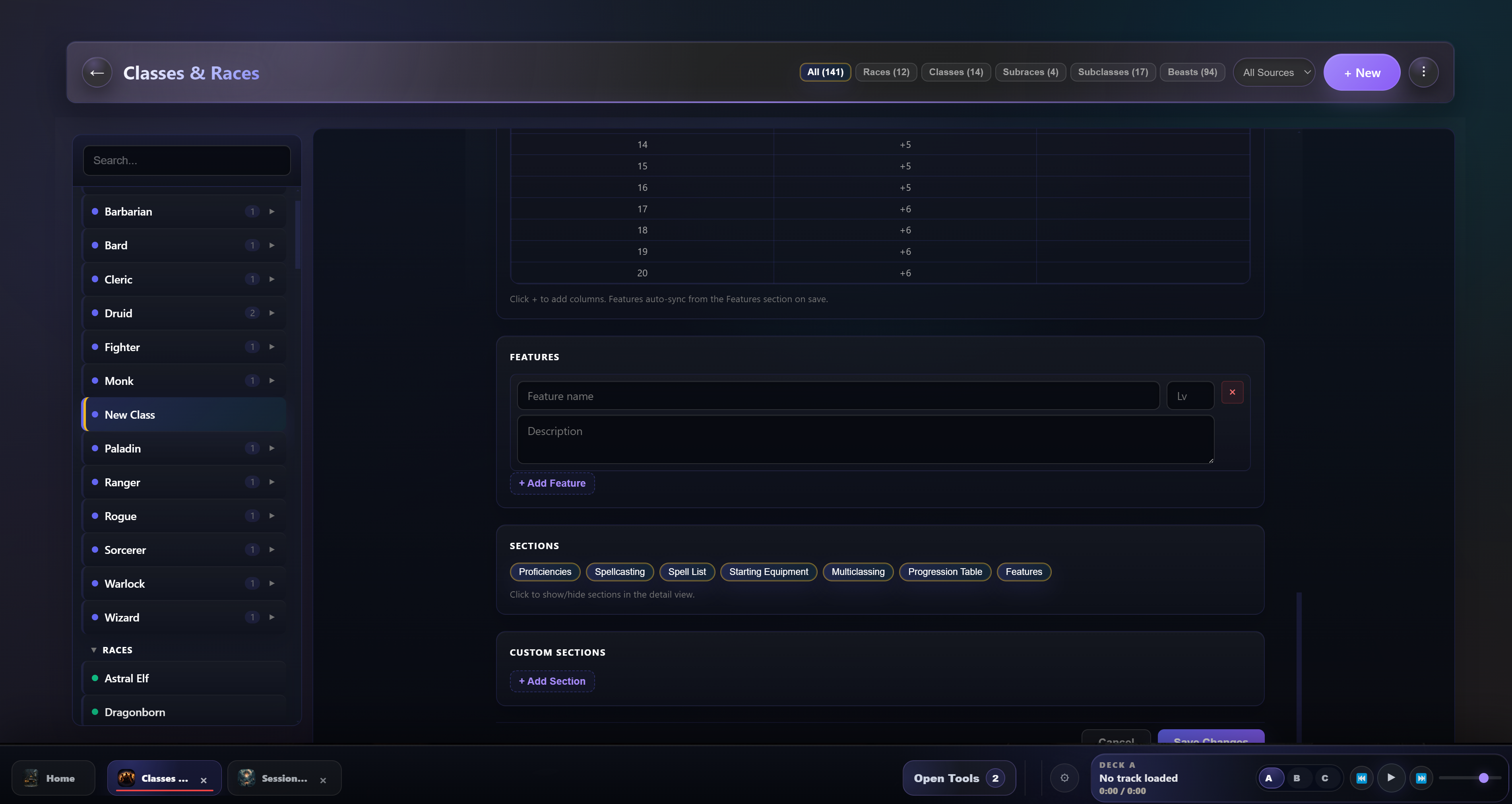
One thing I’ve noticed is that I’m currently creating my homebrew classes and races in the app, and I wanted to ask if there’s a way to format the text fields for features and similar elements so that everything doesn’t end up as continuous text afterward. Especially with complicated features, paragraphs or bullet points would make things a lot easier.

At least I haven’t found a way to do this yet; if such a feature already exists, please let me know.
Developer(+1)

Hey, Thanks for the support! I will look into that it should be pretty straightforward to add some text format tools to that. I will update soon

Developer

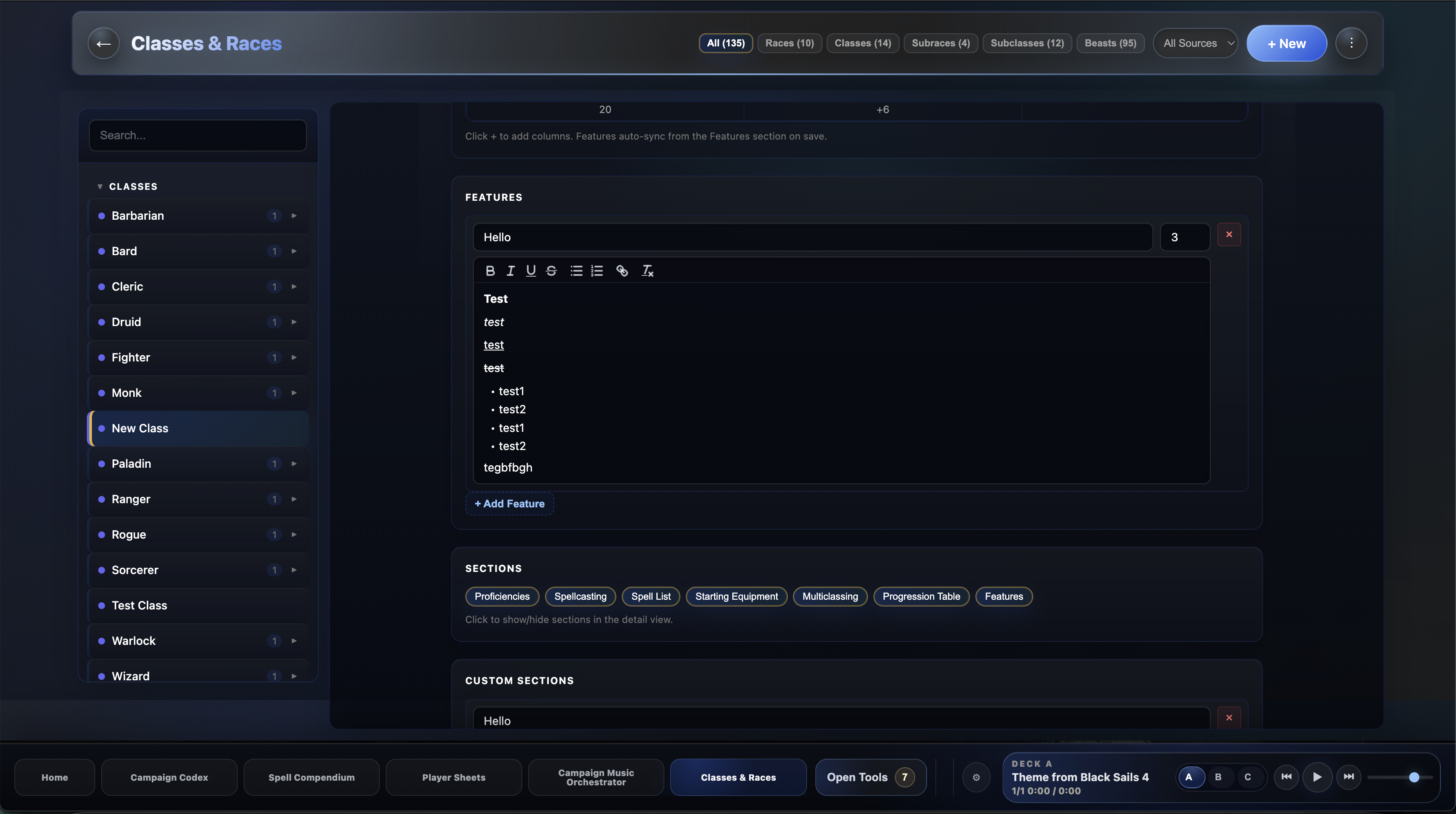
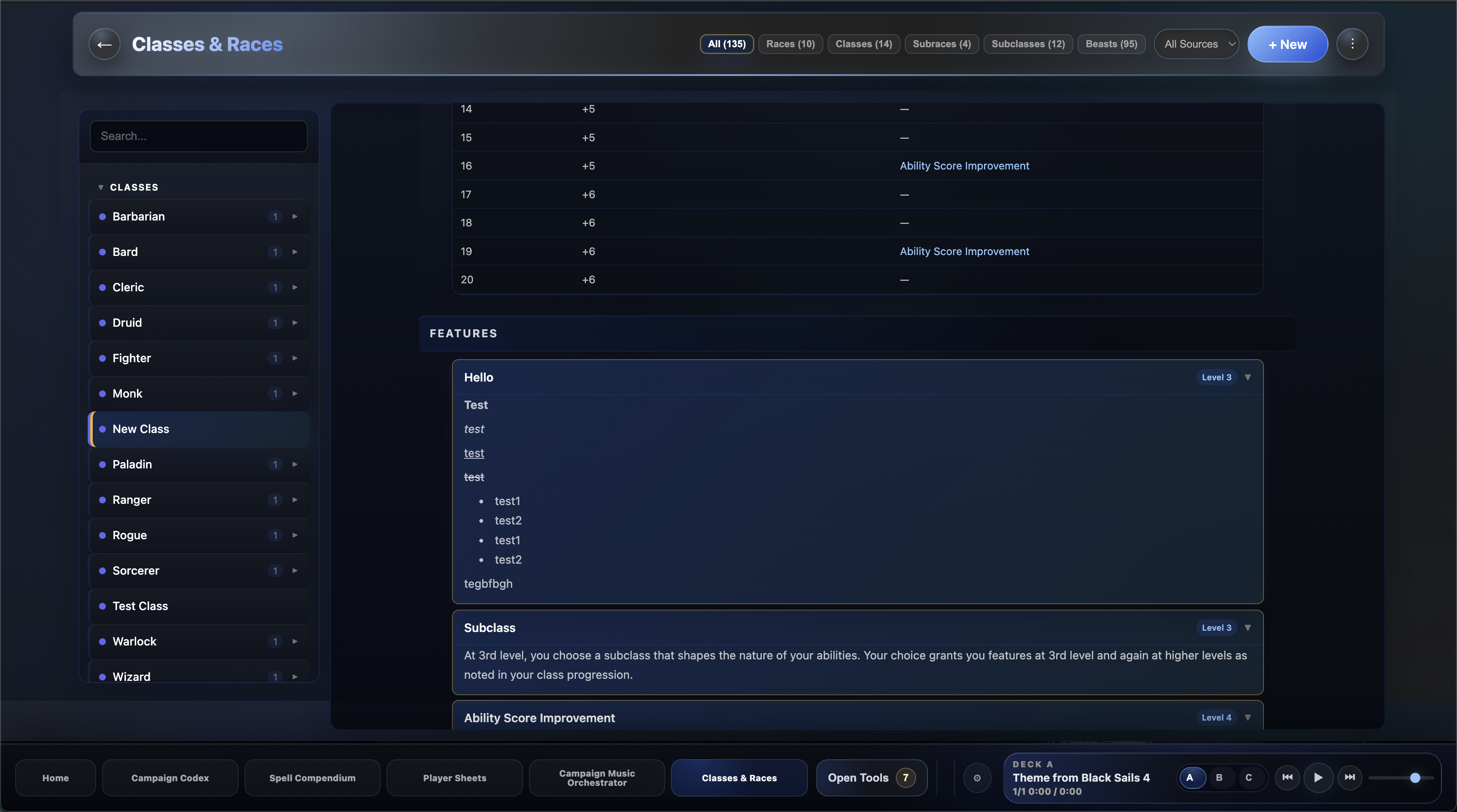
Hello, just uploaded the new release. This includes a feature for rich text editing all description fields for classes and races as well as allowing links, bullet points and numbers.

(2 edits)

Wow dude you are fast. Thanks for that fast response.

Could you tell me how to use the new text-editing features? I just added some new features, but it seems like I'm too clueless to use them.

Do I just need to download and install the new version, or is there anything else I need to keep in mind?

Also, at least in my case, it seems I can't change the size of the box. There is a drag icon in the lower right corner, but it only works for the description box, not for the others.

Developer

NP, so for new updates, you just uninstall on Windows or drag the app to the trash on Mac. Then just download the new version I put up and it should have all the new features. You should not lose any data when you uninstall, but I would recommend going into the gear wheel (settings) in the launcher and just doing a backup in case

I am working on an easier way to update in the future as well. Apologies that its a little bit of a pain atm.

Thanks for the explanation.

I installed the new version just as you described, but for some reason it’s not working the way you meant it to. No matter how I type the text or what I click on, it still remains as continuous text.

How exactly is it supposed to work? It’s quite possible that I’m doing something wrong.

And I apologize if I’m being a bother.

I’m just so fascinated by the app that I actually want to port my entire campaign right now.

Developer

No worries. Could you upload a screenshot so I can be sure I understand what you are explaining about the continuous text?

With the new build, you should be able to use the text edit tools under each description setting, like bold, italic, bullet point etc.

Then when you save it should appear that way in the fields as well


Sure, i should have done that in the first place.

You now see what i mean. I don´t have the new Options, but i did as you told me, uninstall the old version, downloaded the new one and install it.

Do i need to delete something in some other place maybe?

Developer(+1)

Thanks, I found the issue, it was a stale build on Windows that didn't pick up the new code. I have uploaded the new version so if you install it again, it should work. If you do still see issues, I can hop on a Discord chat or something, and we can walk through it, but I am confident it should be fixed now.

Thanks Again for your patience

(1 edit)

No i need to thank you for your patience.

Now everything works as intended.