

im having issue with clipping, is there any way to resolve this?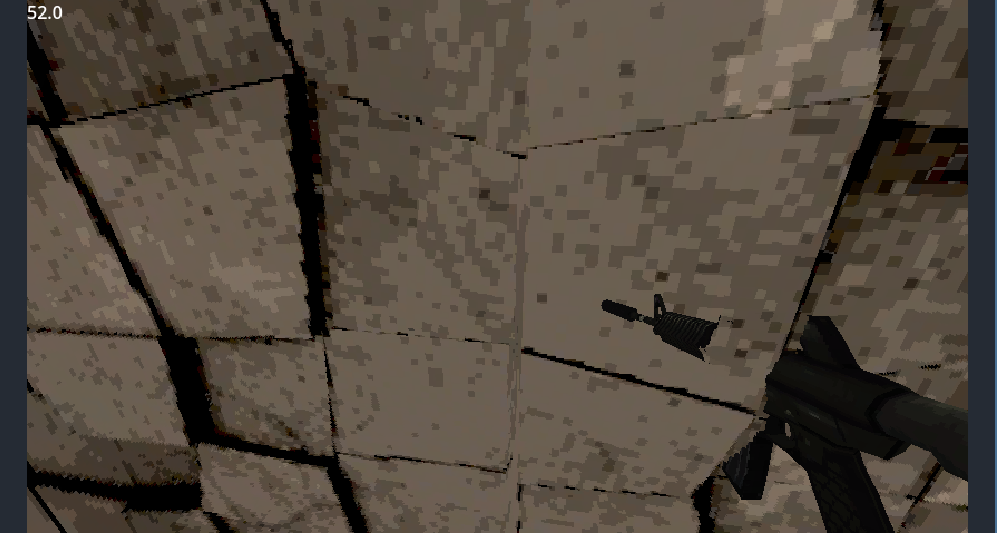
Viewing post in CUBY - Stable 3D Pixel Art for Godot 4.5.1+ comments
There are multiple ways to prevent weapons from clipping into world geometry:
- Use a separate camera and viewport that renders only the weapon layer.
- Use a raycast or collision shape to retract the weapon when it gets too close to a wall.
- Disable depth testing on the weapon shader.
The first approach may be tricky with this plugin, and since it already uses 13 cameras, I'd recommend either the raycast solution or disabling depth testing. But it can be achieved with a plane right in front of the camera (rendering only your gun) using a viewport texture.
If you want to use the Cuby custom shader on the weapon, duplicate quantize_cuby.gdshader, rename it to something like quantize_cuby_no_depth.gdshader, and change the render_mode line to:
render_mode depth_test_disabled;
This approach might look glitched sometimes or might make you lose the pixelated effect on your weapon.
I'd say the best approach is to retract the weapon using raycasting so it can't clip.