
Indie game storeFree gamesFun gamesHorror games
Game developmentAssetsComics
SalesBundles
Jobs
TagsGame Engines

Hi cybebe! Thanks for picking it up ๐Ÿ™

Just to clarify, you can't manually select a brush from a list or preview. Instead, you switch between brushes in the brush set using the assigned hotkey (Space + W).

The preview should appear after the brush set is created, so I'm curious how you created your brush set. Did you use:

  • Grid Tiles (for tilesets)
  • Separate Selections
  • Selected Cels

Since you're using an 8x8 tileset, I'm guessing you're using the Grid Tiles method, but let me know your steps so I can try to reproduce the issue.

I also made a GIF demo showing the workflow in case it helps.
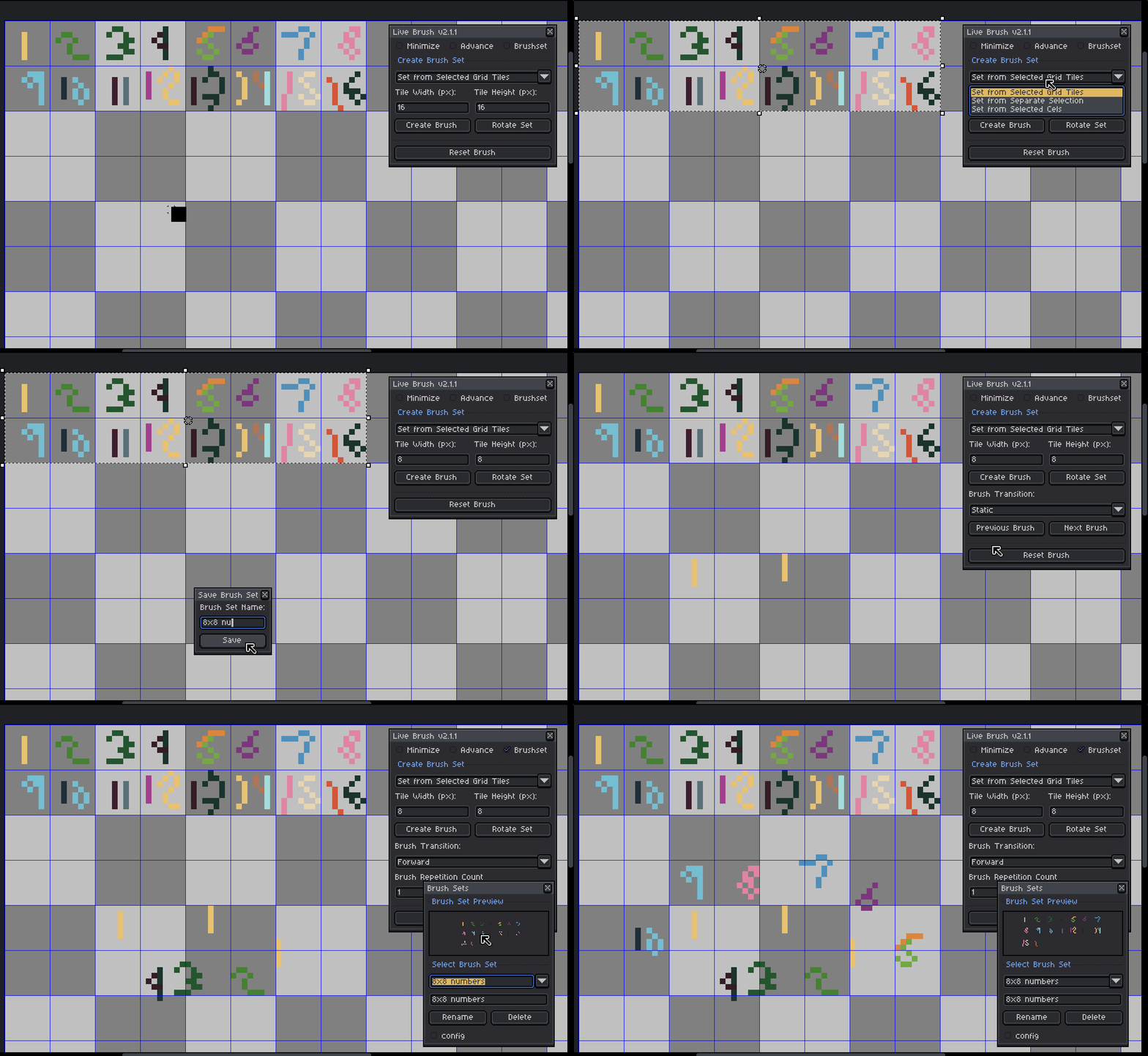

For reference, I'm using Live Brush v2.1.1 with Aseprite v1.3.16.1. Could you also let me know which version of Aseprite you're using?

Hi, I am using 1.3.17.2. My tileset have around 1000 tiles that I would like to use as stamps, that is why I need to select them from an overview. It seems the extension was not designed with this use-case in mind. I think I used grid tiles to create the brushes. 

Oh wow! I honestly didn't expect someone to use a brush set with around 1000 tiles.

That actually explains the behavior you're seeing. The preview window is currently limited to around 50 brushes so it doesn't become too crowded, which is why not all of your tiles are being shown.

As for selecting a specific brush from the preview, that's not currently supported. The extension was originally designed around cycling through brushes with hotkeys rather than picking them directly from a preview window.

That said, I can definitely see how that would be useful for large tilesets like yours. I'll look into adding brush selection from the preview window in a future update, and possibly making the preview limit configurable or removing it altogether.

Thanks for the feedback! ๐Ÿ™ This is actually a use case I hadn't considered before.