
Indie game storeFree gamesFun gamesHorror games
Game developmentAssetsComics
SalesBundles
Jobs
TagsGame Engines

How did you open it? Sometimes you can't just double click but have to right-click the app and choose "Open" in the menu, and then again "Open" in the confirmation dialog. I think this is only needed once and then it works normally. Unfortunately I don't have access to a Mac anymore so I can't verify.
(1 edit)

There's no confirmation dialogue, it just says that the file is broken and should be moved to the trash. Is your game perhaps running on 32x?

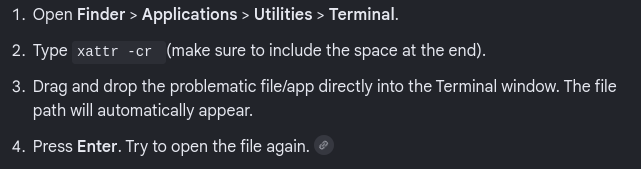
I believe it's 64-bit if that's what you mean. Can you try these steps?