

A note about how to access the Wigglystash contraption, for people who aren't familiar!
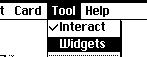
Using the menu bar you can go into "Widgets mode" which lets you edit various things in the program. [ Tool > Widgets ]
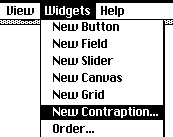
And then use the new "Widgets" menu option to create a "New Contraption"
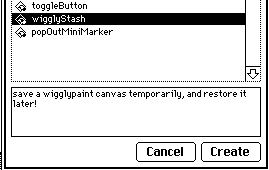
Pick "wigglyStash" and click create.
This will give you a little rectangle with "Stash" and "Recall" written on it. Position it where you want it to be with your mouse and then go back to interact mode with the menu. [ Tool > Interact]
You can now click "Stash" to save and "Recall" to load a wigglypaint image from the wigglyStash contraption. You can even have a bunch of them, if you want.

This isn't a replacement for saving your file if you're using Wigglypaint offline, this is just an extra way to temporarily store drawings-in-progress while you're working on something or trying out different ideas.