

Hi Sbun,
Sorry to hear you're experiencing issues.
First off - using LLMs on the hardware you have will likely be slow almost no matter which model you use. It requires top-end hardware to run somewhat smoothly.
As for the translation twitching and flashing, this would likely be an issue with either the Screenshot API you are using or the use of 'Region Validation'.
I would recommend trying to switch the Screenshot API first and secondly turning off Region Validation.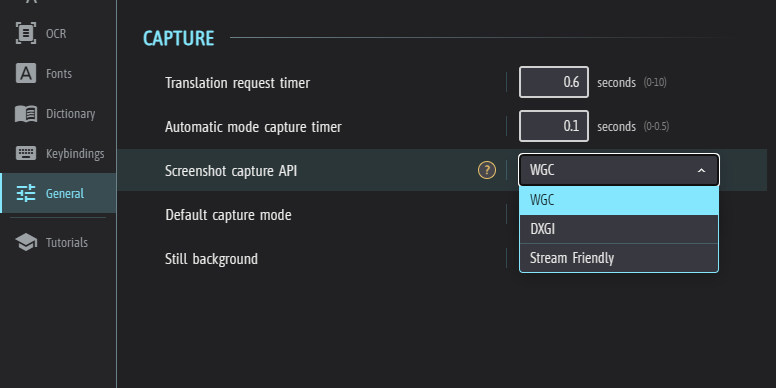
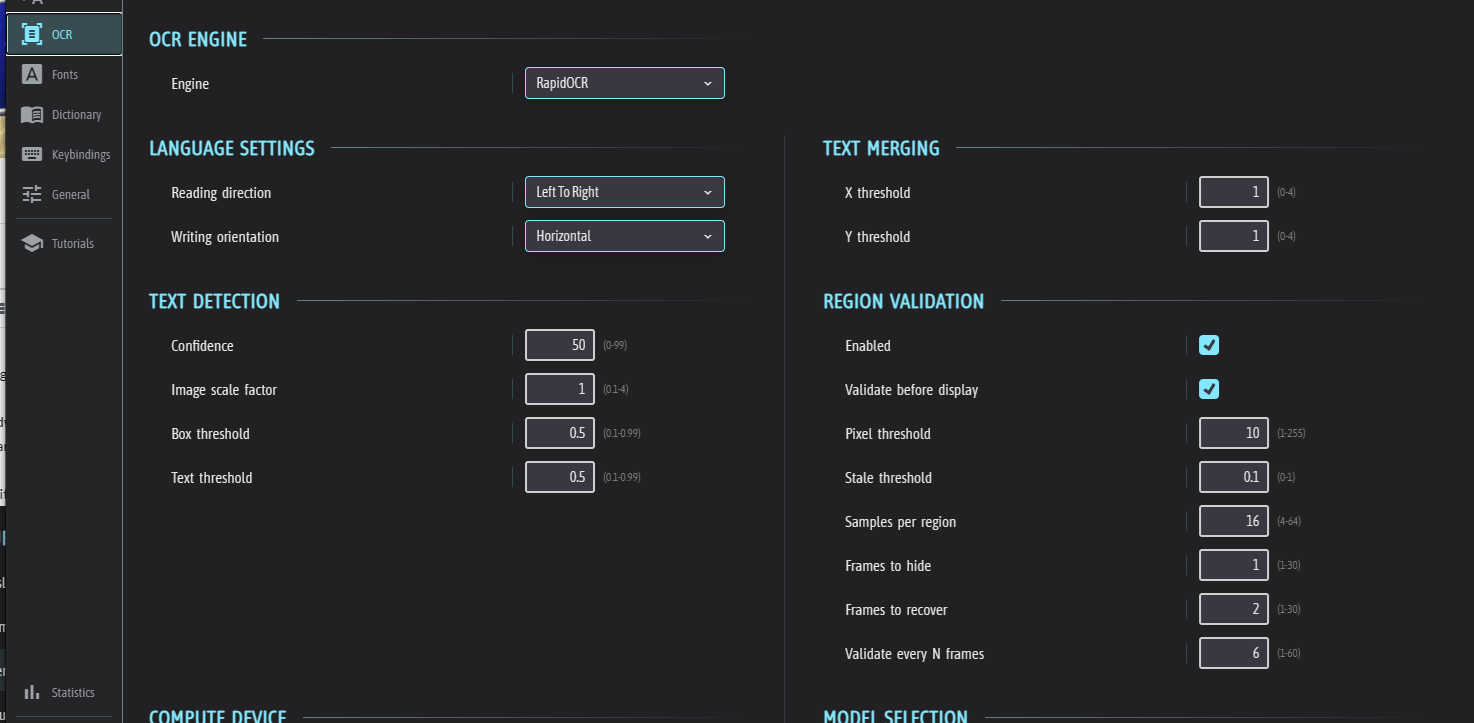
Please let me know if changing any of these settings helps with the issue.
Viewing post in Translation from English to Russian is not working well
Hi Godnoken, thanks for the reply. It worked better after I adjusted the settings for low-end PCs. I have some more questions. How can I lock the translation area and move the window with the translated text to a separate location? And so that when the in-game text is updated, GameTranslate also updates the translation? Right now, I constantly have to press Alt+C and select the area.