
Indie game storeFree gamesFun gamesHorror games
Game developmentAssetsComics
SalesBundles
Jobs
TagsGame Engines
(+2)

Editing images can be done in a single line of code, if you append the operations like so:

# This script:
i:me.copy[]
i.map[(39,35) dict (35,39)]
i.transform["horiz"]
me.paste[i]
# Can be condensed into one line:
me.paste[me.copy[].map[(39,35) dict (35,39)].transform["horiz"]]

If you use this particular script in tandem with a click event, you can make a canvas that swaps red with blue and flips when clicked.
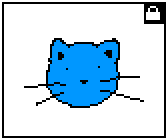
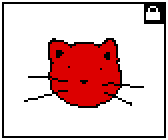

(+2)

Yep! Most of the methods of an Image modify the image in place and return the original image, so you can chain calls like this: .map[], .transform[], .rotate[], .translate[], .scale[], .outline[], .merge[], and .paste[]. (image.copy[] returns the region you're copying as a new image!)

The same applies to most of the drawing methods of a Canvas widget: .clip[], .clear[], .rect[], .invert[], .box[], .fill[], .line[], .poly[], .text[], .segment[], .outline[], .merge[], and .paste[]

(+2)

I was actually using the old method until I saw how you were condensing scripts in the official decks - in fact, I didn't realize there were even more methods I could be chaining until I read your reply. Thank you! ^^