Thank you very much for the explanation. I've encountered a very annoying itch error that does not let me upload my picture so I will have to describe my problem.
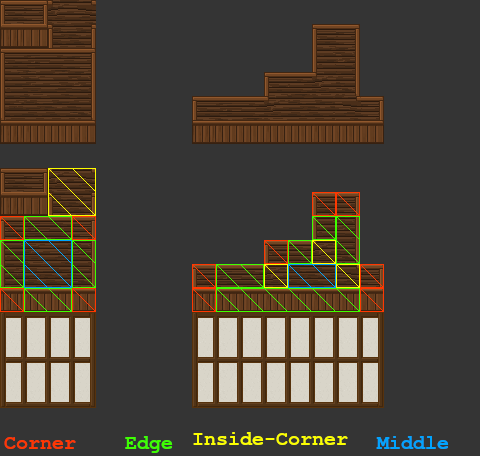
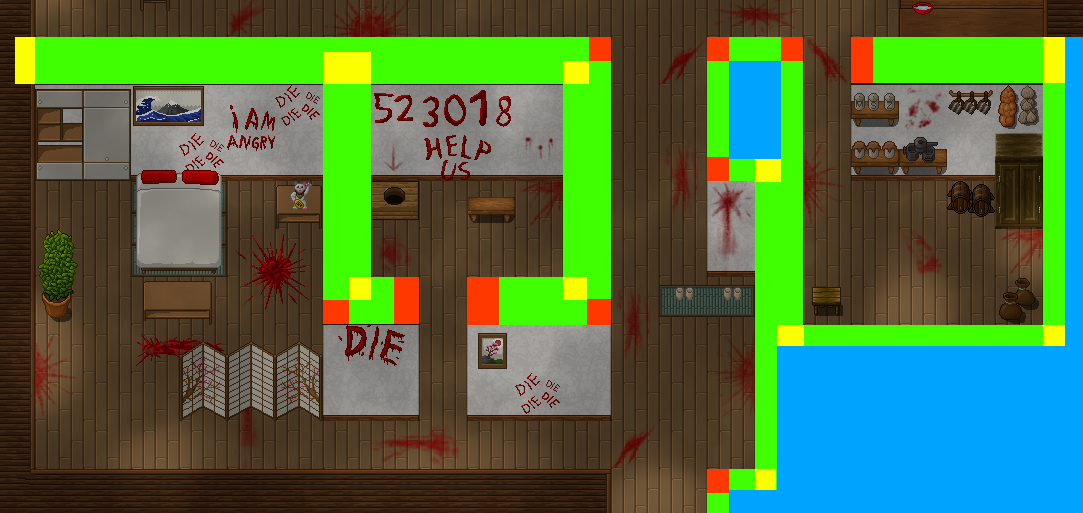
In the third illustration picture from bottom to up on the website, you've created a horror room concept. I don't know how to recreate the upper part of the wall. All the wooden part on top of the concreate wall, also the left and right side.
I've searched through the tileset but all I see is corner pieces that does not have any way of creating a vertical or horizontal wall.
In short, I can only recreate the concrete wall when looking upfront but not the left, right side or the upper wooden part of the wall.
By the way, this is undoubtedly one of the best tileset I've found. Thanks very much for letting us use it for free.