
Indie game storeFree gamesFun gamesHorror games
Game developmentAssetsComics
SalesBundles
Jobs
TagsGame Engines

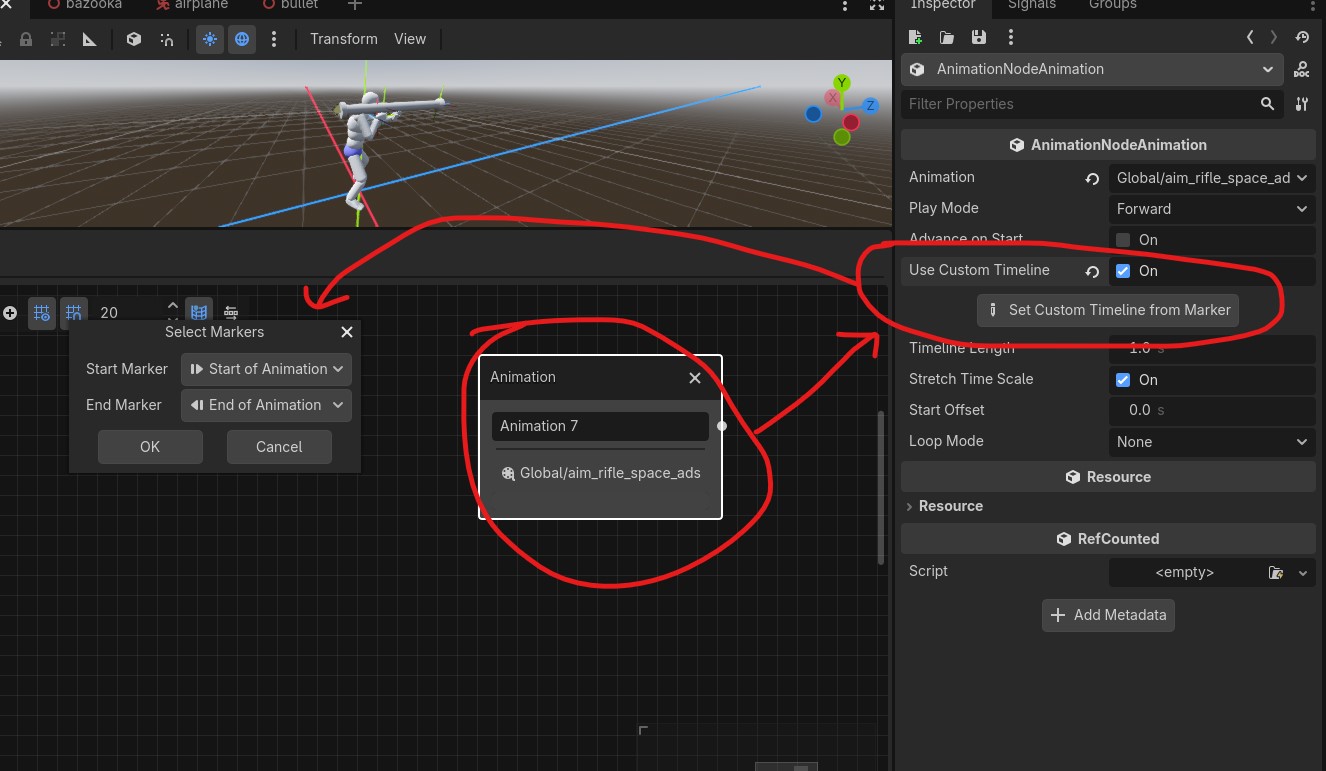
Ah i see. Those are custom timeline. It mainly use to play animation from certain timeline. Unfortunately we cannot call from this marker. To use it, open animation node in animationtree and set custom timeline from marker. Set desired start and stop of animation timeline and now that clip will only play that range of animation instead of full animations. Useful stuff.
Thanks so much for the answer, i get it now when its just 2 markers start and stop, but when there is a lot like in the image, how the animation know from where marker to start?

They don't. You decide which marker to start and which to stop. Think of custom timeline as an animation trimming. In this case i use multiple marker to create a pose of the animations, hence why is it so many of them.

hi, sorry still dont undestand how you call the markers, or how the animation knows when or wich marker use for the poses