
Indie game storeFree gamesFun gamesHorror games
Game developmentAssetsComics
SalesBundles
Jobs
TagsGame Engines
(1 edit) (+1)

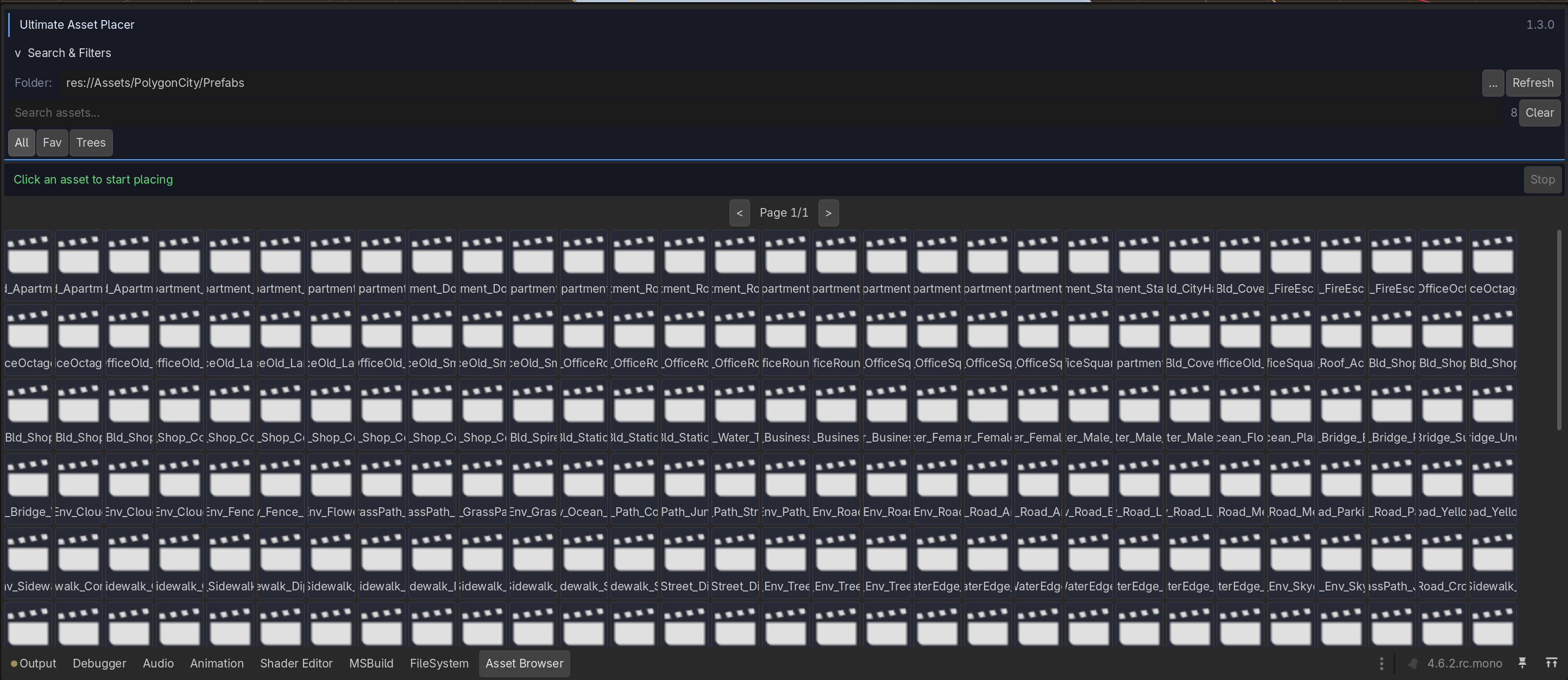
Just bought the asset but my .tscn files aren't showing any icon in the asset browser.. How can I get the thumbnails to show on them?

And also, how do I remove assets from a group? I can add them, but I can't remove single assets from it it seems.. Plus the UI has a ton of scaling issues for me as well
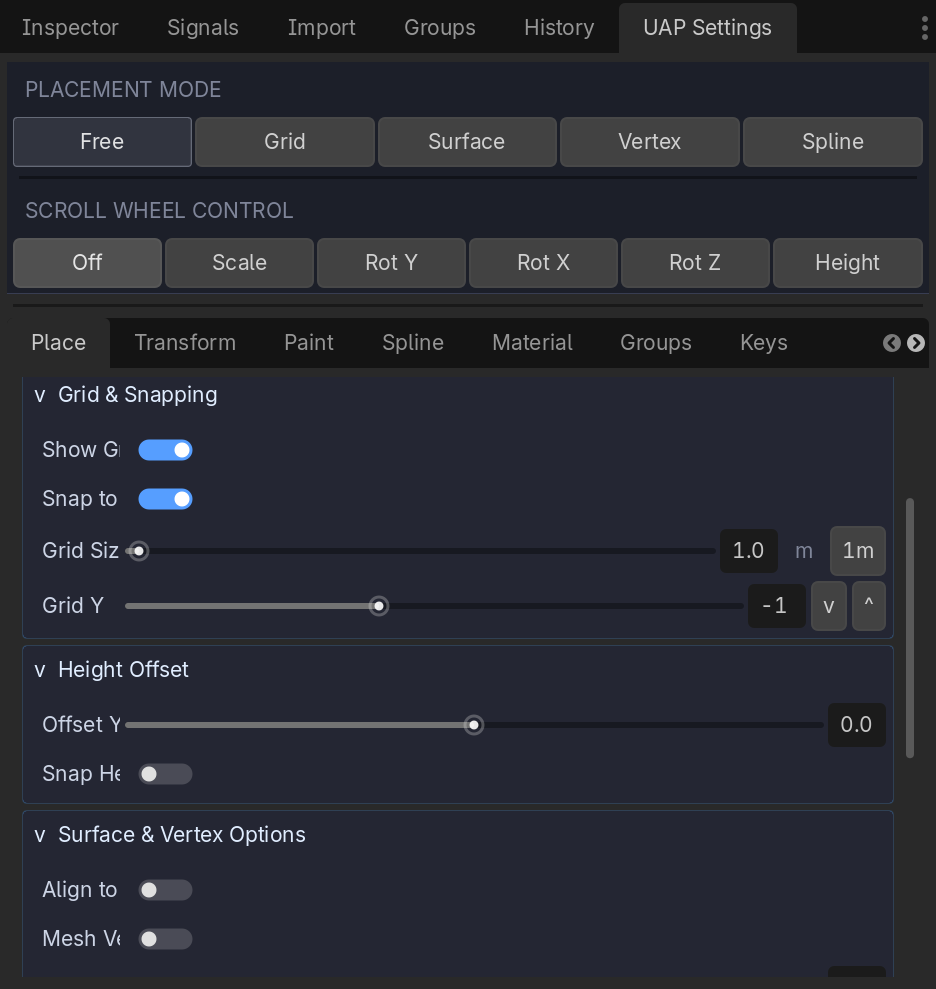
A bunch of labels are cutoff too early and negative numbers beyond -10 can't even get displayed properly. Also, when scrolling down the list with my scrollwheel it often scrolls on the Sliders themselves which then unintentionally changed the values within them. Note that I'm on a 4K monitor and use 150% display scaling inside the editor settings
For the tscn file they are very hard to optimise on the thumbnail side. And for the negative numbers it can't go beyond -10 because I just recently switched from number based to slider based control so if you have to go beyond -10 you have to set it in code. And for the scaling issue part I did fix most issues but some of the issue remained. I am not using a 4k monitor so if you share some more screenshot of the issue that would help me a lot. I will try to fix most of the issues you are having by the next update.

For the negative numbers, for the Grid Y I can definitely go beyond -10 with the slider, all the way down to -100 it seems (displayed as -1 before being cut off)

But without .tscn support for the thumbnails this tool doesn't have any use to me. A lot of my objects have other stuff setup in them to make them intractable and/or have other gameplay features  so if I can't place them with through this tool than that's kind of a waste. Are you planning on adding support for this in the near future anyways? If not them I'd like to request a refund instead as this tool simply won't work for me.

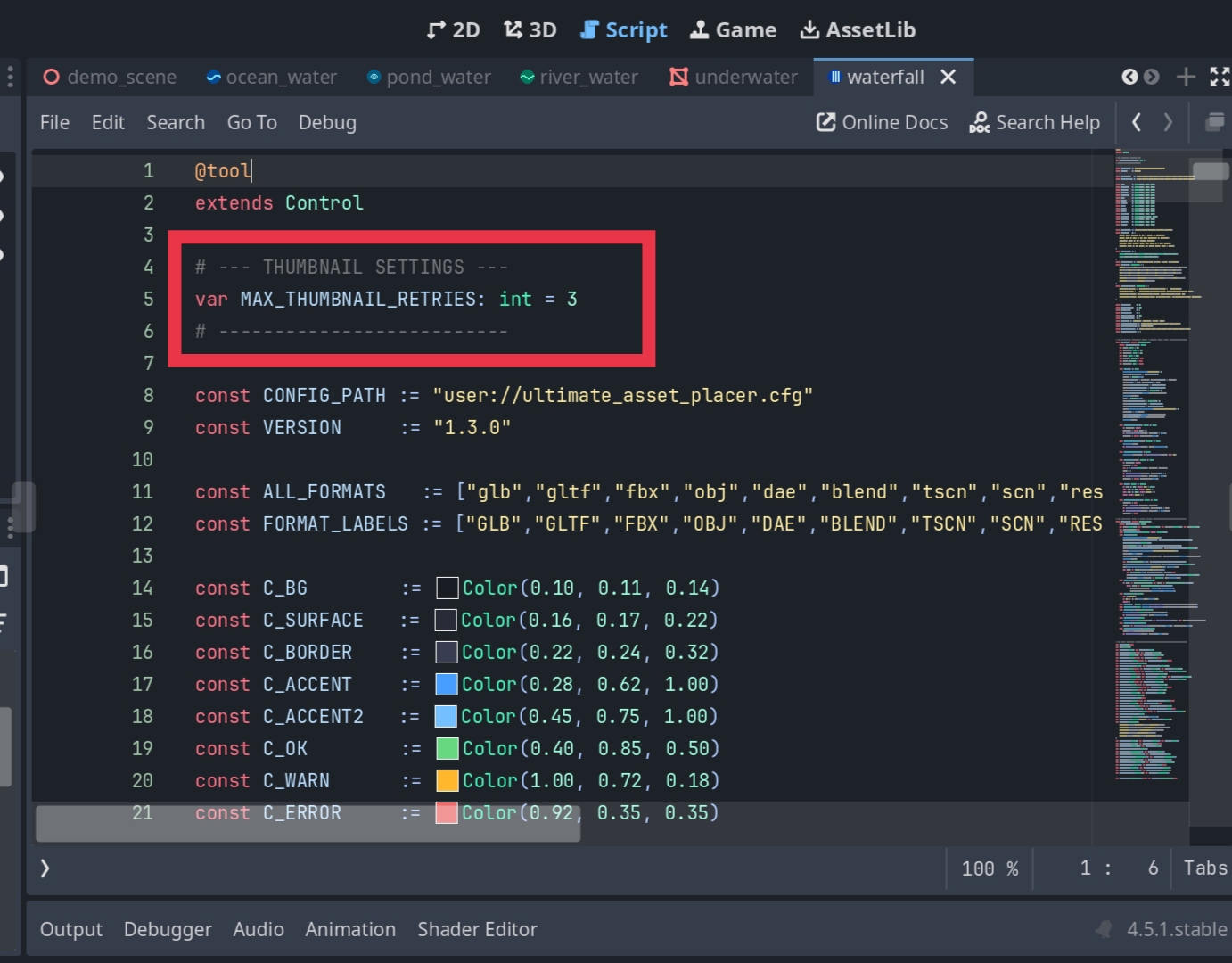
Regarding the .tscn files, thumbnail support is actually available right now! Currently, the tool only attempts to load the thumbnail three times before skipping it, so if a scene is particularly big, it might fail within that window. As a quick workaround, you can set the number of retries to -1, which will allow for unlimited retries.

If it still doesn't load after doing that, please don't worry. I am working on figuring out a way to properly load thumbnails for large scenes with full optimization, ensuring the tool doesn't crash even when handling 1000+ scenes at once.

I will be fixing all the issues you mentioned in your feedback by the next update. Thank you for your patience, and I hope this helps!

Where would that setting be? I don't see anything related to the thumbnail generation in the UAP Settings tab nor the Editor/Project settings themselves. Also, how would I force it to re-try the thumbnail generation for the tscn files? Just refreshing the assets doesn't seem to do anything

It's not in the editor panel it's inside the code. You will find that settings in top of the code in the ultimate panel script.

Hmm, I made that change but the tscn files are still just showing a scene icon rather than a thumbnail of the asset


Okk let me dig deeper in this issue it will be fixed by next update i assure you.

Cool, looking forward to it :)

I updated the plugin with the new thumbnail generator. Godot does not load all the thumbnails by default so I had to create my own system. So you just have to open the scenes that you want the thumbnails of. It's one time process. Next time you open the editor the thumbnails will always be there. And I fixed few bugs as well related to the scaling issues. Do test it and let me know if there is any bug remained I will fix it by next update.