Indie game storeFree gamesFun gamesHorror games
Game developmentAssetsComics
SalesBundles
Jobs
TagsGame Engines

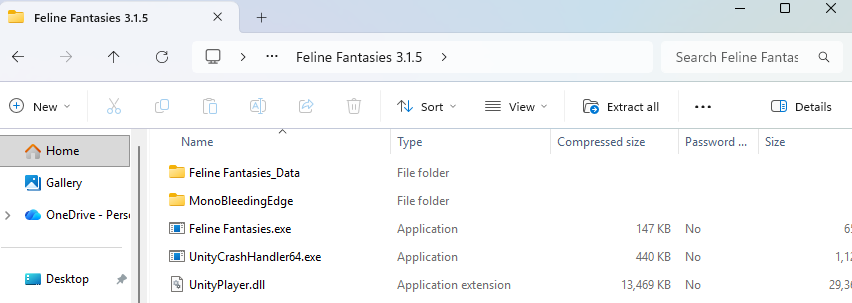
You're going open the folder and double click the application named "Feline Fantasies.exe"
(1 edit)

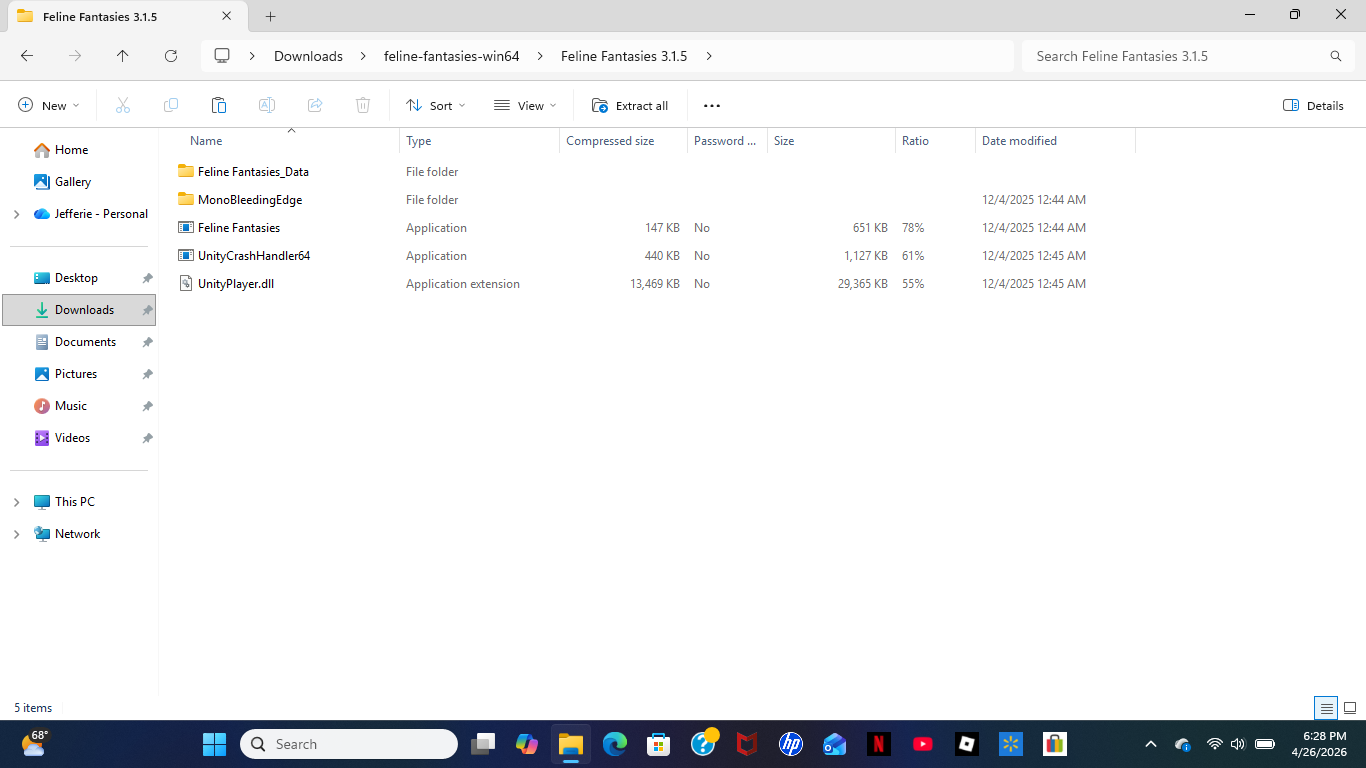
I don't see it, I just see this

Edit: I tried to send a picture of my laptop screen but it didn't work

(1 edit)

Ok, so starting from the start, which file are you downloading

(1 edit)

Windows 64 bits.  Sorry for replying for a while some things came up

It's fine, when you download and extract the folder, you have a folder named Feline Fantasies 3.1.5, yes? If you haven't taken that folder out of the zipped folder you should do that now. When you open that folder it should look like this. The file you want to run is the .exe file.

I cant seem to find it

(+1)

You simply don't have extension display enabled. So the file you're looking for is simply named "Feline Fantasies". That's the executable you're looking for. Double click on it and you should be good to go.

I am double clicking but it is refusing to run or open