
Indie game storeFree gamesFun gamesHorror games
Game developmentAssetsComics
SalesBundles
Jobs
TagsGame Engines

Hi khatri3d ! That’s actually not the expected behavior. The Create and Update buttons have different purposes:

  • Create is meant to generate new in-between cels between the two selected cels
  • Update is used to modify an already existing generated range

So ideally, Create should already work on the first click.

I’ve tested it on my end and it’s working correctly (Aseprite v1.3.16.1 with Tweencel v2.2.2), so this might be a version issue or something specific in your setup.
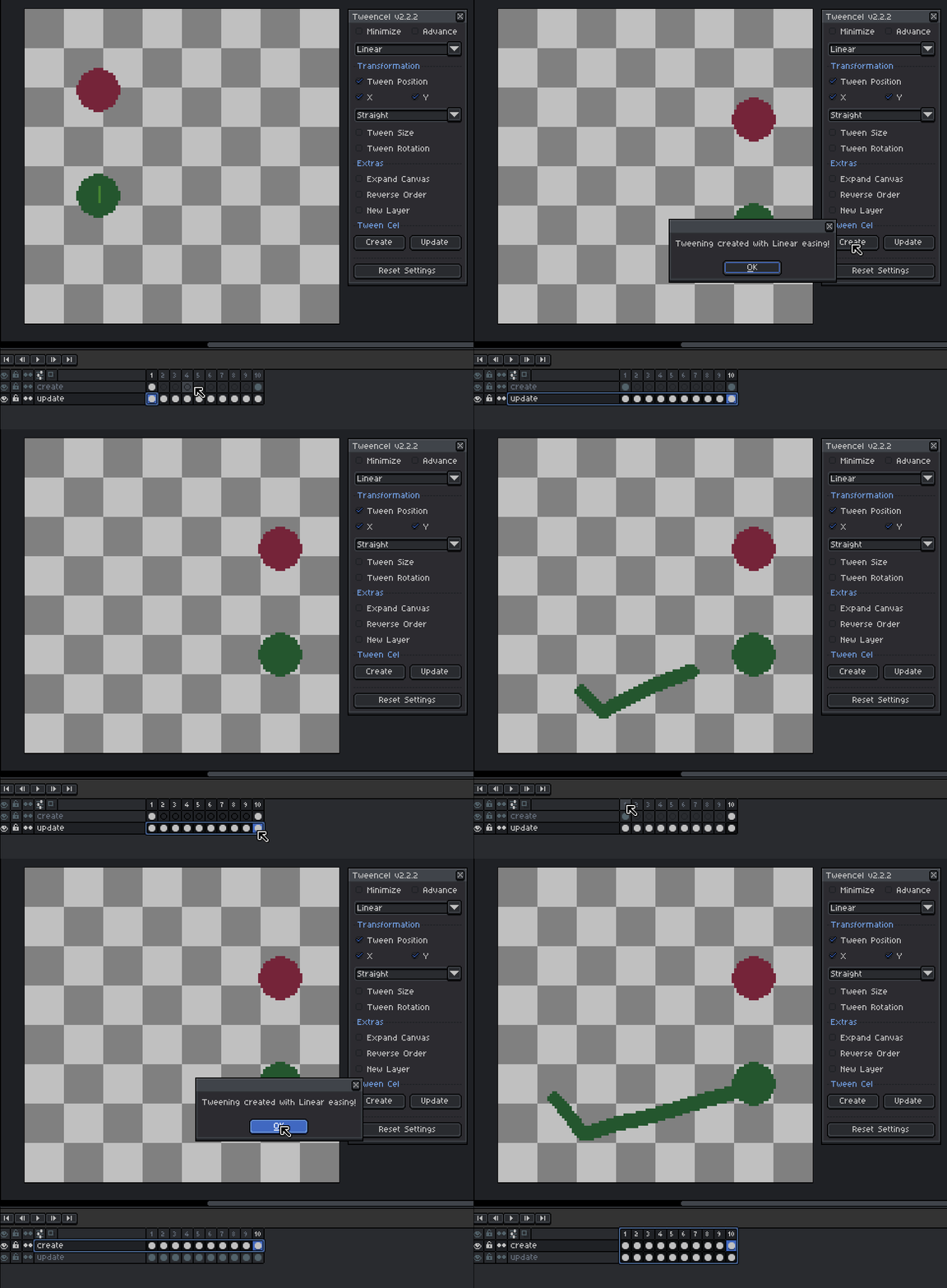

If you can, could you share a quick screenshot or short video of what you’re doing? That would really help me understand what’s going wrong and give you a proper fix.
Okay, so I have uploaded a YouTube video. The only thing which is different is the Aseprite version. I am using the latest version which Steam gave me. You are using version v1.3.16.1 . As you can see in this demonstration, after clicking Create, it doesn’t do anything. But then I repeat the selection with Update. Then it starts working.

(1 edit)

Ahh I see what’s happening now, thanks for the video, that helped a lot!

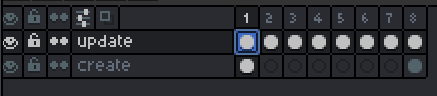
The behavior you’re getting is actually expected based on your setup. The Create button only works when you have exactly 2 cels selected with no existing cels in between them. Its purpose is to generate new in-between frames from those two endpoints.

In your case, you’re selecting a range that already has cels in between, so Create won’t do anything there. That’s why Update works instead, because it’s designed to modify an already existing generated range.

So the correct workflow is:

  • Use Create > when you only have 2 key cels (start and end, nothing in between)
  • Use Update > when you already have existing cels and want to adjust them


I might improve this behavior or add a warning in a future update.

(+1)

Ah right! Thank you for clearing up the confusion. Very fast reply! I also have a suggestion. On your YouTube channel, you should upload a beginner-friendly quick 5–10 minute tutorial. I am a beginner. The first place I looked was on YouTube, but I couldn’t find any basic demonstration video.