Indie game storeFree gamesFun gamesHorror games
Game developmentAssetsComics
SalesBundles
Jobs
TagsGame Engines

Hi,
I couldn't find your email to give you feedback.

Anyway promising looking plugin.  It has some improvements if comparing to some alternatives (one I was using doesn't support Godot 4.6 currently, which is why I wanted to try yours).

I got one issue currently which holds me using the plugin in production. Firstly, all of the prefabs instantiated using the plugin seems to have like the option "editable children" enabled.
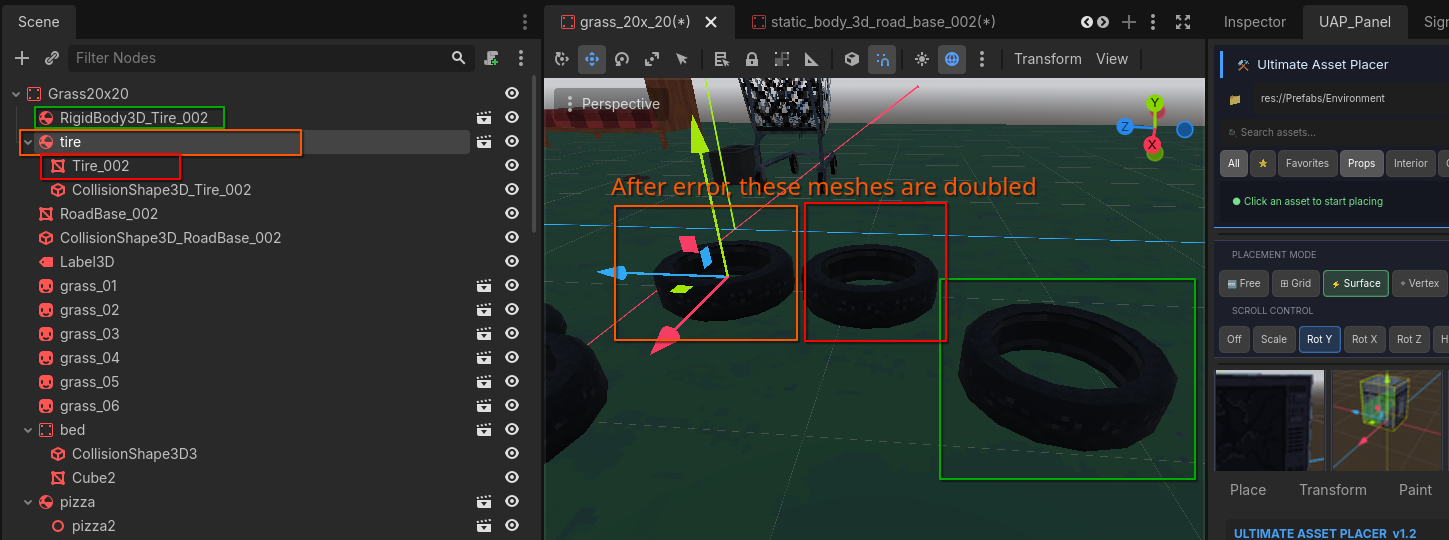
(in the picture one that is highlighted green was placed without the plugin, no "editable children")
 
Which I mean that If I get the prefab into the scene, it has all of its child's visible (colliders, meshes etc). If I drag manually the same object from the inspector, it only has the "parent" object visible in the hierarchy.

All that is fine, but after getting this error, every prefab in the scene has doubled its meshes. And I mean every prefab in the scene (in this example just the tire)

Pic of the mesh issue:

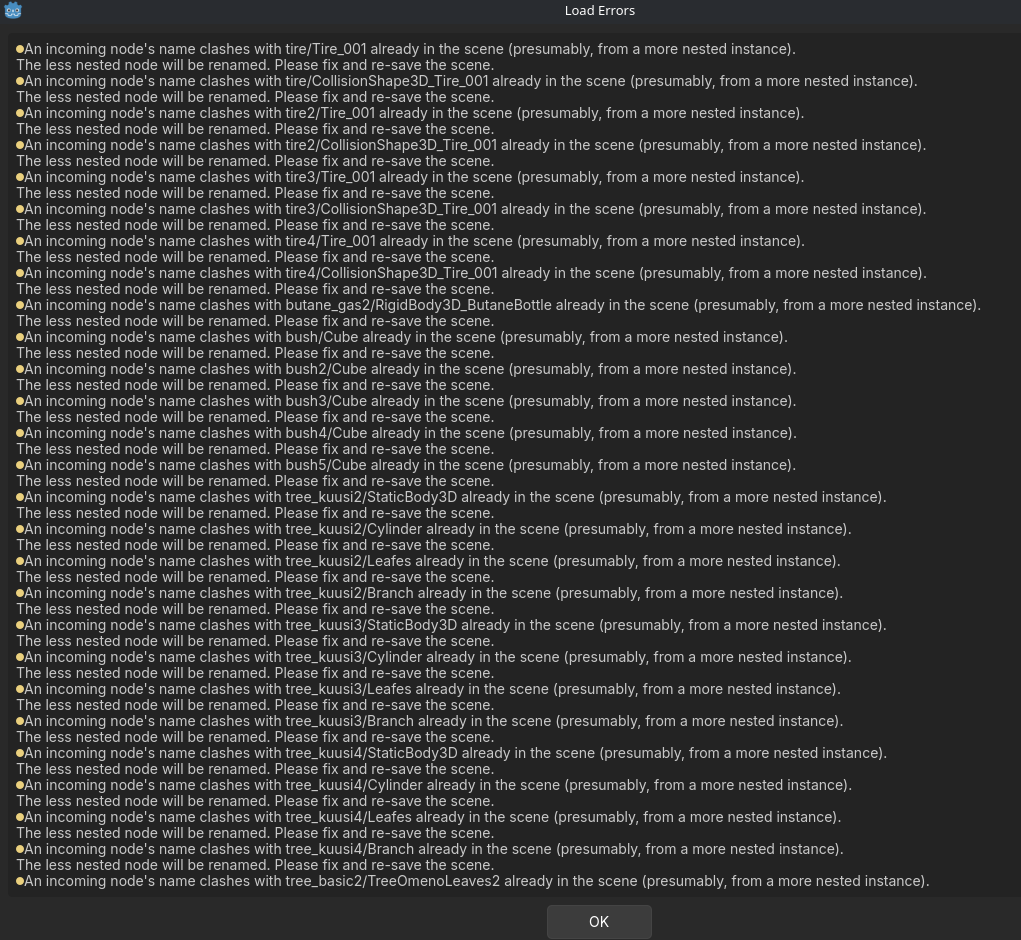
Pic of the error:

Btw I think forum type discussion would be better fit for your plugin. Easier to report issues. I hope you can find solution for this, because without it, I could totally use this building my game.


You can turn off the editable children from collision group settings of the plugin which open all glb or fbx like meshes. But i don't know how the double issue appears. Can you tell me briefly how all the meshes get doubled ? About the process

I'm sorry I didn't find this option you mentioned about "Editable children from collision group".
I did check all of the options in the plugin docker. Do I have to disable that option in the .gd script?

Im pretty my issue is caused because of that. Somehow if the child (ex; the mesh) has same name as other prefab with the same name of the child, it causes that error. It gave error for another object with same name for AudioStreamPlayer3D. 
Which is strange, because they have their unique parent name and somehow this causes the error.

How I reproduce this is just use the plugin with .tscn files to place assets. It works fine at first. I might even try the game and everything is fine. After a while that error pops up, usually when reopening the scene that I am working, those meshes are doubled. I use Godot 4.6.

It seems like the "mesh" itself is one and another duplicate is in the parent. Because If I move the parent/root node, I can see only one, but if I take the mesh node, it moves away but there is duplicate at the root. (this shows in the game too and both will "work" in the scene as unique rigidbodies).

If I try make this before the error and I move only the mesh, the root does not have another mesh and works correctly. 

If I just could find the option to disable "editable children", It would most likely fix the issue. Thank you for your help!

(+1)

I'm having the same issue, it seems to be duplicating any scenes placed with the tool once you save and reload the scene you've been working on.

The only thing that seems to fix it is to turn on both auto-collisions and the FBX/GLTF auto-unpack option both under the collide tab in UAP. Note that auto-collisions alone doesn't fix it and auto-unpack doesn't work without auto-collisions enabled.

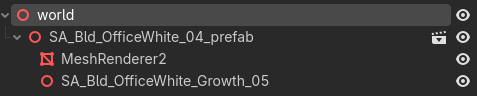
Scene I'm placing:  
Placed by UAP:
 
After reloading the scene and clearing the error messages:


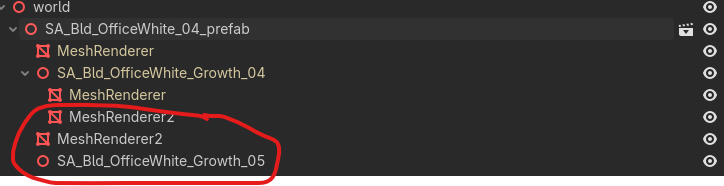
After making the children editable with the dupes circled:
 

(+2)

Okk thank you for the details I will check it and try to fix it by the next update. Sorry for the inconvenience.