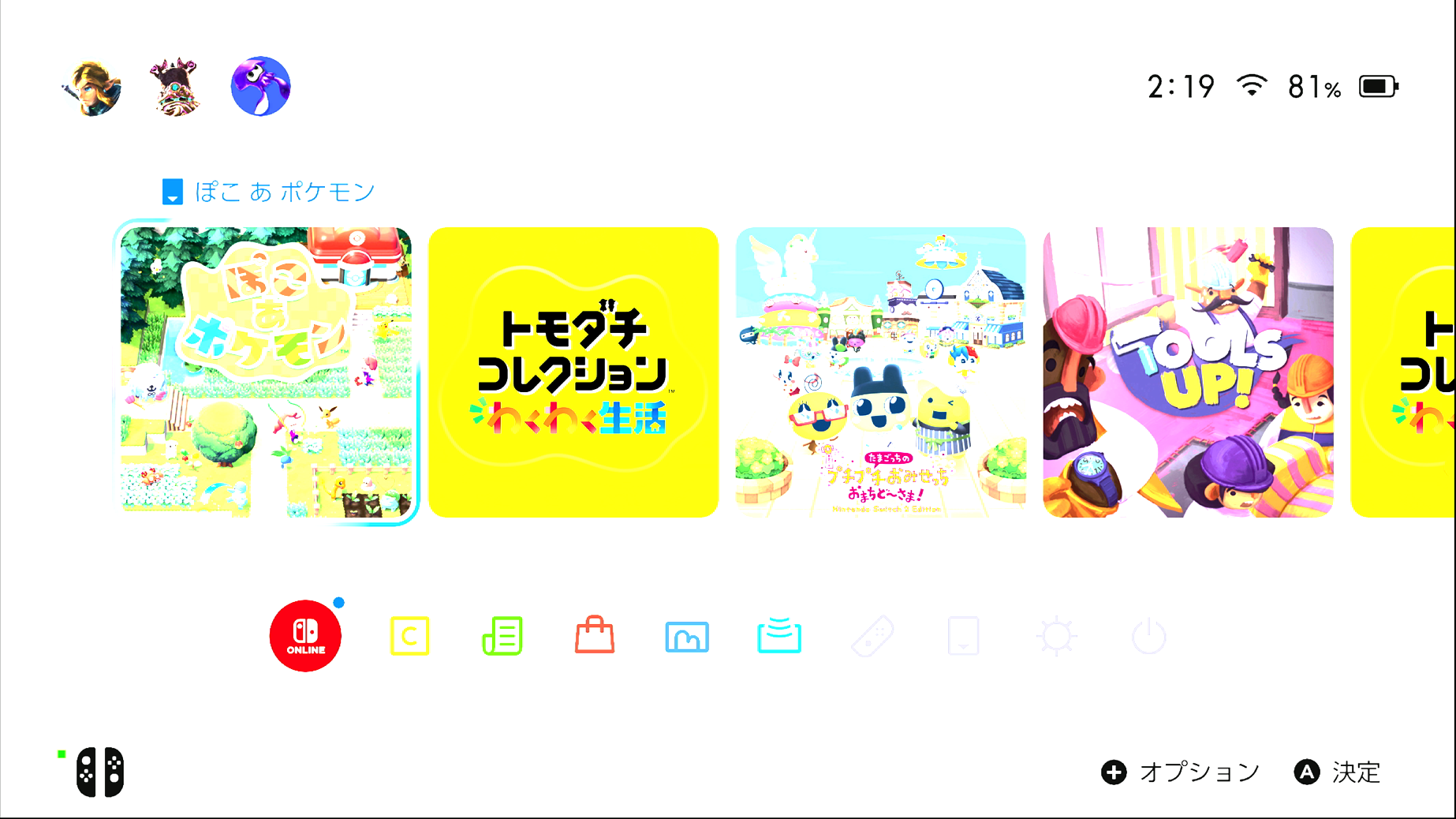
I'm using JVA11 4K HDMI Capture Adapter. The screen looks very bright when I try to use it. Is it something that I can tweak in settings?
Thanks a lot for making this! I played a bit despite blinding my eyes and I can't tell the delay at all :D
This is an issue I'm having with my Switch 2 (and only my Switch 2) as well. Seems like my capture card (EVGA XR1 Pro) is tonemapping when it shouldn't be. This same issue pops up in OBS, and I'm able to correct it there by setting the Video Format to P010 and the Color Space to Rec. 2100 (HLG). This seems to get the capture card to properly interpret the signal.
Unfortunately, the new image settings don't help since they're affecting an image that already has blown out highlights, meaning no amount of adjustment can recover them. A fix for this would require settings similar to those in OBS, I believe.
That said, this is a wonderful app you've made, and it's been quite useful to me even with the Switch 2 issue (which I don't believe is really an issue with the app so much as it's an issue with whatever settings the capture card defaults to).
I did receive this reply from the dev which fixed the issue on my Switch 2, hope this helps you too!
In 90% of cases, forcing this setting will make the picture instantly snap back to those deep, crispy colors without that milky/bright filter.
Thanks for the review and the kind words! I'm glad to hear the latency is working so well for you.
Regarding the brightness: this often happens when the capture card and the software interpret color ranges differently. Could you please open an issue on GitHub? That way, I can help you troubleshoot this better and track the bug.
Good news: I'm already working on a feature for future updates that will allow you to manually tweak image settings (like brightness and contrast) directly in VGC! :)