They just have different flavors. I personally prefer the 8 GB Gemma model. It's much faster too.

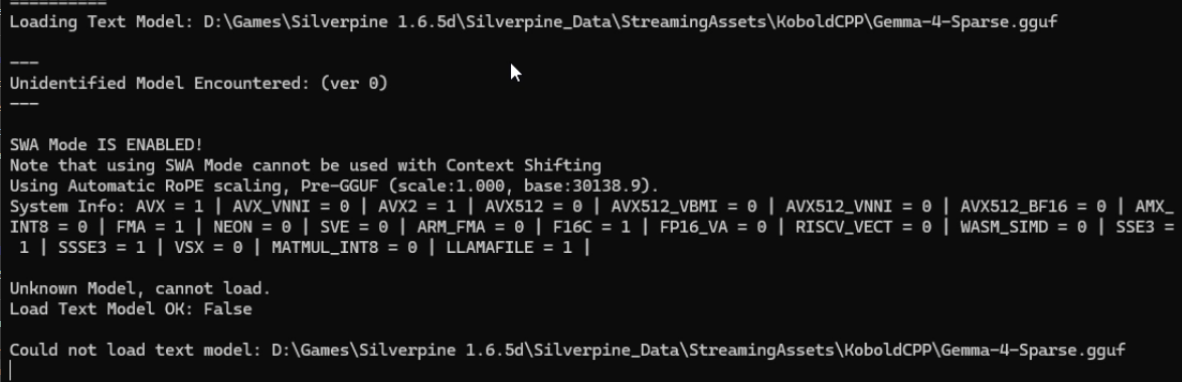
Try recording a video of the command prompt and getting a screenshot of the error that way. Sadly the game can't capture the error by itself because of how Windows handles capturing process outputs.
One reason I think this might be happening is because, at least on Linux, or perhaps specifically the GPU I use for testing, the backend sometimes crashes when loading a large model multiple times. This is fixed by restarting the PC. Other than that, I can only imagine that the model file itself got corrupted while downloading somehow. You can redownload it by deleting the model file in Silverpine 1.6.5d\Silverpine_Data\StreamingAssets.