

Hey,
Thanks a lot for the detailed report — I really appreciate it.
For manga reading, Lens Mode works best with Area Selection rather than Full Screen Scan.
If you scan the entire screen, it can also pick up UI elements like the taskbar, clock, or browser UI, so for manga readers it’s best to select only the page area you want to translate.
Also, Lens / Manga Mode currently works as a snapshot-based workflow.
It does not automatically detect page turns or scrolling, so after changing the page you need to trigger a new snapshot.
If you want a workflow that updates automatically without taking a new snapshot every time, the better option is to use the normal Real-Time Mode and move the OCR area over the bubbles / text as you read.
The Economy Mode / similarity / short text settings mainly affect cloud translation request behavior, but they do not make Lens Mode auto-refresh on page changes.
For English manga, “Universal (Latin)” is the correct OCR option in Lens Mode — it is intended to cover English / Latin-script text as well.
If the selected area is still being ignored even when using Area Selection correctly, please send:
- whether you are using Full Screen Scan or Area Selection
- whether it happens every time or only sometimes
- which translation source/model you are using
That would help determine whether there is a real capture-region bug.
Thanks again for the feedback.
Also I made a quick visual guide to make things clearer.
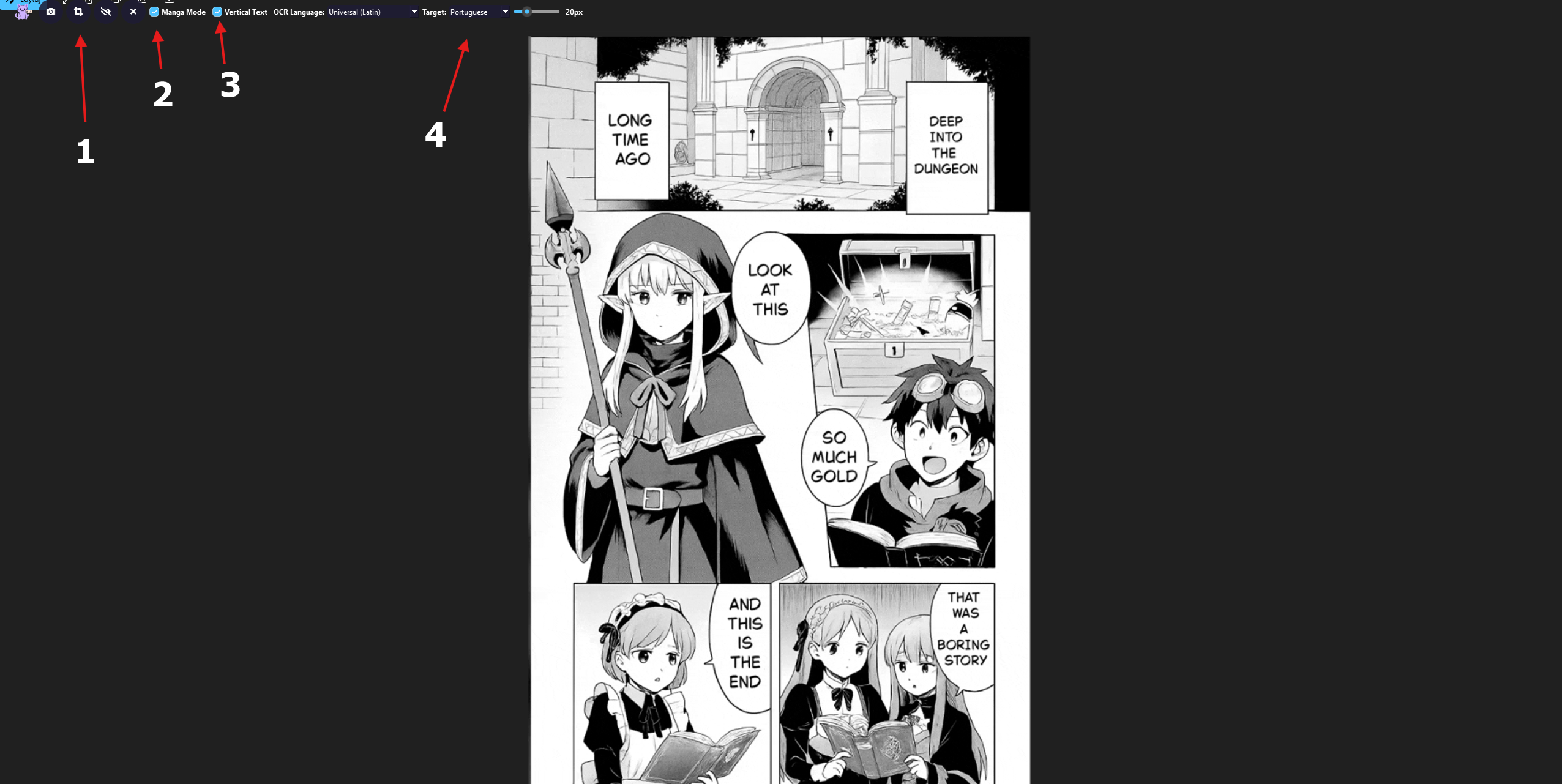
1 — This button lets you select a specific area on the screen.
For manga, this is the recommended option.
It’s better to use this instead of the full screen snapshot, because scanning the whole screen can also pick up UI elements like the taskbar or browser.
2 — This is Manga Mode.
It formats the translated text so it fits inside manga bubbles instead of showing plain text.
3 — Vertical Text.
You can enable this if you want the text to be displayed vertically (useful for some manga layouts).
4 — Target language.
Here you choose the language you want to translate into.
OCR Language can stay on “Universal (Latin)” — it works well for English and is designed to support Latin-based text in general.
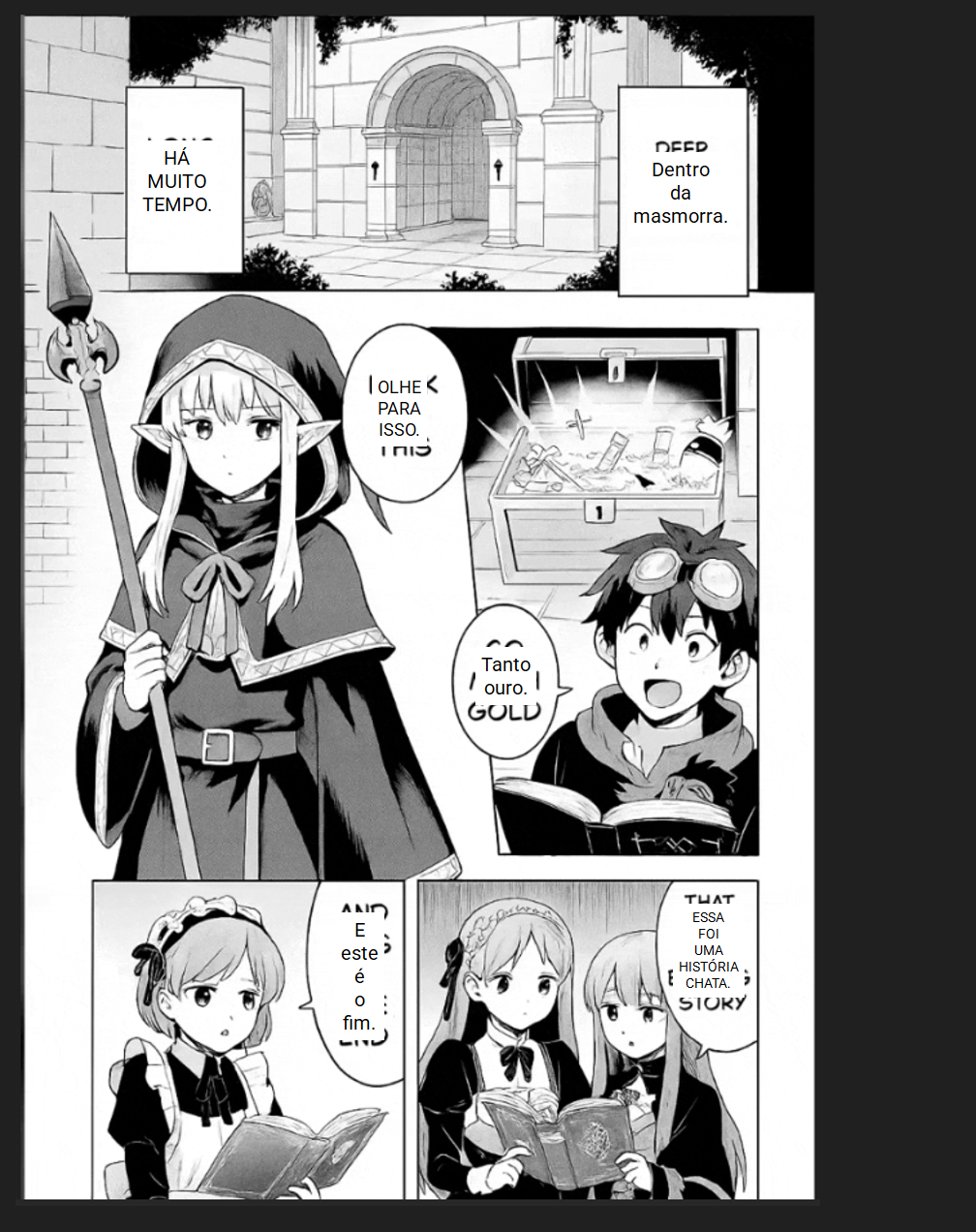
Below I included an example using your screenshot so you can see how it should look in practice.
Also, the bubbles that appear can be adjusted:
- you can move them
- resize them with the mouse wheel
- remove them with right click
This is the intended manga-reading workflow for Lens Mode.
Also, if you are using Cloud Mode and run into rate-limit or provider errors, try switching to a different OpenRouter model/provider.
Some providers can be temporarily more restrictive or unstable than others, even when the rest of the workflow is working normally.