

Wow, that’s for a change compared to other entries! After the jam I wondered if I shouldn’t try metroidvania progression with another genre and thought about making a top-view game that takes place in a school… although not a horror one. Based on the description above, it is not meant to be a Metroidvania but with the key item and the colored blocks I noticed, I see how it could be one anyway.
The presentation is really cool, alternating cutscenes, exploration with paper flip sprite and dialogues with squishy character face sprites. I see it was done with RPG Maker + 3D plugin, and I think it renders well.
Generally speaking, a good effort not to make it look like a RPG Maker game (I just recognize it because I’ve played many… and I know the folder structure too).
Impressive cinematic with the 3D castle rotating too! According to the description above the castle is not even premade content, so that must have been a lot of work.
I like the pink dress knight outfit and reference in name “Joan”. The game over screen with the helmet was a nice touch too, reminds me of old games.
Some issues per category below.
System
There is no indication of toggle fullscreen key on the game page. I had to search for it on RPG Maker forum, and it’s F4.
It’s actually the 3rd game where I mention this. I think many people play jam games in windowed mode and don’t mind, but if you want to put us in the horror mood, explaining how to toggle fullscreen is important.
Visuals
The TV CRT shader is too strong on the text, making it hard to read. After some time I got used to it but I fear it strained my eyes anyway.
A small glitch on Castle animation where we can see the character flashing for a frame.
Cutscenes
No way to advance pure animation (no text) sequences (camera zoom, etc.) as in Renpy.
Exploration
It’s hard to spot some doors in the “South” direction. I couldn’t even leave the room after saving the first friend at first! Whereas the South door just after that is at least visible in the form of a shadow.
It looks like Dash shortcut (holding Shift) is disabled in this time but menu still allows to toggle Dash permanently, which is pretty cool to explore quickly, especially after respawning to a checkpoint far away (more on this later). However it’s not convenient to go to menu each time, I would have preferred holding Shift to Dash (or Walk if Dash is default) anyway. But I understand why it was disabled: when chasing after Clara, you can easily catch up with her and it looks ridiculous to just bump into her back, wait bump again. If you’re very agile I suspect you can even dash past her and enter the door before her!
Lighting is really limited, I get it for the horror feel but sometimes I found it a bit exaggerated. That said I got used to it and learned the corridors by heart so it was okay later.
The slow enemies are okay but the “denpa wave” enemy is too fast. I tried to move with Dash to avoid her but then I would accidentally bump into her and die. I tried to walk but I would still notice her too late (due to small camera FoV / big zoom in) and she would still kill me (even if she seemed to be 2 tiles away!) So I have to learn all the corridors by heart and just never let her approach me. For a more horror improvisation feel, I’d rather see her chase me slowly (like a zombie?) and me walking/running away while quickly planning the next corridor I’ll take to avoid getting trapped in a dead end or something. Being insta-killed felt more like I didn’t learn the map by heart correctly, or I misinput and turned to the wrong direction at that corner, try again.
Combat
The tutorial is wrong on fire input, it says X but I had to press Z, so I did nothing for a while (and lost). It’s a bit hard to move relatively in cardinal directions but once you get the hang of it it’s okay. It’s also hard to see diagonal neighbors so you really need to pay attention and move the cursor quickly to check if enemies are not hiding in the shadows.
Progression
It wasn’t clear that the red silhouette was a checkpoint, it looked like an NPC. Maybe it should have a different shape unless there’s some lore behind it, then the very first checkpoint should say something like “I’ll remember you” or “come back here whenever you feel in danger”.
The lack of checkpoint before the room with the “denpa waves” enemy who walks fast is really problematic, in fact I gave up because of that. I found two different paths to reach the denpa room, but one was shorter from the checkpoint after rescuing first friend so I used that one (exiting South then going West to open the door once locked when you chased after Clara the first time). Then after several tries I got past the first denpa enemy, but would get killed by the second one anyway. Redoing the whole path every time was too exhausting. Framerate slowdown also made it worse (more on this below)
Otherwise, unlocking all doors with the key was nice, and the colored blocks hint at more keys/powers for a Metroidvania progression. If there was a power to actually defeat the chasing enemies (with a shooting game, once and for all), it would be great too. Because right now it seems the game oscillates between having a magical girl who’s able to rescue her friends by shooting magic, and who’s unable to save other characters like the denpa girl and we don’t really know why the difference.
Performance
Probably a limitation of RPG Maker but some rooms had extremely low FPS (we’re talking playing on RTX 3070, but it doesn’t matter much because GPU is not used much, maybe it’s because RPG Maker exports a web/nw.js build?)
I suspect they were the bigger rooms, except some of them were a simple corridor. I think it’s because they were a small part of a very big room and just happened to be made this way. So splitting them in smaller rooms could help. Although it doesn’t justify the lag, I’ve seen 3D web frameworks that are much more performant. Maybe it’s just the RPG Maker 3D plugin that’s underoptimized. Or it’s something specific to your game in how many things you put in one room.
Build size
Finally, the game size. It’s almost 1 GB which is the size of that 3D Unreal game build (which may be a debug build?): https://itch.io/jam/metroidvania-month-31-magical-girl-game-jam-13/rate/4382782
Before uploading, you need to check that your build is not surprisingly too big (probably got debug and unused files) or too small (probably failed to export some assets and non-functional).
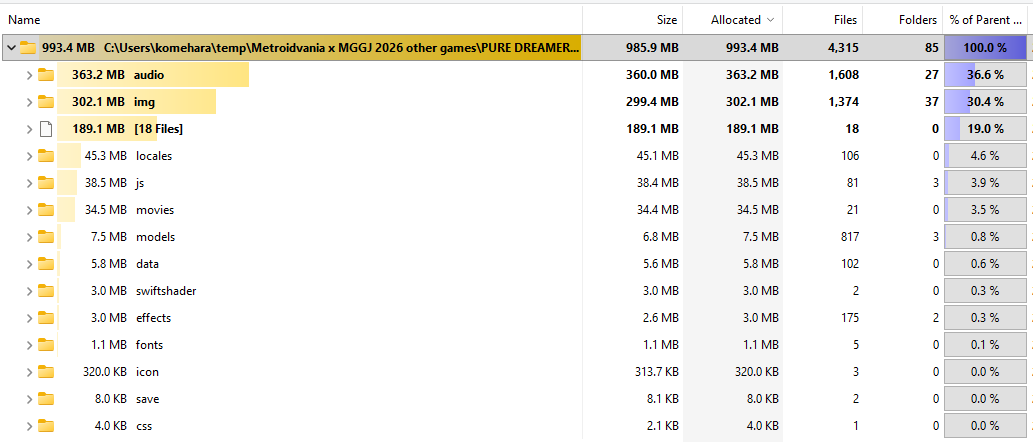
A quick TreeSize analysis showed that audio and img folders are the biggest culprits, with 360 MB and 300 MB resp. for a total of 660 MB.
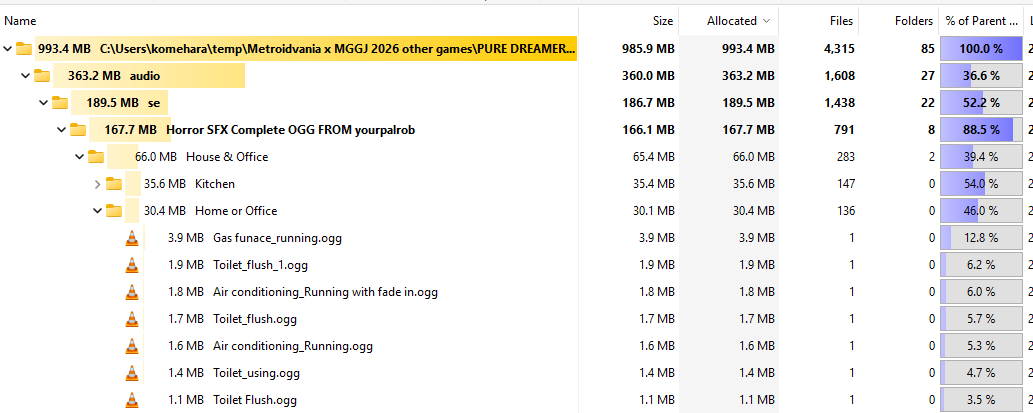
Digging deeper, I found full audio asset packs, with things like Kitchen sounds, Toilet flush and 9 different SFX to open a door (although among them, the door squeak SFX are probably the most relevant for a horror game). There are 25 BGMs although the game itself is mostly silent. For some reason they are put in the Custom folder although they are not the original BGMs used in the game (if there is any).
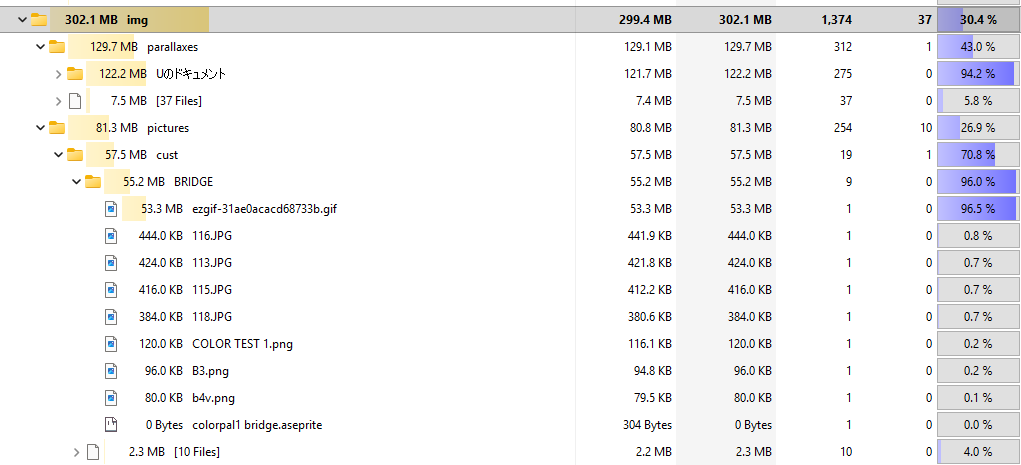
Then we got loads of pictures, including photos of street and character asset packs.
In pictures Intro there are even sketches, albeit not as big as the final art, still take an extra 3 MB.
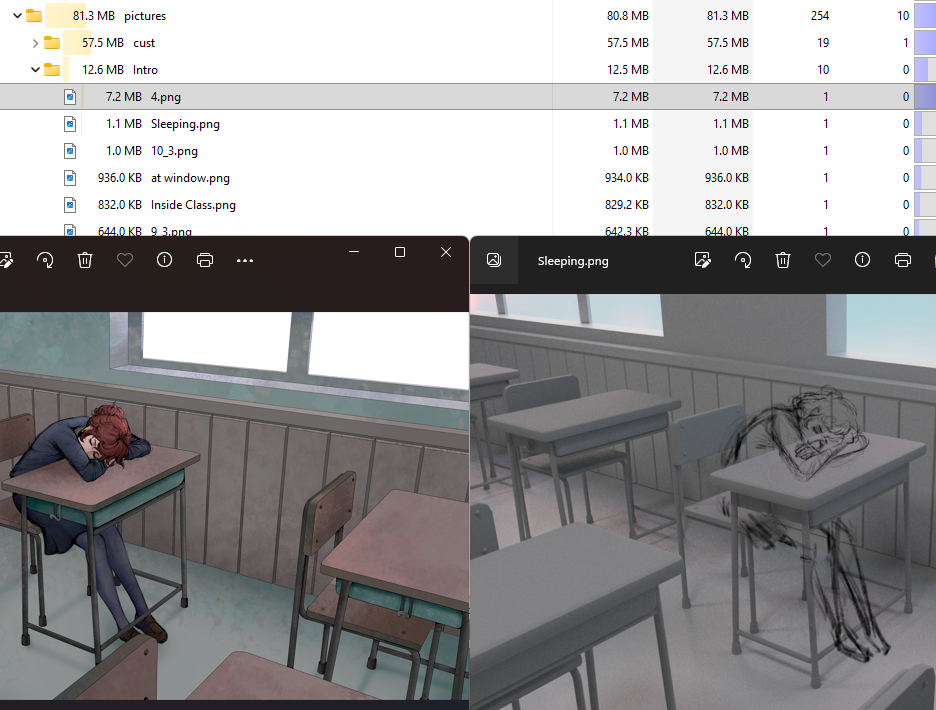
(that’s cool if you want to upload some making-of though)
The final assets are png, should probably be webp (if RPG Maker can handle it, and image is simple enough so that webp is small indeed) or jpg (more support, easy to make small files but quickly gets artifacts under max quality).
The original sprite assets in the custom sub-folders actually used for the game take only 2.1 MB, and faces are super cheap. With cutscenes (9 MB) that would make 11 MB. I don’t know which SFX are really used since there is no obvious Custom folder but I suspect they would take no more than 5 MB. There are also 3D models and textures I haven’t checked, but even with all of that I don’t think it would go above 30 MB, so that’s 630 MB you could spare.
I’m also worried about your game project repository, if you committed and pushed all these extra files there.