

am having a black screen issue
the game runs and a health bar shows even the characters make move sounds but black screen nothing shows up 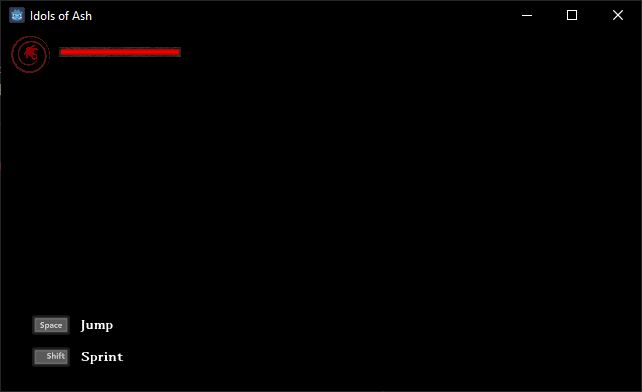
Hi Shirokuma H,
Sorry for the issue! We are looking into the black screen issue but aren't yet sure the exact cause of it!
If you can send us your log file, it may contain some clues to help us track this down quicker!
You can access the logs by opening Windows Explorer and entering this into the address bar: %AppData%\Godot\app_userdata\Idols of Ash\logs
If you can email the godot.log file to us at team@leafygames.com we'll take a look shortly!
A potential workaround is to try and use DirectX12 rendering
To do so you can launch the game with this startup argument: --rendering-driver d3d12
Process of launching the game with a startup argument:
- Find the game's exe file
- Right-click and create a shortcut to it
- Right-click the shortcut, open Properties and find the Target field
- Add the above argument to the end of the path (ensure there's a space between)
amazing now the black screen issue is solved and i can play fine i really appreciate the hard work you're doing even though i claimed the game for free
i still have another stuff or issues to report like the frames drop and become unplayable when looking down and it even freeze when moving in same time it even crashes
i will send some logs like you asked hope it helps and again thank you