Hello :)
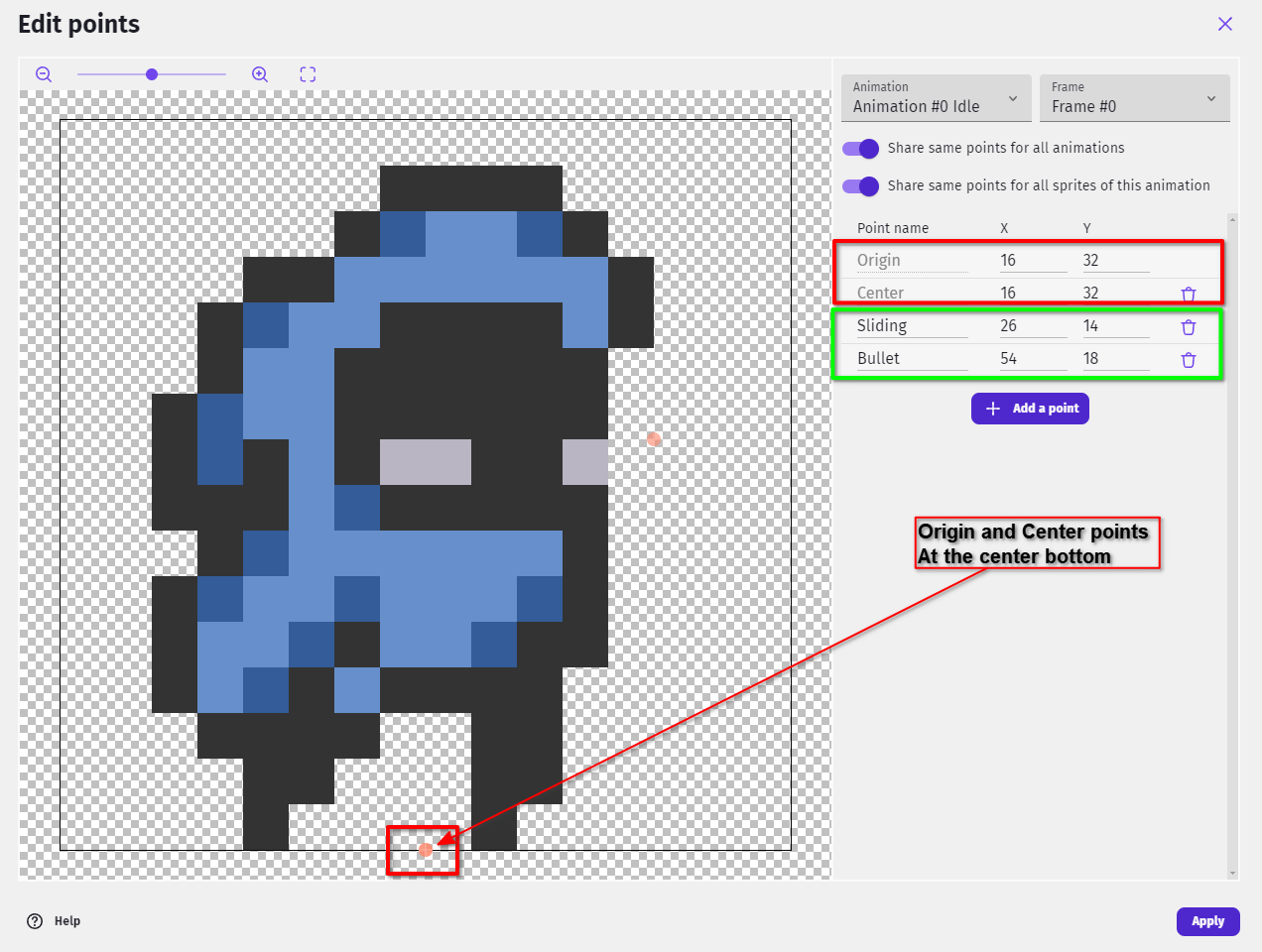
After replacing the old skin with the new one, you need to double-check that you have the Origin and Center points of the new skin, set at the center bottom (that's how the old skin also works):
Double-click on PlayerSkin object → Edit points → Change Origin and Center points to the very bottom center of the skin.
And make sure to add the Sliding and Bullet points as well (one used for particles and one used for Shooting bullet create position).