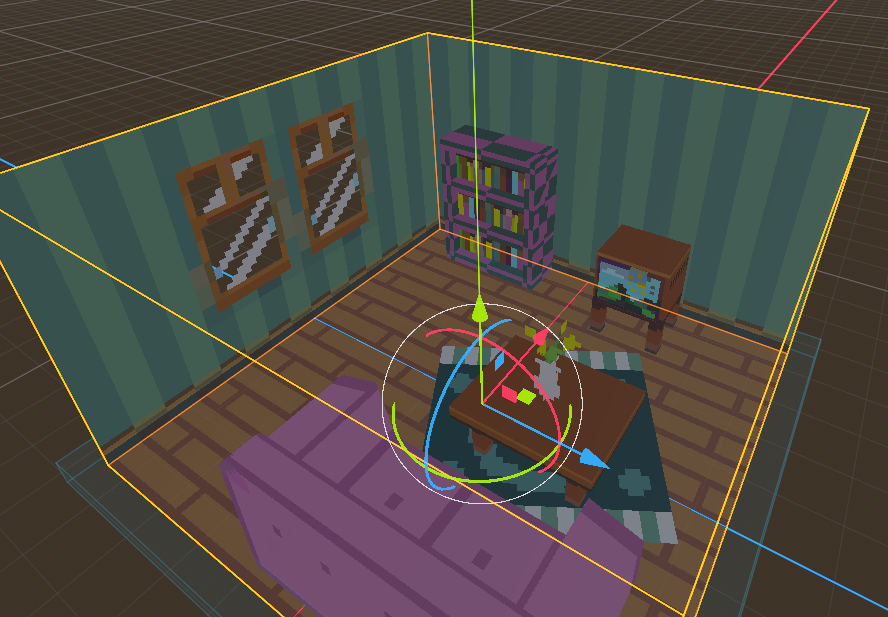
Been playing around with the PicoCAD2 to Godot pipeline using the examples provided and I noticed something strange with the texture of the bookcase in the living room example not having the brown texture but the purple and black texture. This appears to also be the same issue when imported into Blender. The process I take is the following:
- Export from PicoCAD2 to gltf file
- Place bin, gltf, and png file in res folder
- Drag and drop gltf file into 3D Workspace
For Blender I just Drag and drop the gltf file into the workspace and make sure the viewport shading is set to render.
In both cases, it doesn't seem like the bookcase is getting the right texture applied.
Edit: Forgot to include Godot 4.6-stable and Blender 5.0