Indie game storeFree gamesFun gamesHorror games
Game developmentAssetsComics
SalesBundles
Jobs
TagsGame Engines

[SOLVED] large spritesheet not showing? Locked

A topic by Xyaer created 40 days ago Views: 114 Replies: 6
This topic was locked by Hakuen Studio 39 days ago
Viewing posts 1 to 3

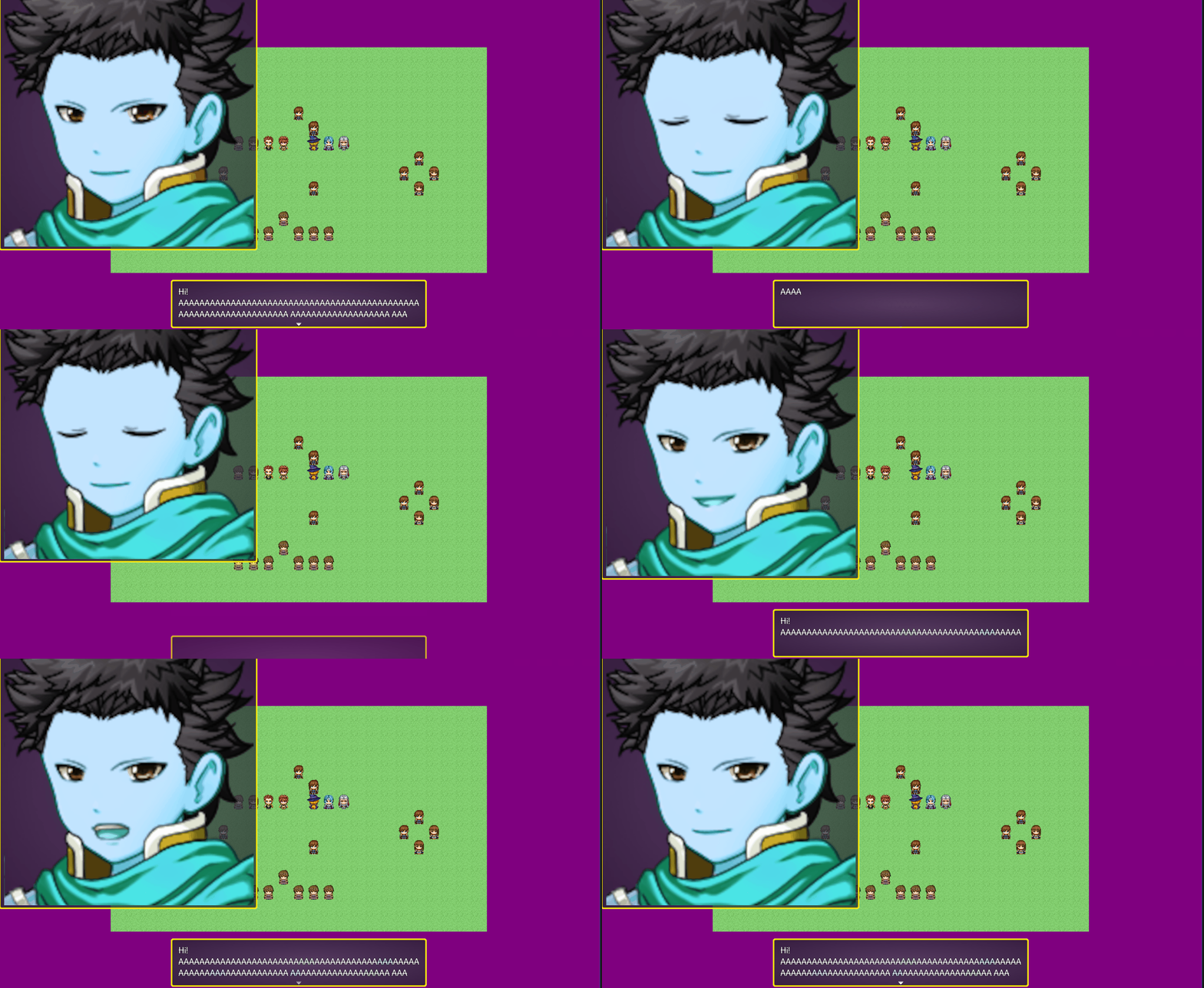
Im tryna get my big detailed spritesheet to show, but its not working? ive been checking the plugin parameters- sprite problems, and whatever but it's just not showing and i can't figure out why. Maybe it's something really obvious and i missed it? My sprite sheet is a 4000 (width) x 800(height)PNG in pixels, in 800x 800 frames. The drawings inside those frames do not fully encompass the full 800x800 - i was thinking that was part of the problem so i tried fixing stuff related to that but it still isnt showing. I am using the show text function and have set the window to 800x800, no offset, and i have 5 frames and indexed it to 0- 4. the show text image i also put at 0. Pls help..?  i am using both animated faces and face window, and i have your core. And the plugin order is core, animated faces, then face window- which should be the right way. 
Developer

Hi there!

1) I think one reason may be the fize size. Too big and the system is not being able to fully load it. But that is still a long shot. To test this, try reduce your image size(just to test) so we can confirm if this is a matter of loading problem, due to a large image file.

2) You have two plugin parameters to worry about here on the EliMZ_FaceWindow:

  • The face window size → Set the size of the Face Window
  • The face size → The size of a single face that will show inside the face window.

By default, an RPG Maker face image has dimensions of 576x288. But it does have a face size of 144x144.

As I understood, your face image has a 4000x800 and your face size has 800x800? If so, you need to proper fill the plugin parameters to match that. So, 800x800.

Besides that, I would need to see your plugin parameters for both plugins so I can see how you did it. Since both plugins are free, you can try upload a sample project for me so I can take a look at the problem. Or send me screenshots of the plugin parameters.

Heya thanks for the suggestions. i reduced it a bit and seems like it still isnt showing. earlier i was doing a bunch of testing and animated faces worked by itself(only for 144x144 rpgmaker standered sprites),  and face window worked by itself. they worked independently but not together?all parameters r set to 800 both face window and face size.

Developer

Hmm!! Thanks for the explanation. If they do not work together, I think I know the issue. Will fix this today or tomorrow, and let you know from here!

Developer

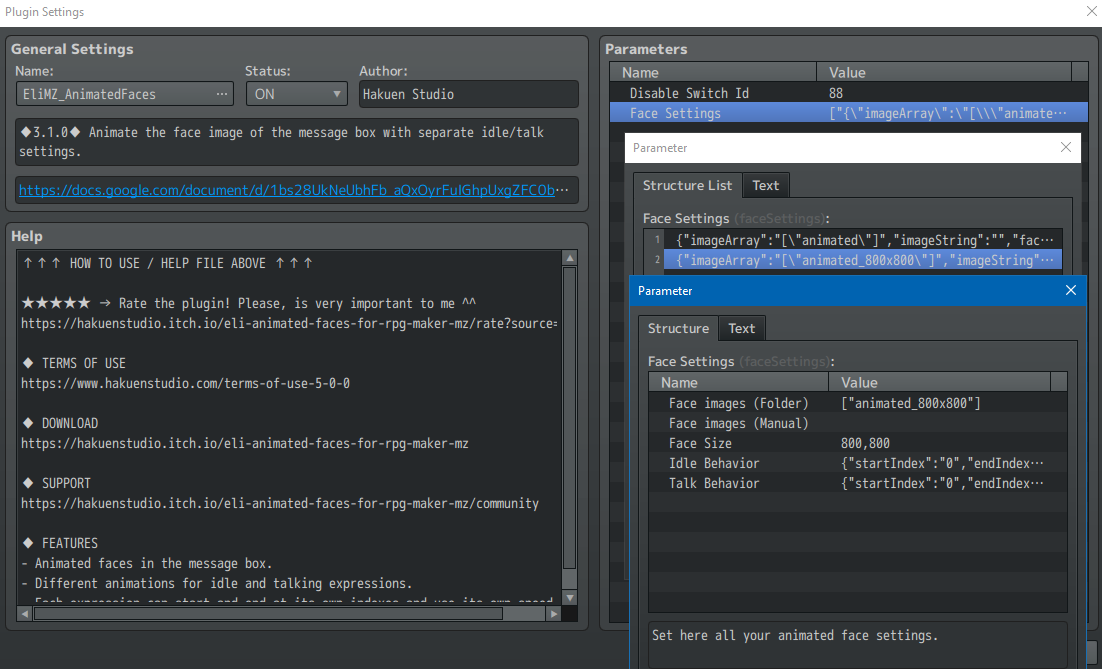
I think I fixed the issue. The problem was on the Animated Faces not supporting a differnet face size. Now it does. You may need to setup a new plugin parameter to define that face size. Like below I set 800x800 face size.


Looks like everything's working great- the fix worked. tysm dude!

Developer

Nice!! Thanks for the feedback!

Have fun :)

Developer locked this topic