Hi! Thanks a lot for the feedback.
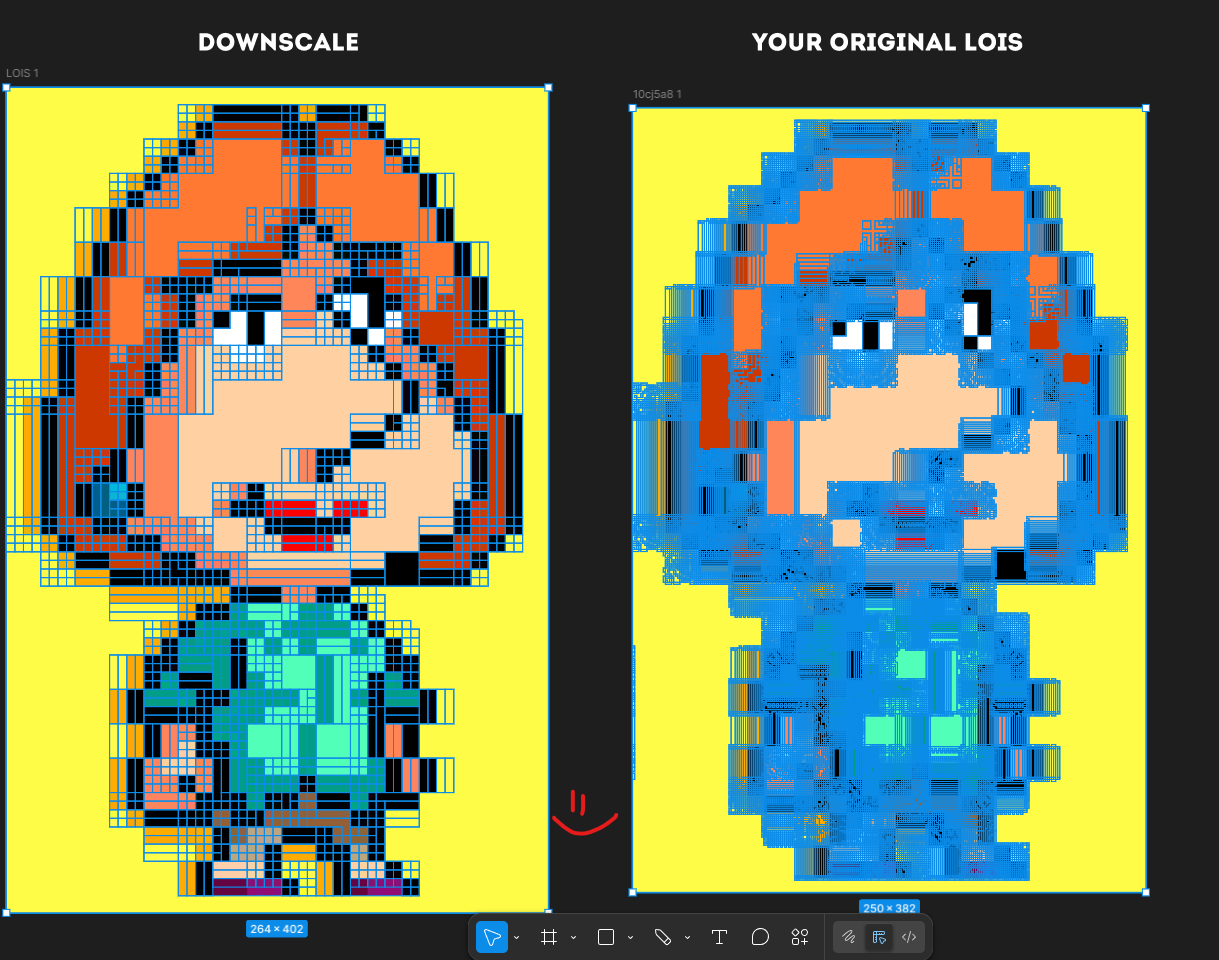
I checked the image and I see the issue. My app is made for real pixel art in its original size. It scans every pixel, so if the image is upscaled or compressed, small color variations get treated as separate pixels. That is why you get those shaded borders and messy results.
In your case the image was enlarged, so each pixel actually contains multiple colors from scaling and compression. The app reads that as real data.
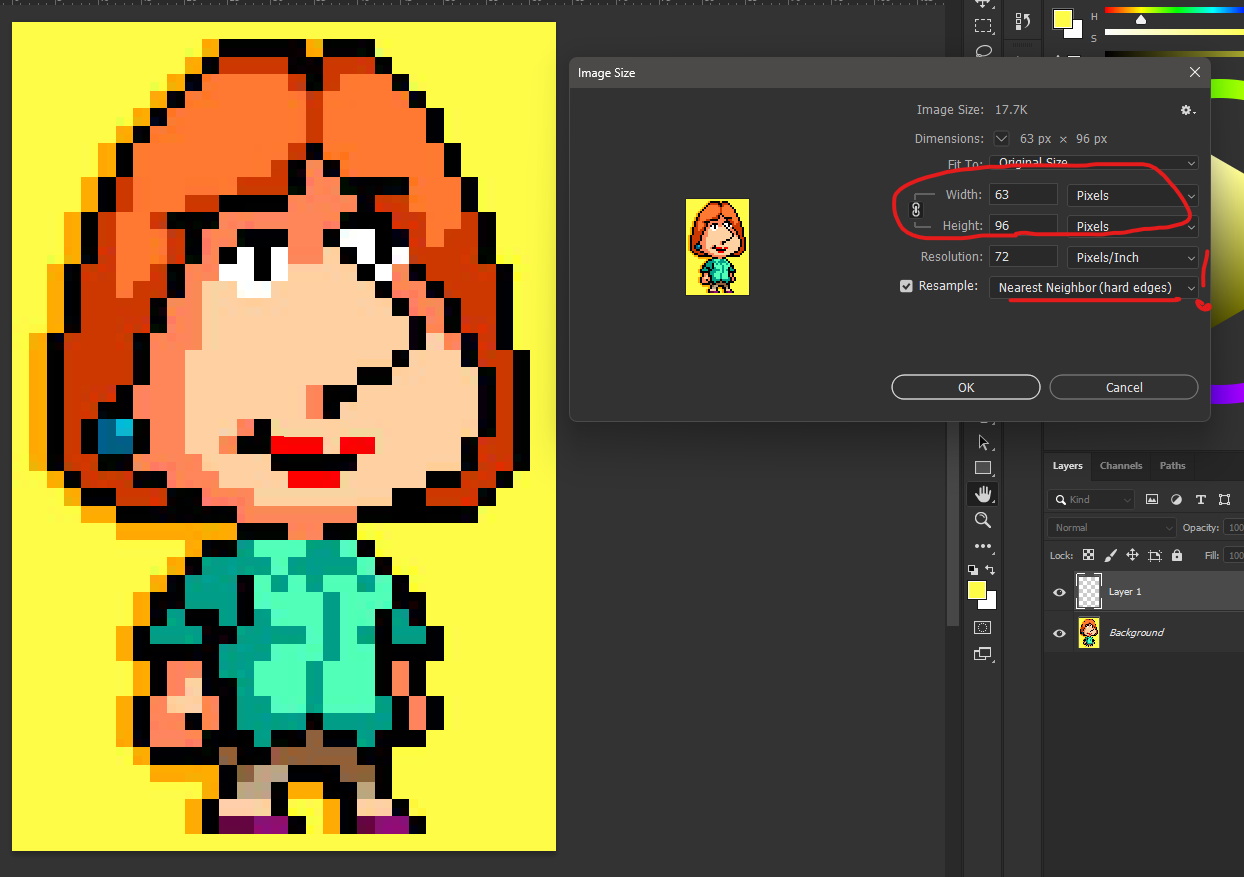
I’d recommend using a clean source closer to the original size, or downscaling first (preferably with nearest neighbor) and then running it again. You can also clean up colors a bit in Photoshop or similar tools before converting.
I’ll also update the upload rules to make this clearer. I’ll also try to adapt the algorithm to handle cases like this better, so even upscaled images can be processed more like proper pixel art by ignoring noise.
Thanks again for testing and the report.
PS. I also tried fixing your image myself, here is a Google Drive link.
The result might be not perfect since some details shrink when downscaling, but for true pixel art it works correctly. I downscaled the original about 5.5x.