Indie game storeFree gamesFun gamesHorror games
Game developmentAssetsComics
SalesBundles
Jobs
TagsGame Engines
(+1)

Hi, I just found a chance to try out your program (found via /r/software), when I found a pixelated version of the Family Guy characters on reddit: https://www.reddit.com/r/familyguy/comments/1s10mon/the_whole_griffin_family_in_...

So, since I wanted to try out your app anyway because I think it's cool, I separated the FG characters and batch-converted them to SVG (Monolith). Unfortunately, some of the pics look pretty crappy (pardon my french), as the app seems to distinguish slight color variations (due to the JPEG compression artifacts of the original) as separate pixels. Is there any way to overcome/adjust this? This is the img of Lois, cropped from the original image, as PNG: https://imgur.com/10cj5a8. I can't upload the resulting SVG to ImgUr, but you can run the PNG (or use the original reddit image) through you app yourself.    

All the converted SVGs have this shaded colored border, which is quite annoying. It's most noticeable on Lois's pic.

Cheers, KT
(1 edit)

Hi! Thanks a lot for the feedback.

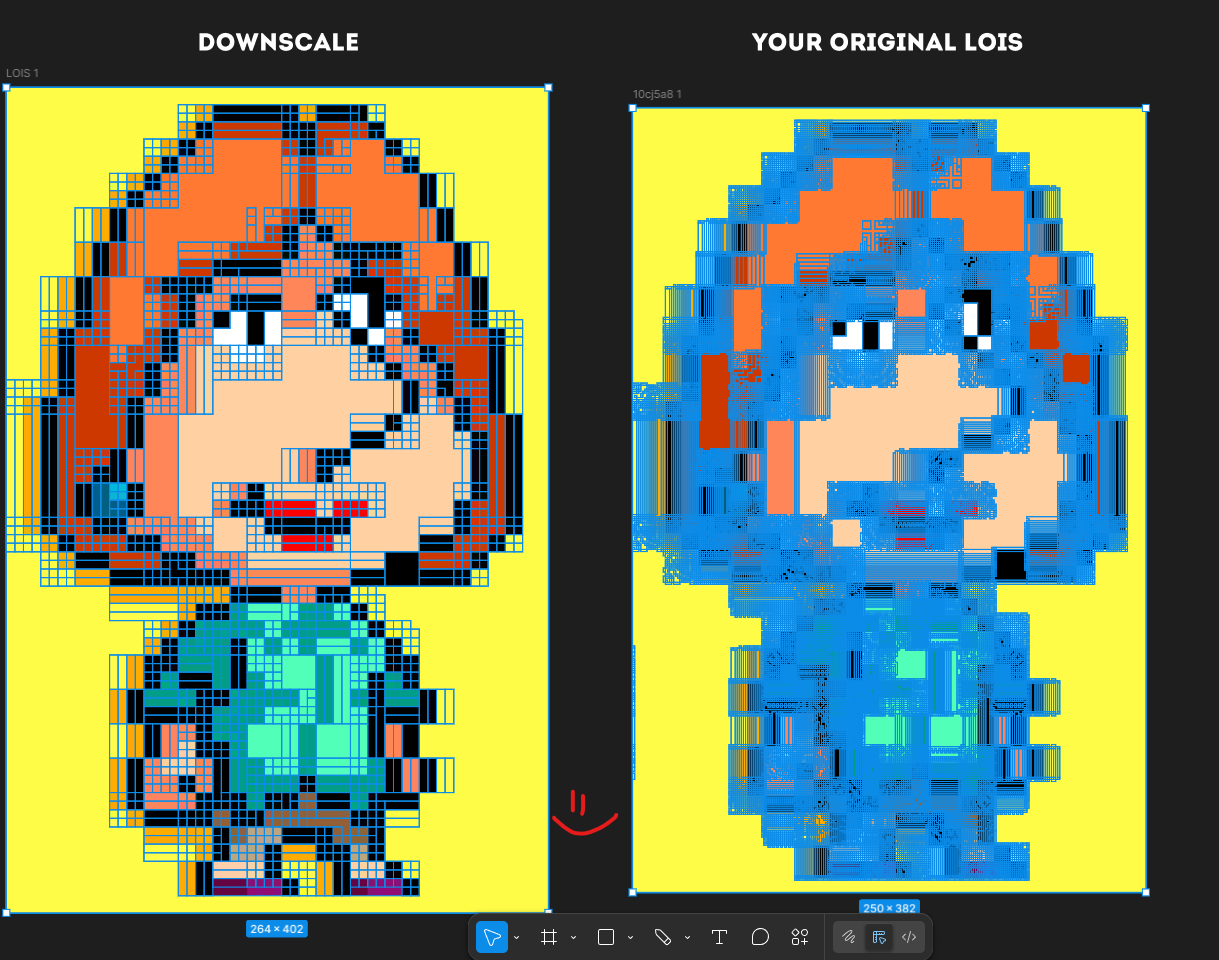
I checked the image and I see the issue. My app is made for real pixel art in its original size. It scans every pixel, so if the image is upscaled or compressed, small color variations get treated as separate pixels. That is why you get those shaded borders and messy results.

In your case the image was enlarged, so each pixel actually contains multiple colors from scaling and compression. The app reads that as real data.

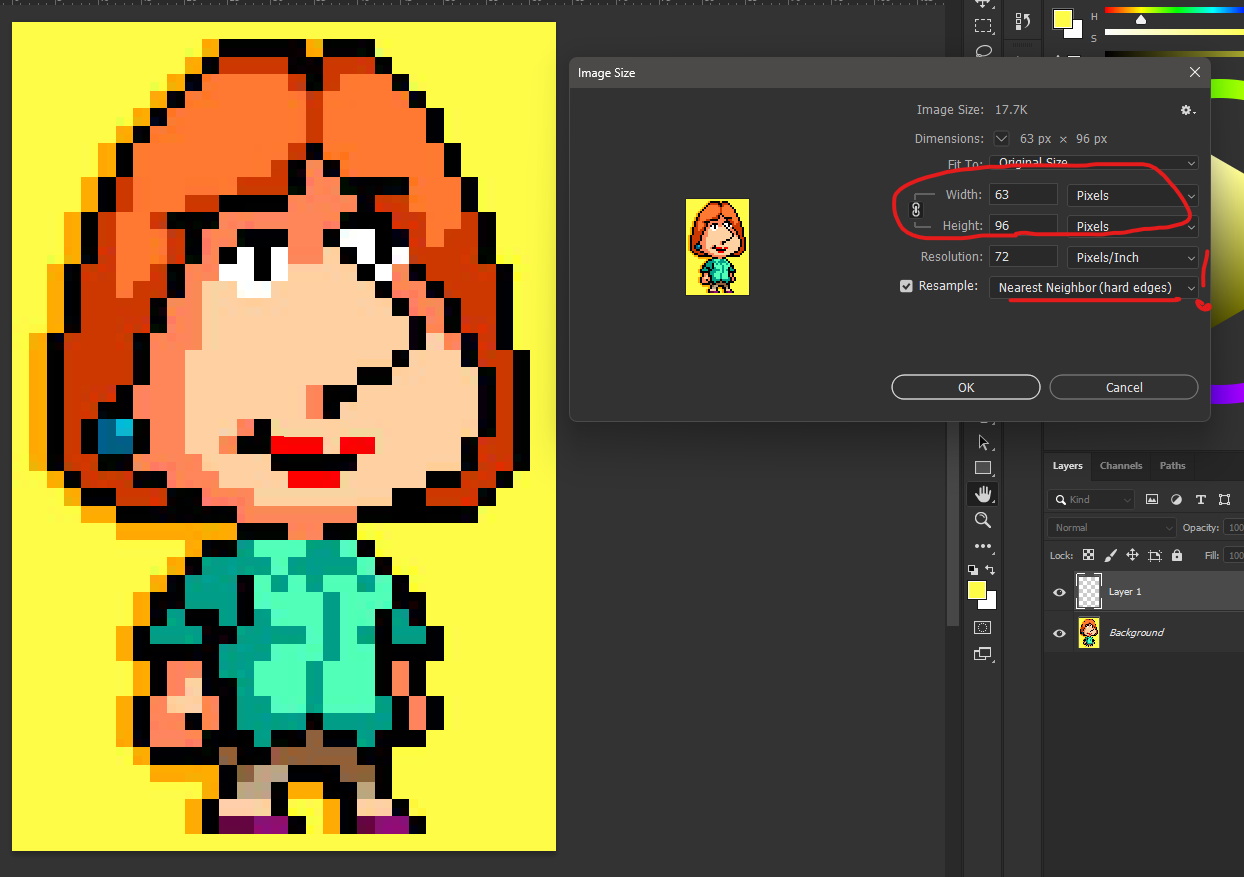
I’d recommend using a clean source closer to the original size, or downscaling first (preferably with nearest neighbor) and then running it again. You can also clean up colors a bit in Photoshop or similar tools before converting.

I’ll also update the upload rules to make this clearer. I’ll also try to adapt the algorithm to handle cases like this better, so even upscaled images can be processed more like proper pixel art by ignoring noise.

Thanks again for testing and the report.

PS. I also tried fixing your image myself, here is a Google Drive link.

The result might be  not perfect since some details shrink when downscaling, but for true pixel art it works correctly. I downscaled the original about 5.5x.

(1 edit)

Thanks for your reply, much appreciated. Maybe you could intruduce a color threshold parameter (in percent), to decide if the neighboring pixel is counted the same or not?

I was just thinking about this and even tested it, but the problem is that it can cause small artifacts that seem to take a little time to fix, but I would still like the result to be perfect and ready to work right away.