

Since 2.30 I am unable to reach the Jumpgate: I can click on it, but the ship does not fly there. That Error happens no matter if it is a savegame or a newly started game.
It is a shame, as I really love the game.
Any Idea on how to fix it?
no, that has never been reported before. As it is not a minor issue but a major issue everyone would have noticed this. Can you provide more information on the hardware and software you run the game on? Please note it is not compatible with android.
You can also send me a link to your save game here and I can have a look at it.
https://we.tl/t-g18MGdDY0Tsc0Mmb
I Uploaded it here, and I hope it helps.
Thanks for looking into it
Thanks for the save.
Heres what I tested:
- Downloaded and installed 240_026 fresh
- Installed on Win 11
- Started a game - Day 75 as "baseline test"
- Flew to hypergate -> OK
- Loaded your save game
- Clicked on hypergate -> travel started -> arrived -> OK
- No issues found.
Maybe install the game again and absolutely take care to install in a fresh folder and especially not use any mods like URM.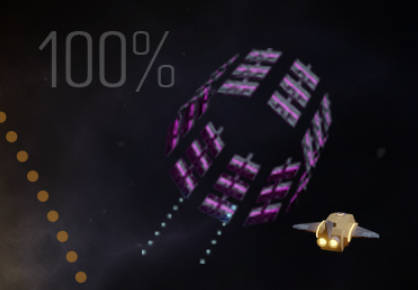
that seems like the effect of residual files. There was a larger Refactoring in version 2.4 so it must be in its own fresh folder when it's installed.
Also, please check whether use stuff like URM. These tools are not compatible and mess up everything.
This issue has not been reported by anyone of the hundreds of people who have tested the game in the meantime. So it must be a software or installation issue.
This issue has not been reported by anyone of the hundreds of people who have tested the game in the meantime. So it must be a software or installation issue.
You can do another test: if you have a virtual machine installed, try to install it in that virtual machine and see whether the behaviour changes