can someone pelase explain how you install this with linux ive alreday set up linux and all that im just unsure how this particular file is downloaded with linux

Build your own pixel characters using ready-made art. Customize and export in seconds for any project. · By
Sorry for the late reply!
Typically all you should need to do to run MSSC on Linux is:
1. Download the Linux zip file (it's in the included files downloadable from the Itch page)
2. Extract it, and open the resulting folder
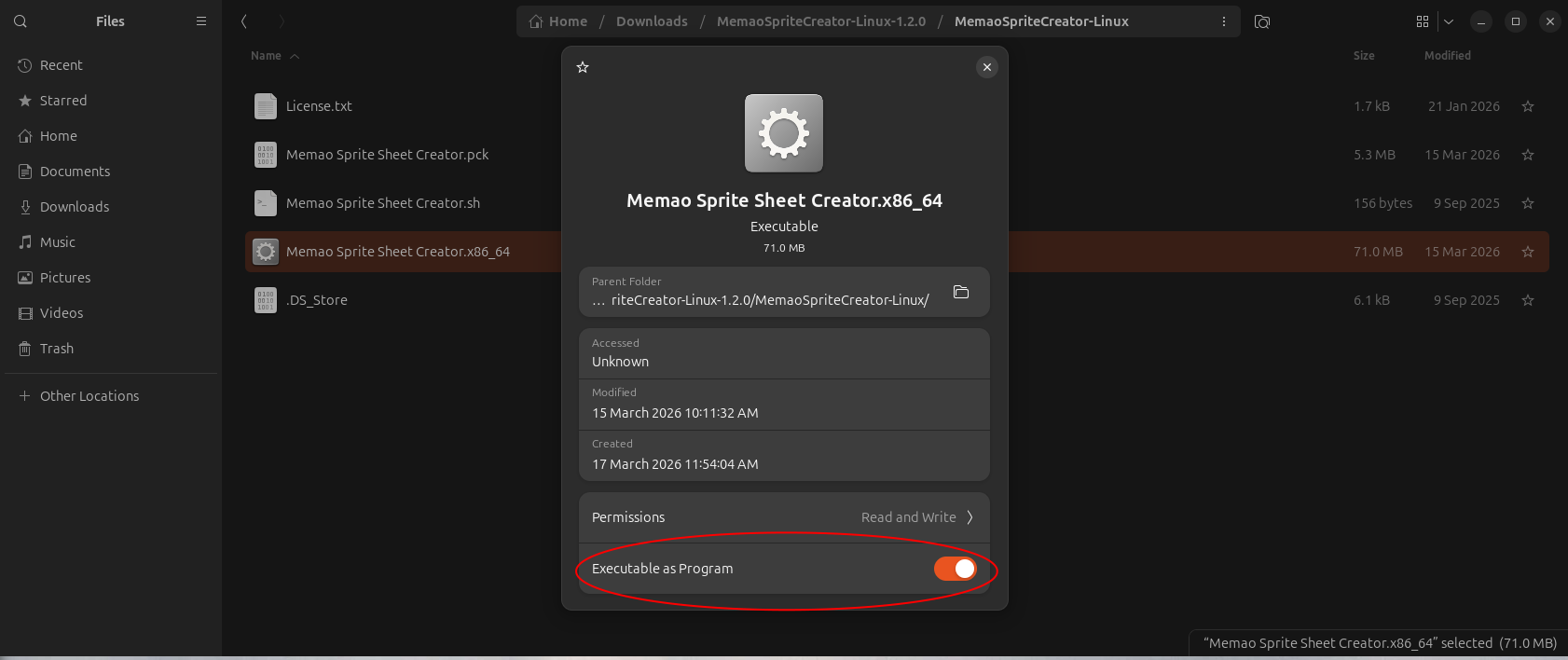
3. Right-click the executable file "Memao Sprite Sheet Creator.x86_64" -> Properties -> Ensure "Executable as Program" is enabled
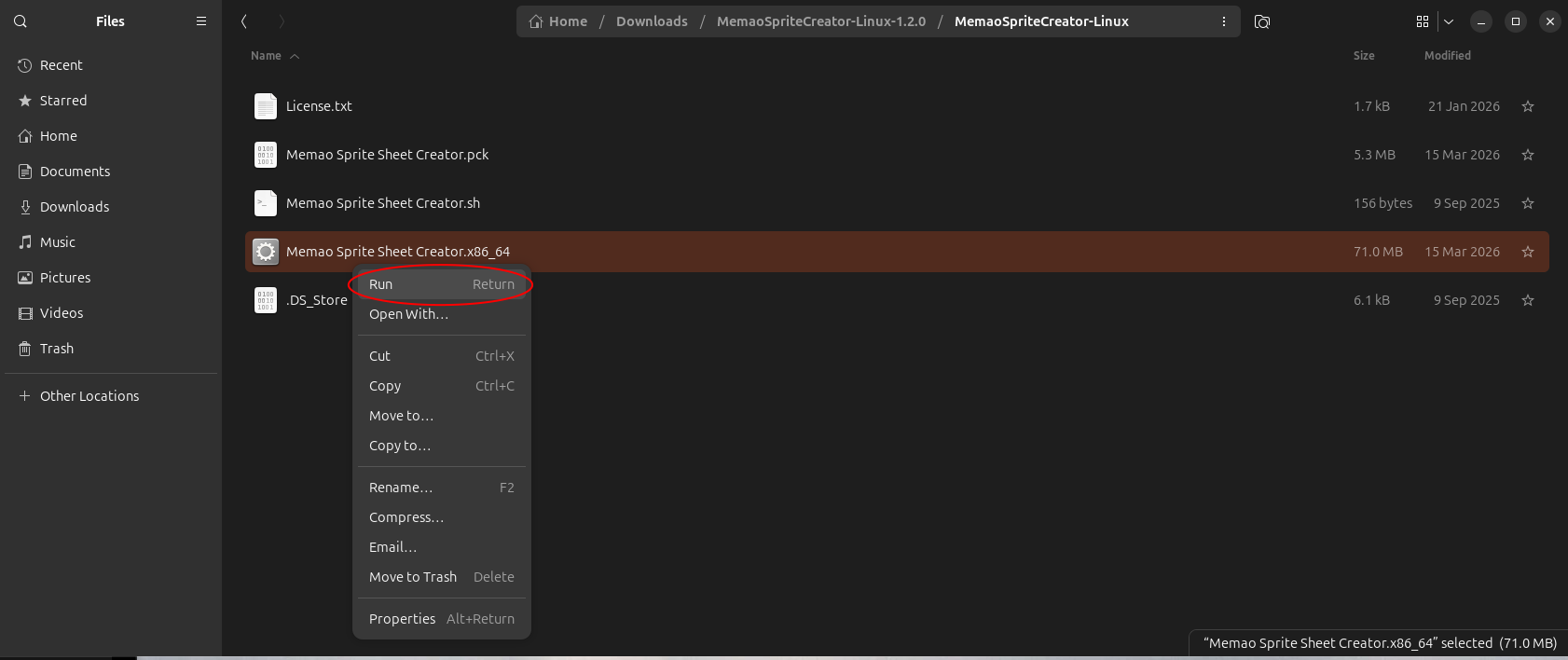
4. Close properties and double-click the file or right-click and choose "Run"