

💬 FAQ (Frequently Asked Questions):
💻 Display Resolution:
After a major update, the game settings can sometimes be reset automatically.
This means your screen resolution may have been changed, which can cause the UI to look enlarged or blurry.
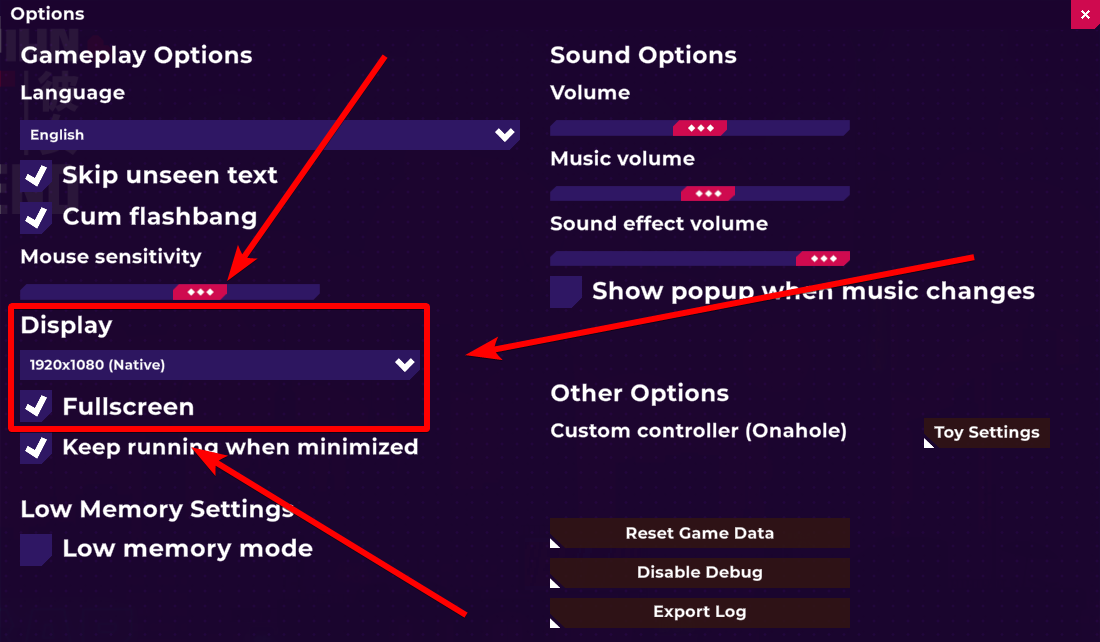
You can fix this by adjusting the resolution in the game settings:
- Go to the Options menu on the title screen
- Find the Display setting
- Change the screen resolution to match your device’s screen resolution
After setting the correct resolution, the UI and text should display normally again.
Translation:
在大型更新之后,游戏的设置有时会被自动重置。 这可能会导致你的屏幕分辨率被改变,从而让界面看起来被放大或变得模糊。
你可以通过调整游戏设置来解决这个问题:设置正确的分辨率之后,界面和文字应该会恢复正常显示
- 进入标题界面的 Options(设置)菜单
- 找到 Display(显示) 设置
- 将屏幕分辨率调整为与你设备屏幕相匹配的分辨率