Indie game storeFree gamesFun gamesHorror games
Game developmentAssetsComics
SalesBundles
Jobs
TagsGame Engines
(1 edit)

Well then, I guess either you struggle with how to time it (happens), or something is done incorrectly... Kinda hard to tell without seeing a video sadly.

Your Encounter tool seems to be correct though


The important parts are : 

  • Start the timer and your save file at the exact same time (not a new save file, the one you saved with the ID you wrote down on the Encounter tool)
  • Trigger the dialog that displays the Tortolodon right when the timer reaches zero (It's the dialog just after "And to go with it...")

Using the timer audio cue helps a lot.


If it still doesn't work, it might actually be a bug, but I doubt it as this part was tested out extensively...
Take a look I made you a video.

https://s1.webmshare.com/KJGJq.webm

Double checked that the seed is for file1 btw

Links give me a 404 not found sadly

Sorry, try this one:

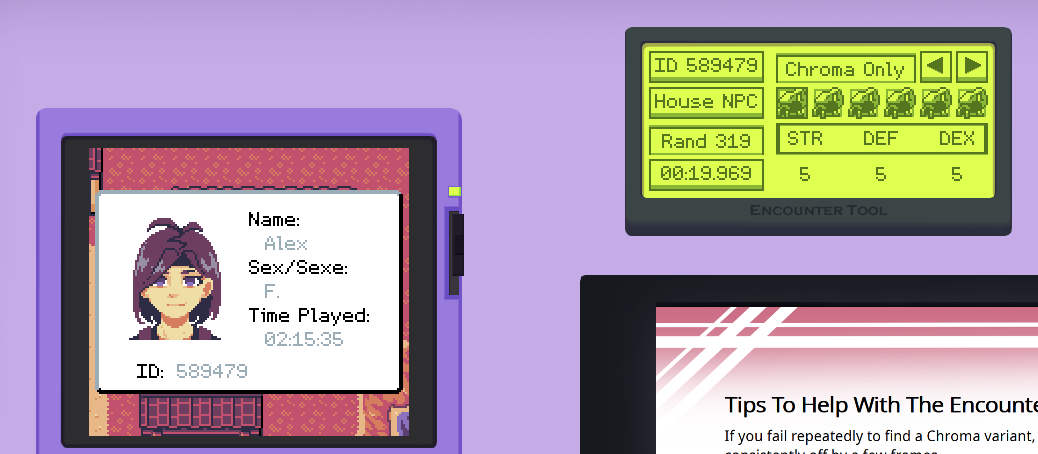
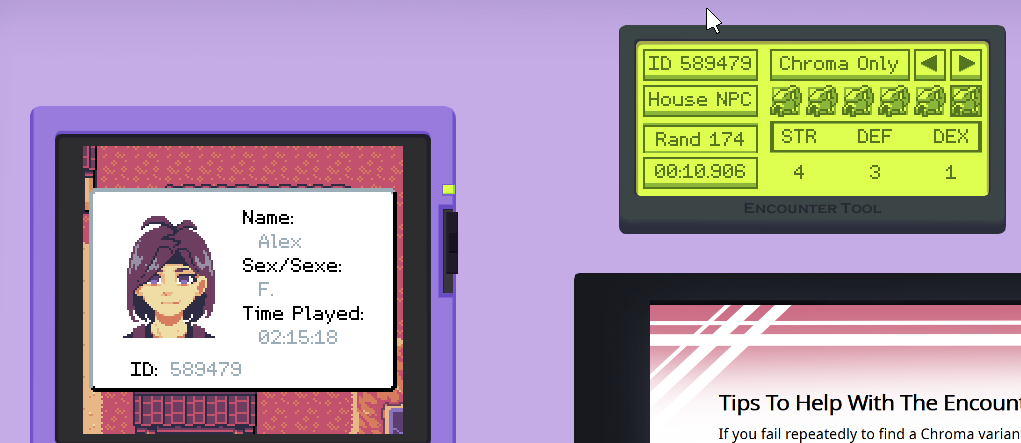
Ok, fun fact: I have the exact same ID as you on my personal save (I know this can happen, not sure why people tend to get the same ID but not an issue).

Anyway, I don't have the same result as you when using the encounter tool...

For me, Rand 174 is just a normal Tortolodon.

To get a chroma, I have to go to Rand 319.

I think someone had this issue in one of my playtest, but it was a while back, it happened only once on a really old version, and I think the problem resolved itself by doing a hard reset on their save...

I should probably look into it more (I'll add it to the todo list) but I think you should try to fully reset your game using the overall option menu, and then uninstall and reinstall your game...


Sorry, but without knowing what causes the issue, I can't really give more recommendations...
The only thing that comes to mind is that the ID displayed in the encounter tool is not the same as the one being used for calculation for some reason (maybe an issue with how it's saved...). But right now, I have no idea...