

Hey! Thanks for leaving a comment here!
Currently, TileMaker DOT exports maps using external tileset references to keep files organized. For the Unreal integration plugin, you usually just need to ensure your assets folder is in the same relative location as your exported files.
Edited note*:
Sorry, if the plugin works with Tiled, then it should work with this tool. Try this before everything else: When starting the app, leave only "assets" in the base path. And after you finish your project, make sure you copy thee assets folder where you will paste your tmx and tsx files in Unity. In this way you make sure it's a relative path to the folder.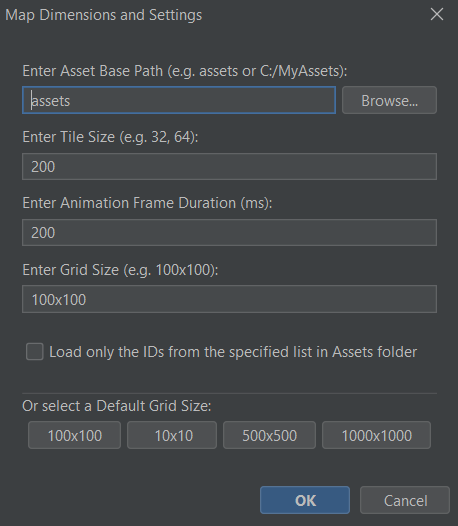
I also mentioned this in the README file:
~~~~~~~~~~~~~~~~~~~~~~~~~~~~~~~~~~~~~~~~~~~~~~~
> **⚠️ Important Path Note:** The path you enter or browse for in the **"Asset Base Path"** field at startup determines your export behavior:
> * **Relative Path:** If you keep it as `assets` (or a relative subfolder), the exported `.tmx` and `.tsx` files will use relative paths. This is recommended for moving projects between different computers or sharing with a team.
> * **Absolute Path:** If you use the "Browse" button to select a full path (e.g., `C:\Users\Name\Desktop\assets`), the exported files will hardcode that absolute path.
~~~~~~~~~~~~~~~~~~~~~~~~~~~~~~~~~~~~~~~~~~~~~~~
Please make sure to read the README, you will find useful tips there:)
And if this does not work, then try the following:
There could be a quick fix for this: Open the exported .tmx in the Tiled Editor.
But if it is important to you and if I understand how it works, I will be looking into adding a 'Direct Embed' toggle for future updates to make the Unreal pipeline possible.
Thanks for the feedback! And I am waiting for your reply