
Indie game storeFree gamesFun gamesHorror games
Game developmentAssetsComics
SalesBundles
Jobs
TagsGame Engines

Very interesting software. I do like it, took me a while to get my head around it. Mostly because super tiny brush sizes by default... I have two problems with it - sometimes brush leaves glitchy looking, bright color (blue). You can see when you zoom in on the picture. When you actually zoom in inside Our Paint its not there - not like pixels but as blue lines around the edges of the drawn shape. They appear and disappear depends on zoom level. Also the Halftone brush is slow to the point of unusable. Specially on bigger brush sizes. So much for feedback. I will keep exploring Our Paint! Very cool! I see lot of potential!
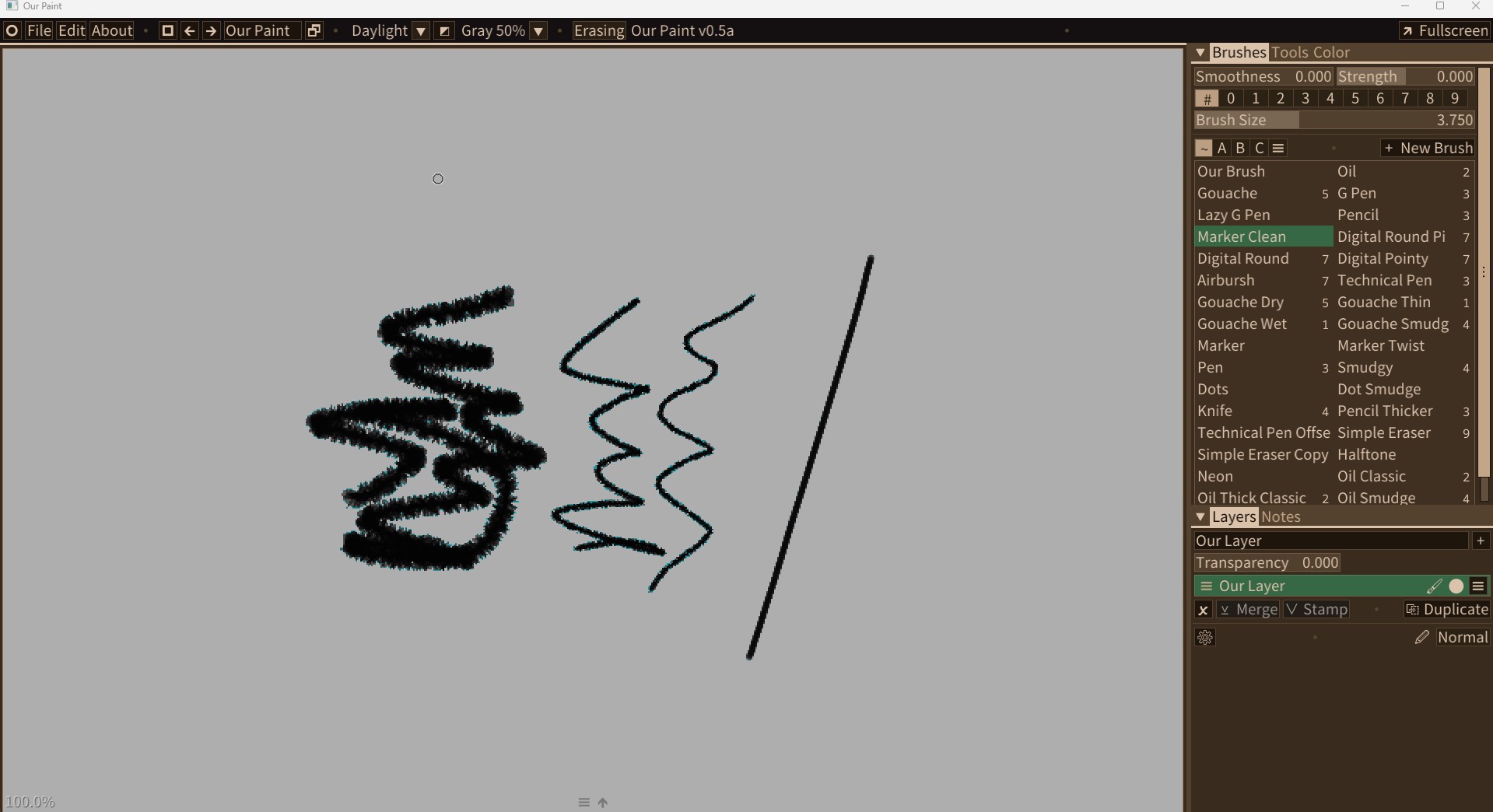
Hi! Thanks for the feedback! The blue/orange border was a known limitation of current pigment canvas implementation. You can switch to RGB canvas, or set pigment display mode to “sharp” to reduce this effect. The effect won’t be visible on exported image. Cheers!

Thanks for an answer! Just one more thing I cant figure out - how to get circle for color selection like on screenshots? All that I see now are these 3 colored sets of colors..

Hi! This is because you are in (by default) pigment canvas mode. You can go to Edit > Canvas Properties and click “Convert To -> RGBA” then you can use it like any other programs that has RGBA canvas :D Cheers!

(+1)

Brilliant, thank you!